VS Code extension
The extension puts intent into the editor you already use. It does not replace the diff editor — VS Code's native diff stays exactly as it is, and IntentumDiff annotates it.
It needs the engine
The extension is a thin front end over the intentumdiff command. Install the engine
first — see Getting started. Without it the extension has nothing
to talk to.
What you see
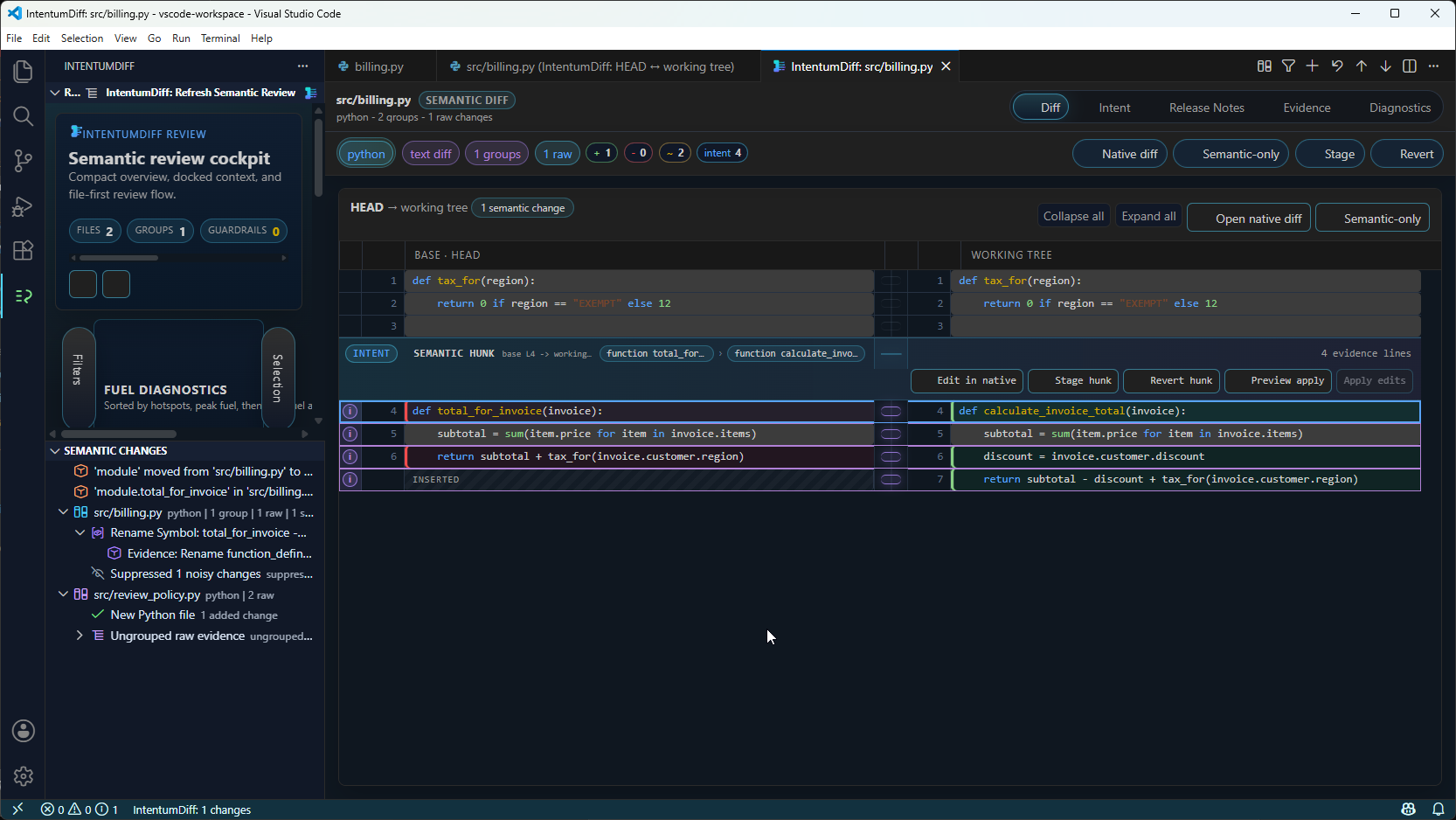
- CodeLens above each change —
CATEGORY · why, so the classification and its reason sit next to the code rather than in a panel you have to go and find - Semantic decorations coloured by category, bound to your theme
- A peek view for the detail behind a classification
- A review summary with intent, release notes, evidence and diagnostics
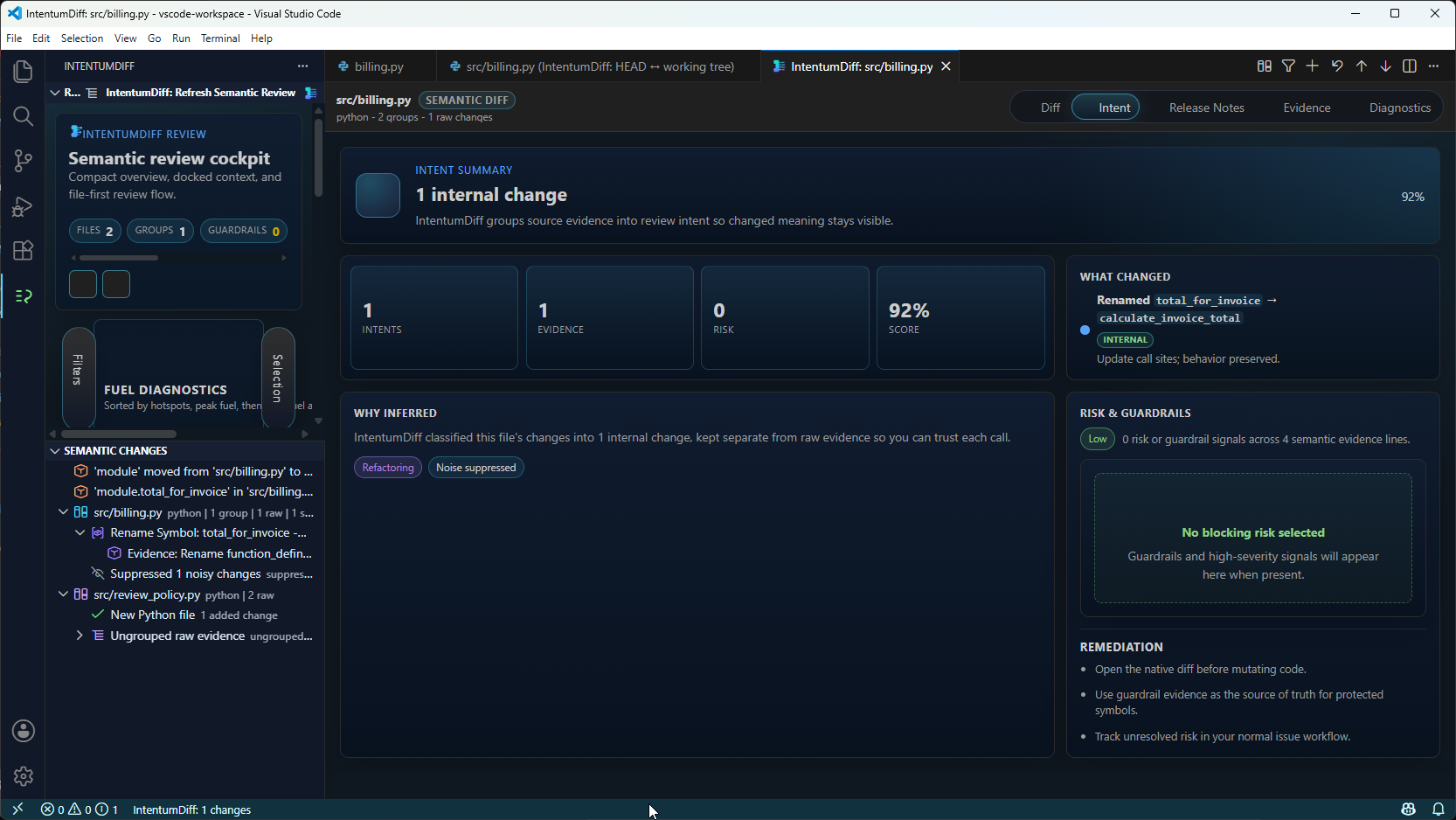
Intent
The Intent tab answers "what did this change actually do?" — a summary, the derived facts, and the reasoning behind the classification.
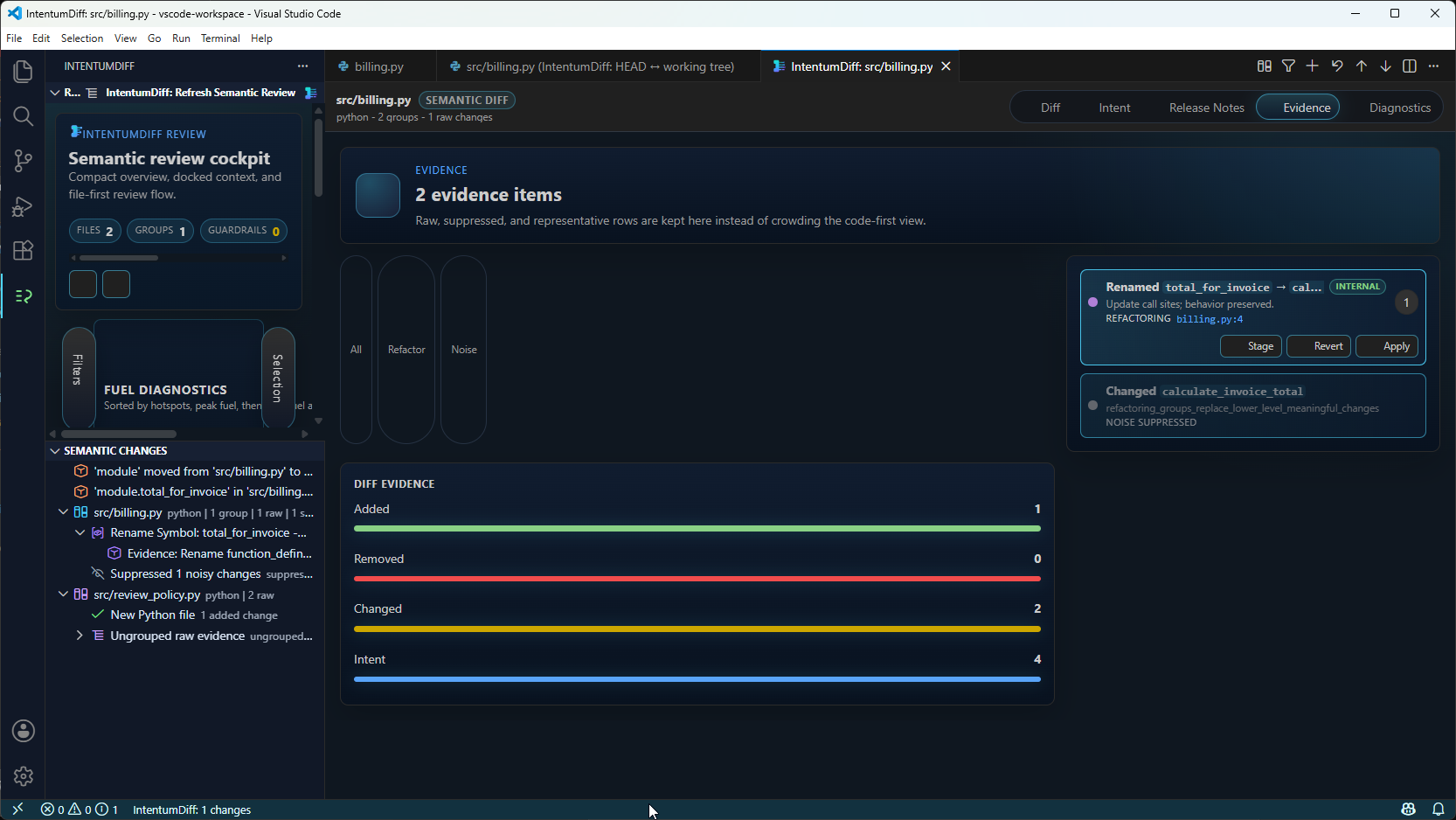
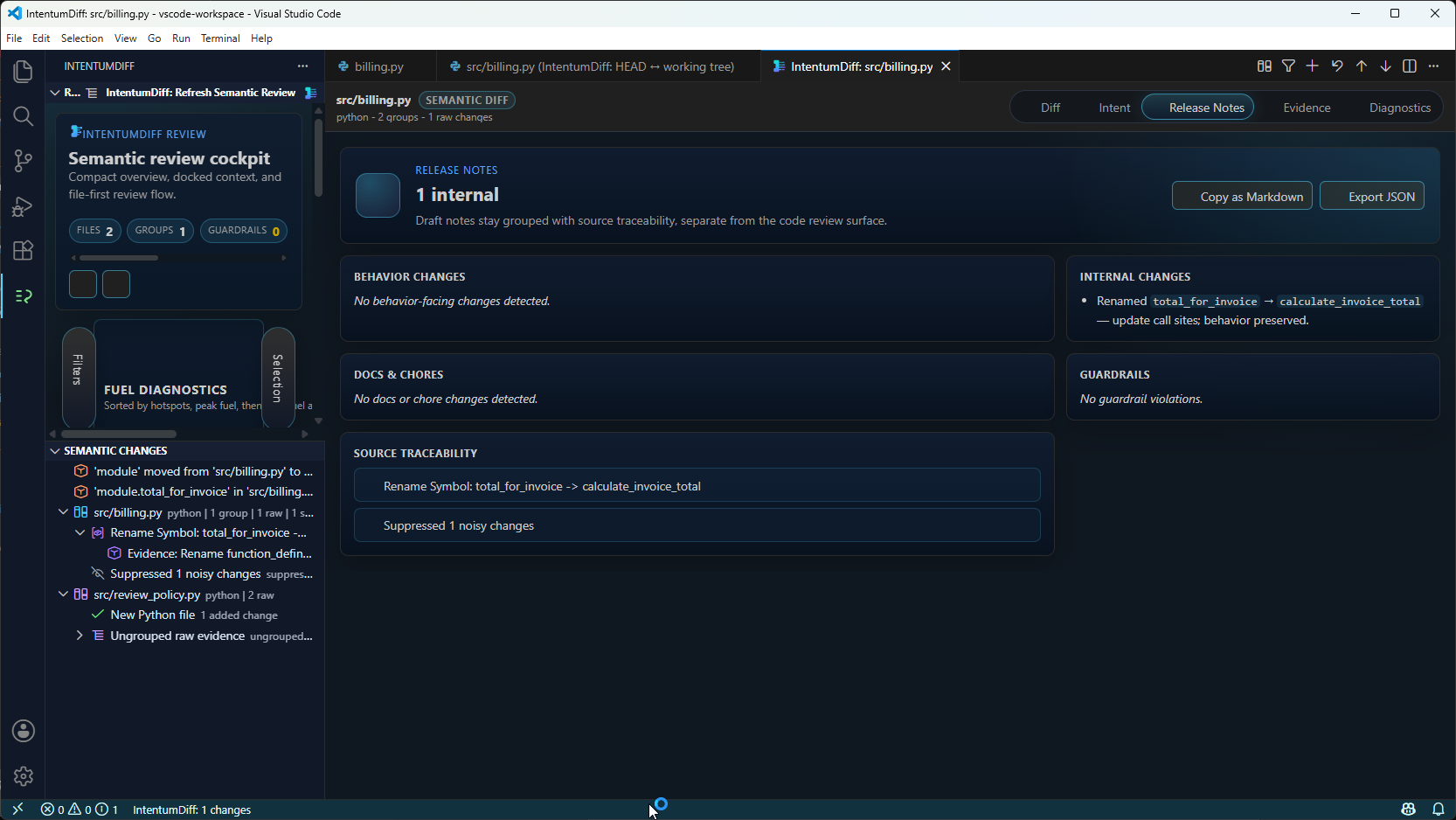
Evidence and release notes
Guardrails
Protected-config violations are surfaced separately, because they are the ones that should block a merge.
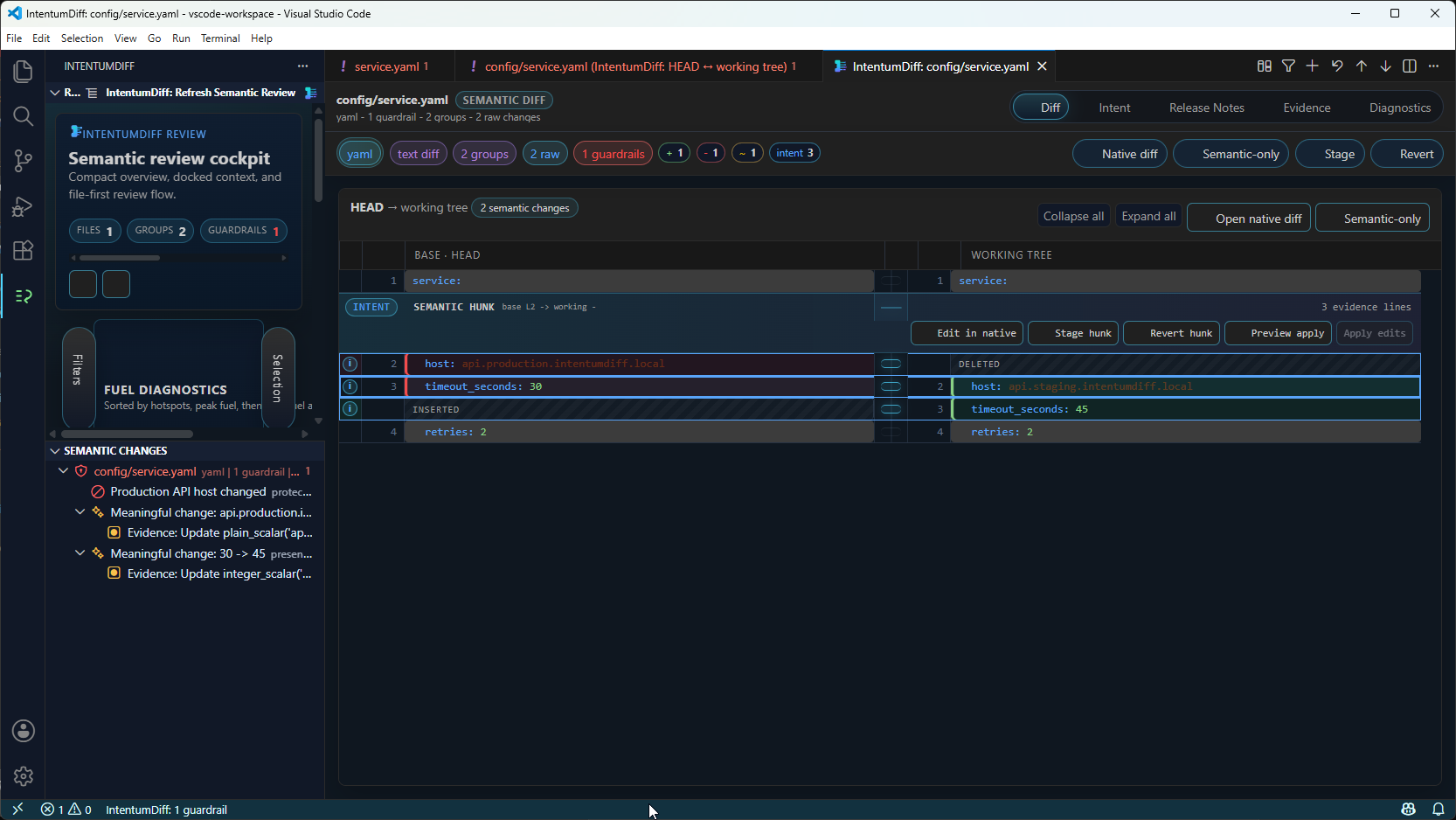
It follows your theme
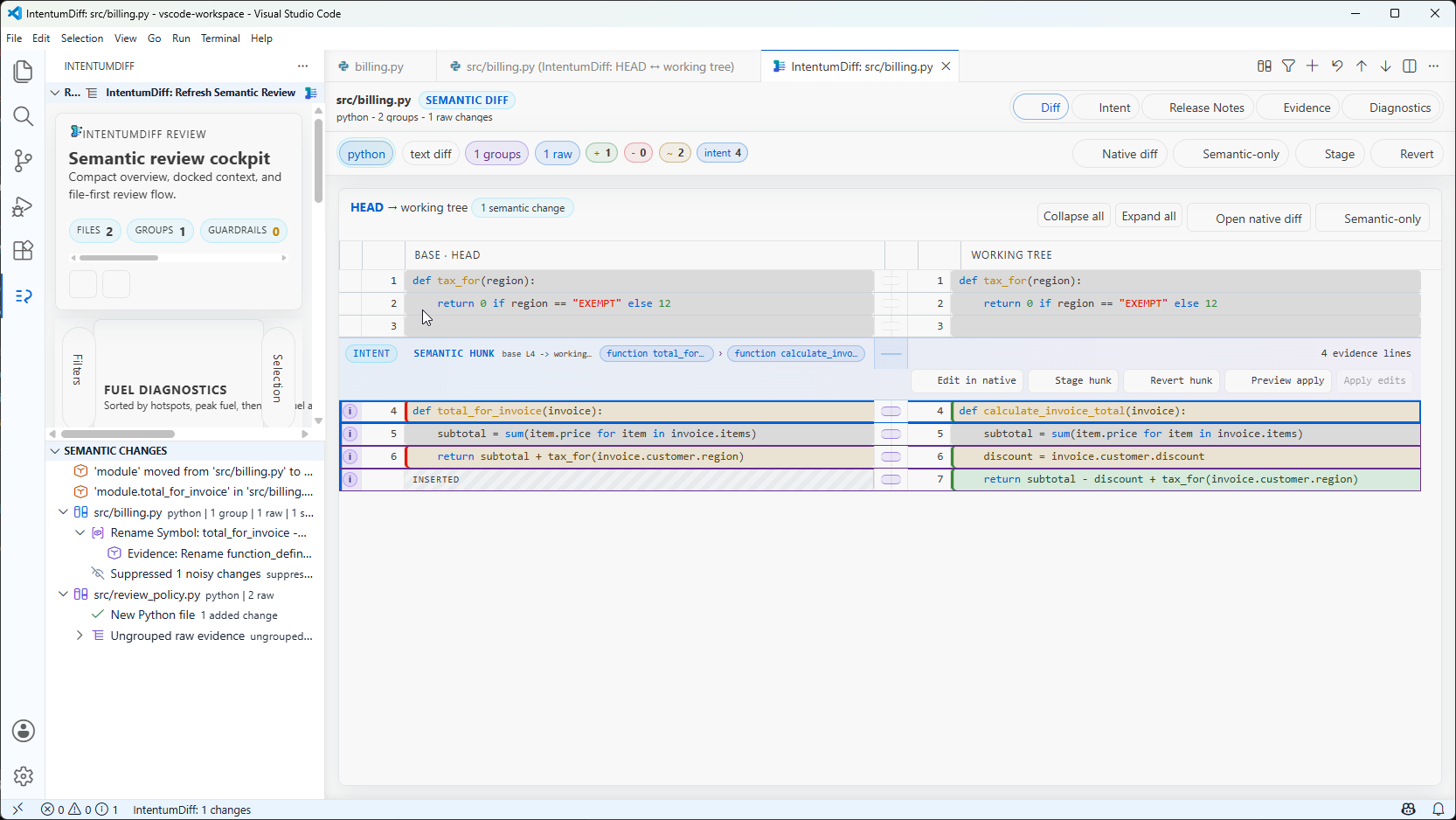
- CodeLens above each change —
CATEGORY · why, so the classification and its reason sit next to the code rather than in a panel you have to go and find - Semantic decorations coloured by category, bound to your theme
- A peek view for the detail behind a classification
- A review summary with intent, release notes, evidence and diagnostics
Risk is derived from the category rather than configured separately: behavioural changes surface as behaviour, refactorings and moves as internal, style as excluded, and guardrail violations as critical.
Editing while you review
The right-hand side of the diff is the real working-tree file, so it stays editable. Fix something mid-review and the engine re-runs, refreshing the intent annotations as you type.
Settings
| Setting | Purpose |
|---|---|
intentumdiff.executable |
Path or command name for the engine. Machine-scoped |
intentumdiff.ref |
The git ref to compare against |
intentumdiff.liveServer.engine |
auto, native or python |
intentumdiff.executable is machine-scoped on purpose: a workspace cannot override it, so
cloning a repository can never cause your editor to run a binary that repository chose.
Theme
Chrome follows your editor theme rather than a bespoke palette, and change categories use
contributed colour IDs (intentumdiff.semanticChanges.*) which you can override:
{
  "workbench.colorCustomizations": {
    "intentumdiff.semanticChanges.meaningful": "#e06c75"
  }
}
It is designed to read correctly in Dark+, Light+ and High Contrast.
If it does not work
See Troubleshooting — the usual cause is that VS Code's PATH does not
include the environment the engine was installed into.