Using the CLI
rich renders files that are painful to read in a terminal — Markdown, JSON,
CSV, source code, notebooks — and can compare two images. This page is organised
by what you are trying to do. For the complete list of options, see the
CLI reference.
Assumes you can run commands in a terminal. Every example below was run
against rich 0.0.2 and shows its real output, with colour removed for print.
Read a file
Point rich at a file and it picks a renderer from the extension: .md,
.json, .csv, .tsv and .ipynb get their own; anything else with an
extension is syntax-highlighted.
Force a renderer when the extension is missing or misleading:
Read from standard input with - (including -p - for markup):
Input modes without a resource also read stdin until EOF. Interactive input
prints a hint: finish with Ctrl-D on Unix, or Ctrl-Z then Enter on Windows.
With no mode and no resource, rich runs its capability demo. The demo accepts
--no-color; layout, style, paging, hyperlink and export options require a
resource or render mode and are rejected for the demo.
Repeated scalar options use the last value, including --width and export paths.
Filenames that begin with a dash
Everything after a bare -- is treated as the resource, however much it
looks like an option: rich -- -weird-name.md.
Render a CSV as a table
             Team
┏━━━━━━━┳━━━━━━━━━━┳━━━━━━━━━┓
┃ name  ┃ role     ┃ commits ┃
┡━━━━━━━╇━━━━━━━━━━╇━━━━━━━━━┩
│ Ada   │ author   │     120 │
│ Grace │ reviewer │      98 │
└───────┴──────────┴─────────┘
The delimiter and whether row 1 is a header are detected, not assumed, so semicolon- and tab-separated exports work without a flag. Numeric columns are right-aligned automatically.
If the delimiter cannot be determined and the file is not .csv/.tsv, rich
reports it and exits non-zero rather than inventing a one-column table:
Render Markdown, and keep the links readable
Link destinations are printed after the label, so a piped or redirected render
keeps them. Pass -y/--hyperlinks to emit real clickable
OSC 8
hyperlinks instead — useful in a terminal, lossy in a pipe:
Frame and position the output
A panel shrinks to its content. Use -e/--expand to fill the width instead.
--stylestyles the content;--panel-stylestyles the border. They are different flags because they do different things.--width Nbounds the rendered block, not the console, so--centerstill positions it within your real terminal width.--titleand--captioninterpret Rich markup; on a CSV they also become the table's title and caption. Rules interpret markup in their resource title.- Notebooks use the same layout chain, so padding, panel, style, width and alignment apply to the complete notebook, including its outputs.
Export what you rendered
The HTML is self-contained. The SVG references its font from a CDN, so it is
not self-contained offline. Both exports may be requested together, and
stdout is still printed once. Diff reports choose color blocks for HTML/SVG
independently of redirected stdout, which stays readable ASCII. Explicit
--image-mode ascii, --image-mode none and --no-color are respected; Sixel
requests use blocks in exported documents.
Compare two images
Reports the regions that changed, and exits 1 when more than 2% of the image
differs — which makes it usable as a CI gate. See
Comparing images for the modes and how the comparison works.
Use it in a script or CI
rich writes rendered output to stdout and diagnostics to stderr, so the two
can be separated:
Exit codes are 0 for success and 1 for failure — including a resource that
cannot be read or parsed. Check them:
Colour is disabled automatically when output is not a terminal, and by
a non-empty NO_COLOR or --no-color when it is. FORCE_COLOR is unsupported;
setting it does not add escape sequences to redirected stdout. COLUMNS sets
the console width (80 when neither terminal width nor the variable is available).
--pager tries a non-empty MANPAGER, then PAGER, then less on Unix or
more.com on Windows. GIF playback repeats once by default; --loop 0 repeats
forever in a terminal. Pipes receive the first frame once, even with --loop 0.
Where to go next
- CLI reference — every option, generated from
--help - Comparing images — the
--diffworkflow in depth - Troubleshooting — error messages and what to do about them
- Parity with Python rich — how close the output is, and where it differs
Reading UTF-16 text (0.0.4 development)
Use rich notes.txt --encoding utf-16 for a BOM-marked file, or explicitly
select utf-16le / utf-16be for headerless input. The same option works on
stdin and URLs. See text encoding for strict
error handling and unchanged default decoding.
GIF half-block rendering (0.0.4 development)
rich --gif animation.gif --gif-mode blocks --width 40 --loop 2
rich animation.gif --gif-mode ascii
rich --gif first.gif second.gif --gif-mode blocks --loop 0
--gif-mode selects the GIF renderer independently of the image-diff-only
--image-mode flag. Existing invocations default to ASCII. Blocks pack two
pixel rows into each terminal cell. GIF decoding retains the existing full-canvas
transparency/disposal handling, and animations keep their individual clocks.
| Destination | Explicit blocks behavior |
|---|---|
| Truecolor terminal | Full-color half-block frames |
| 256-color terminal | Half-blocks with quantized colors |
| 16-color terminal | Half-blocks with reduced color fidelity |
NO_COLOR, --no-color, ASCII-only console, or no color capability |
ASCII fallback |
| Redirected stdout | One ASCII frame; no animation controls or waiting |
The default loop count is one; --loop 2 plays twice and --loop 0 repeats
until interrupted. Normal completion restores the cursor. Ctrl-C terminates
playback promptly but, as with existing ASCII playback, may leave the cursor
hidden; restore it with printf '\033[?25h' in a Unix shell. Sixel GIF output
and GIF HTML/SVG export are not supported. Captures below are from real CLI PTY
output, not GIF export support.
Library callers select .blocks(true).color(true) on AnimatedArt.
render_frame(index) honors capabilities; the original frame(index) API still
returns ASCII art. Block height is an aspect-preserving cap; ramp/inversion
settings apply to ASCII fallback. Mixed-renderer stages retain per-frame widths.
Sequential frames captured from actual --gif-mode blocks CLI playback:
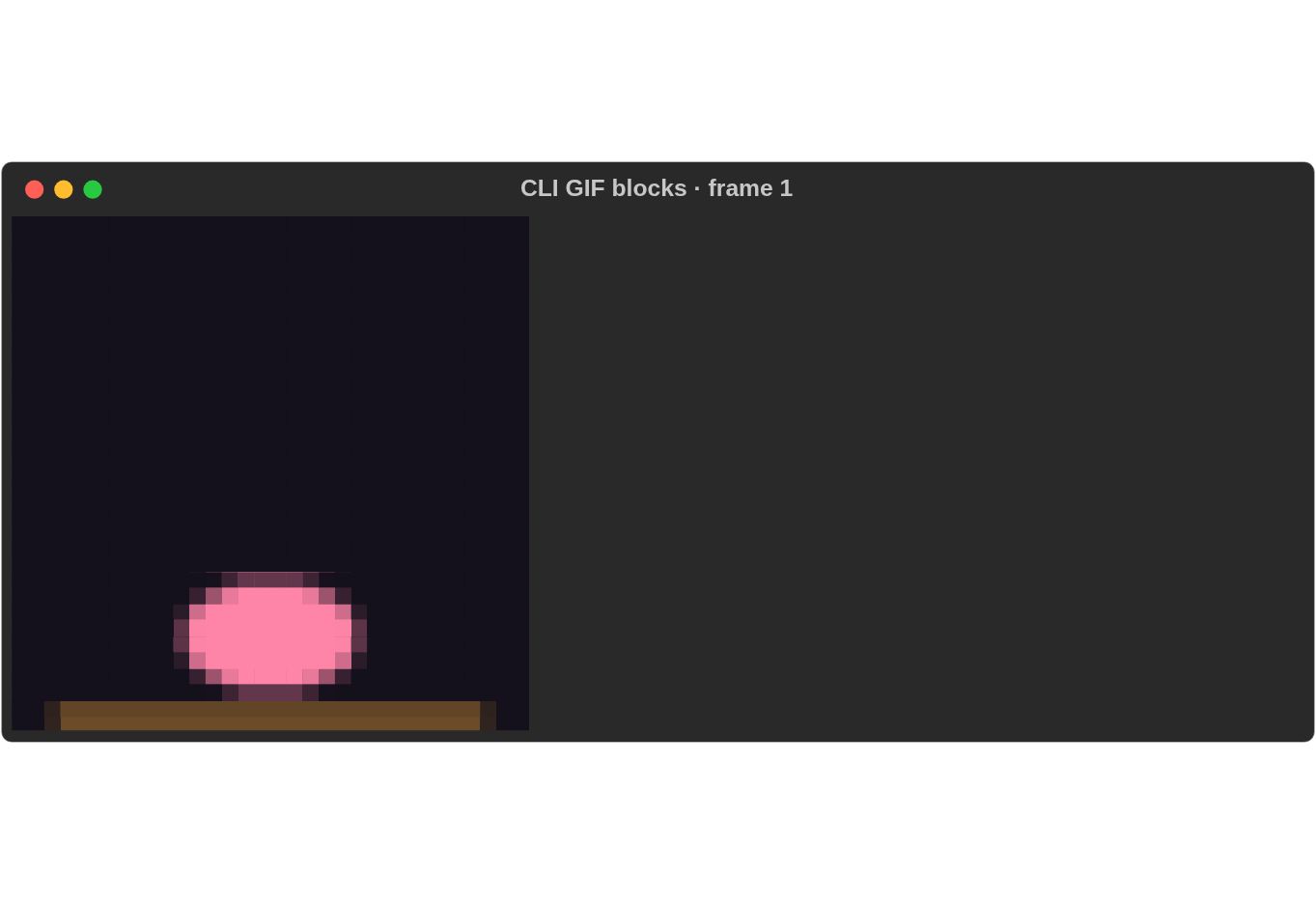
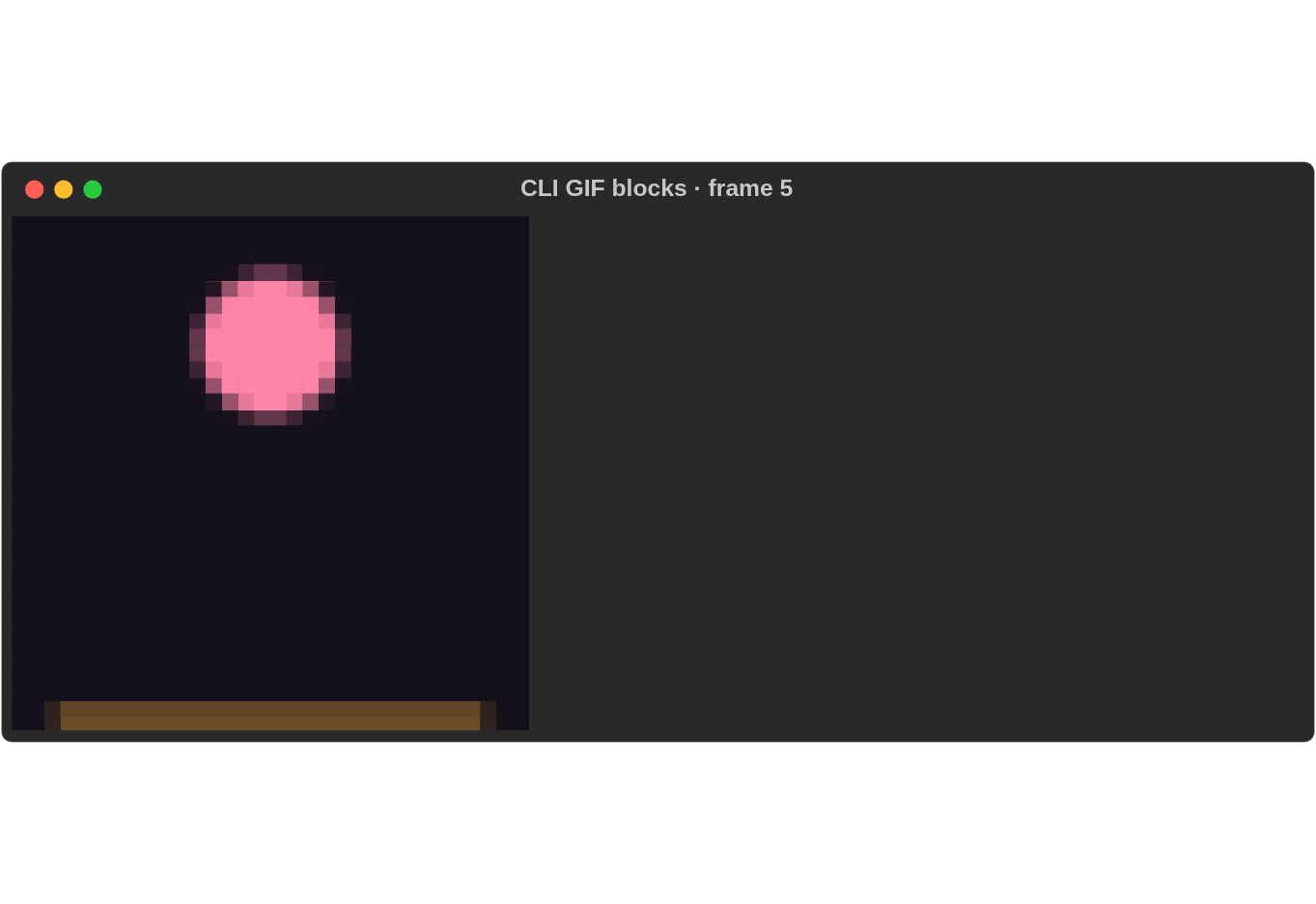
Playback recordings and reproduction commands.
Optional syntax cache
For repetitive source files, build the CLI with
cargo build -p rs-rich-cli --release --features syntax-cache. This feature is
off by default and changes no CLI flags. It reuses parsing work within one
render; varied source files may see no speedup. See the
measurements.