Rich-art videos
Run the suite in your terminal
CLI 0.0.8 introduced rich --demo: a single guided pass through the
suite with three-second section pauses. Use --demo-delay 5 to slow it down;
Ctrl+C stops cleanly. See the tour instructions.
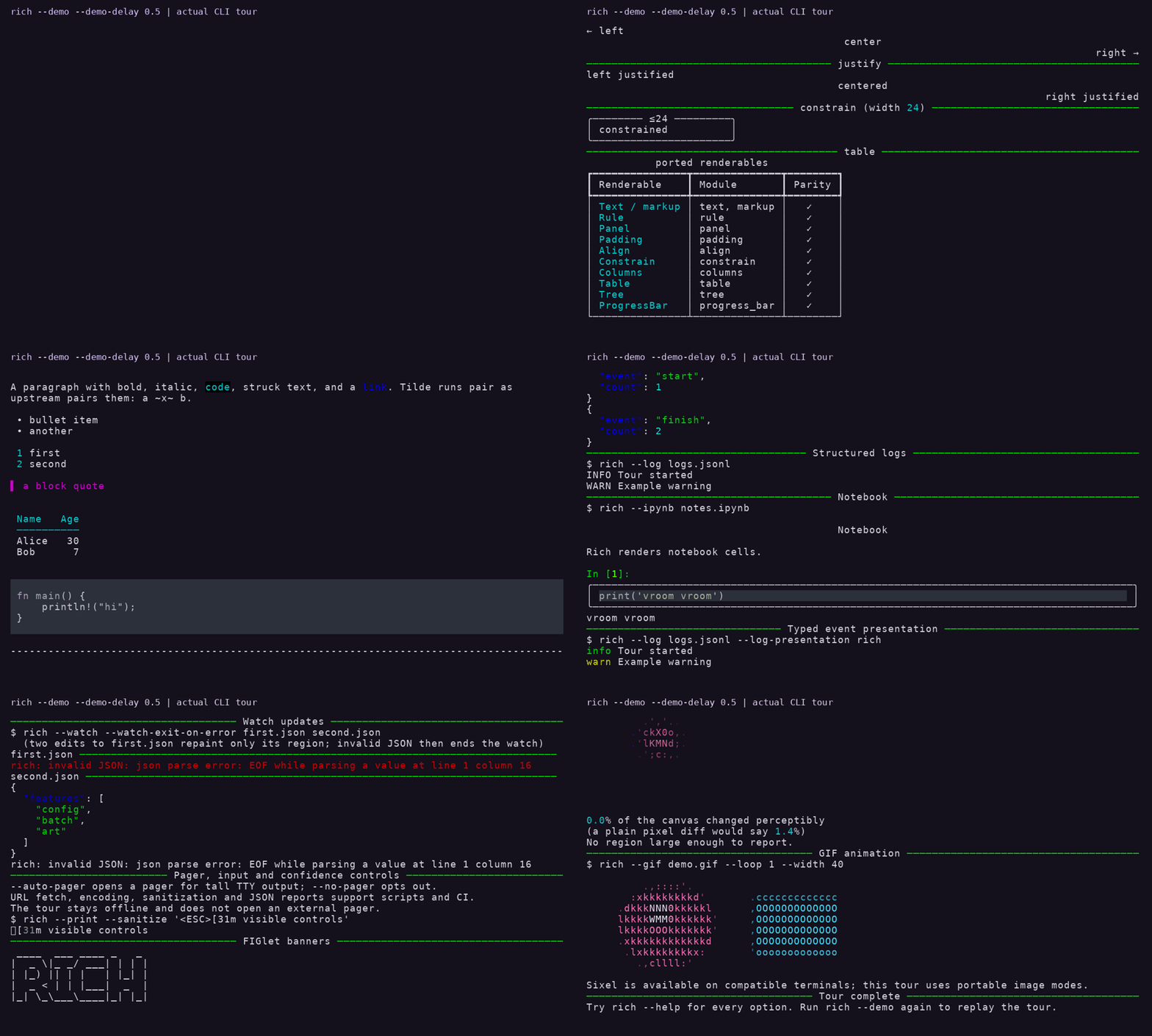
This recording runs the 0.0.10 rich --demo --demo-delay 0.5 in a real terminal,
faster than the default three-second pace. New in 0.0.10: a line printed through a
pushed theme, ~~~ strikethrough in the Markdown section, Progress with speed and
time remaining, two files watched in Live regions (the last edit writes invalid
JSON, so --watch-exit-on-error ends the watch), and quadrant, ANSI16 and tone
adjustments in the art section. Playback and command output are captured from the
optimized build, with a caption added and no audio. Reproduce with
python scripts/capture_demo_tour.py --binary target/release/rich --release 0.0.10
after installing the docs-media dependencies listed below; provenance is in
.github/evidence/0.0.10/demo-tour/capture.json.
CLI 0.0.9 workflows
The optimized 0.0.9 preparation build demonstrates ANSI256 image rendering with and without Floyd–Steinberg dithering, a named theme, read-only doctor diagnostics, available demo sections and terminal batch progress. Each scene uses actual recorded terminal output, with captions and three-second holds; no audio.
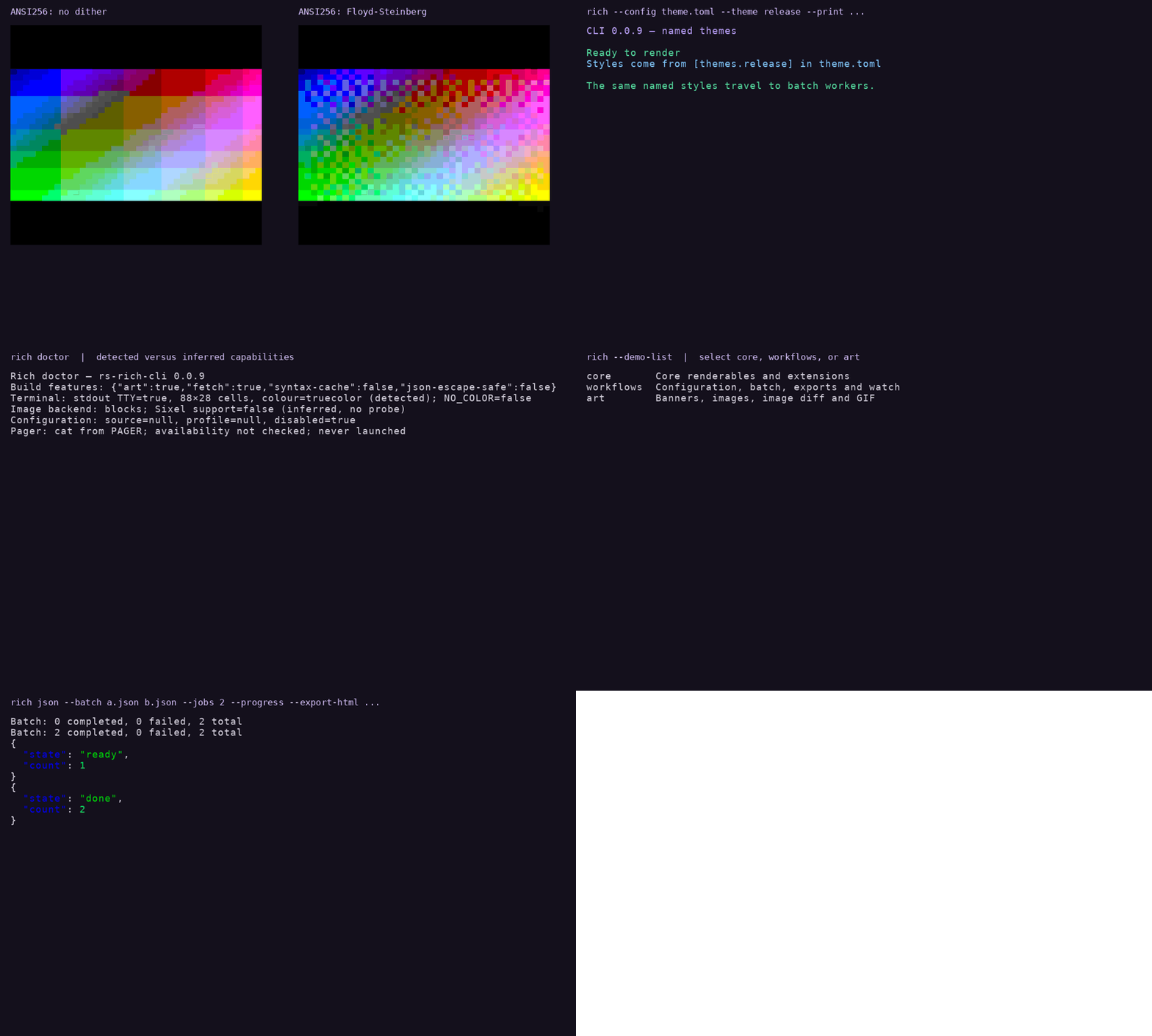
Reproduce with python scripts/capture_v9_demos.py --binary target/release/rich.
The raw recordings, fixture, export checks and source/binary hashes are committed
in .github/evidence/0.0.9/. See release notes for the bounded
feature scope and recipes for copyable commands.
CLI 0.0.8 workflows
These clips replay actual output captured from an optimized rich (rs-rich-cli)
0.0.8 binary in an 88 × 28 PTY. Command captions are added, each completed
result is held for two seconds, and there is no audio.
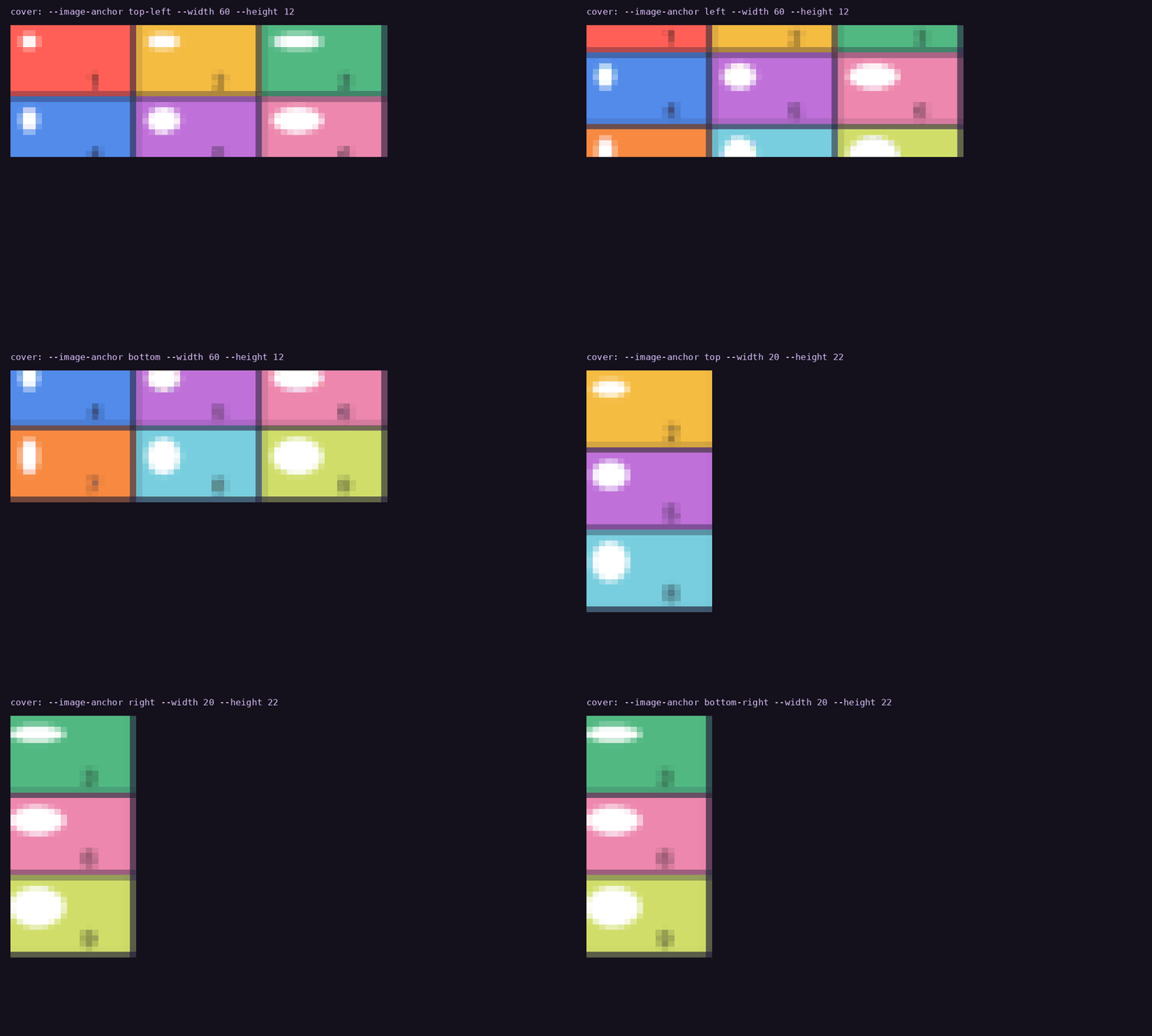
All nine crop anchors
A deterministic asymmetric source makes the crop position visible. Every anchor is recorded in a wide and a tall viewport: cover preserves the source aspect ratio, so a particular viewport crops only one axis. Positions on the other axis therefore produce the same crop.
Plan a batch, then export in parallel
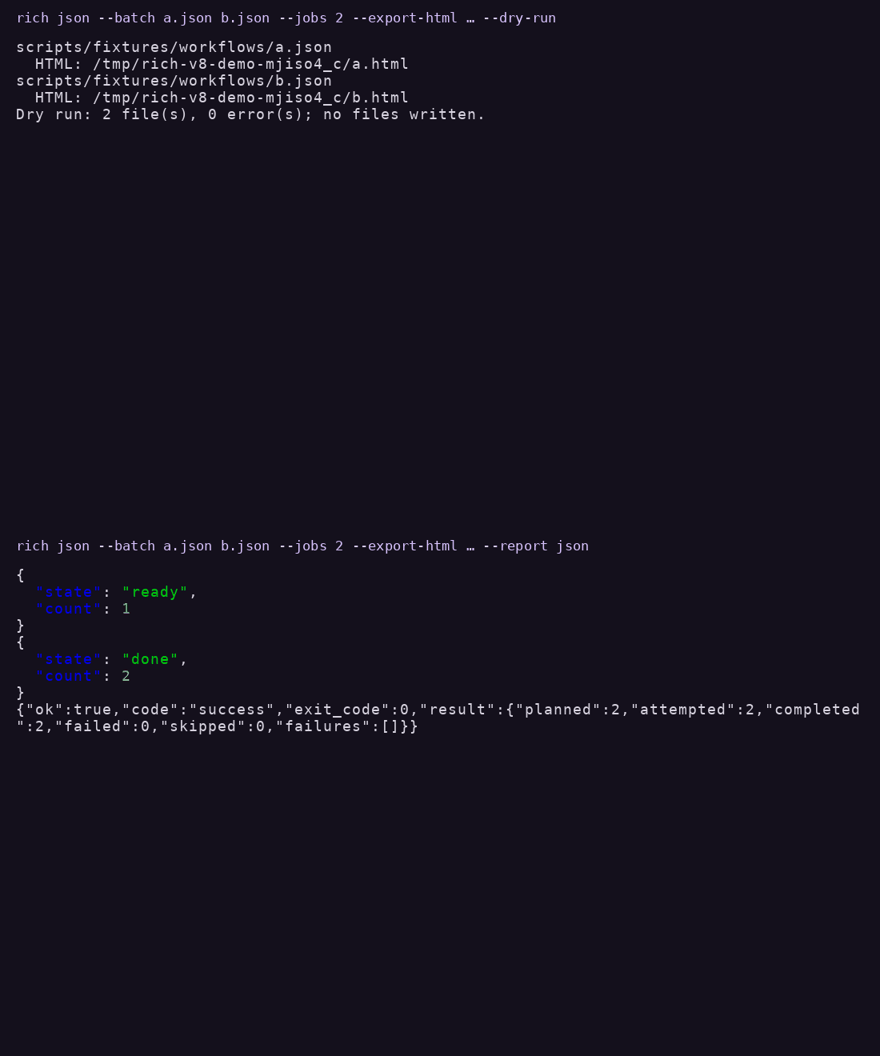
The first command uses --dry-run; the capture script checks that the destination
is still empty. The second exports both documents with --jobs 2, checks the
resulting HTML files, and records the real JSON completion report.
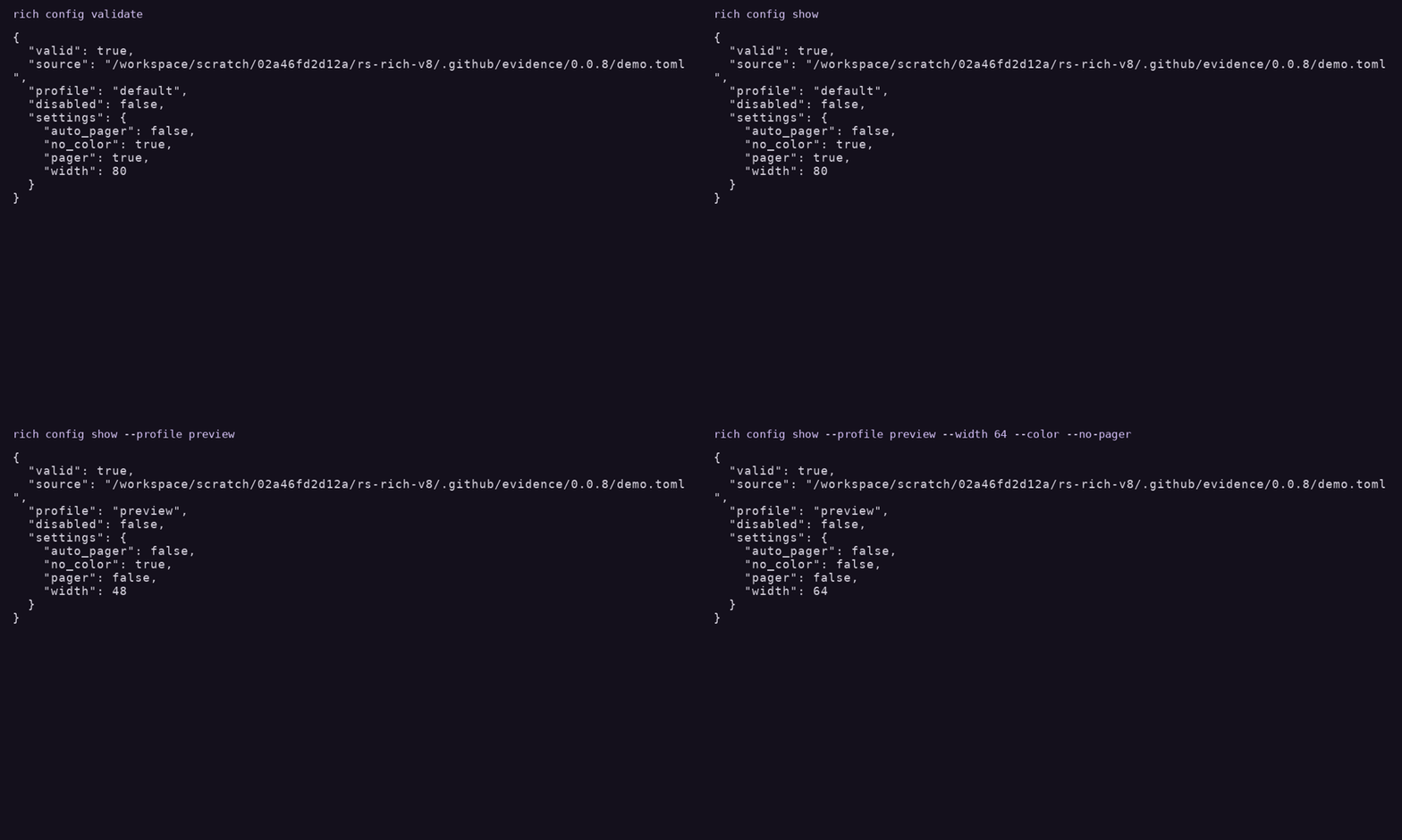
Inspect configuration and overrides
config validate, default settings, the preview profile, and explicit CLI
width/color/pager overrides are shown in sequence. The fixture deliberately
places the profile before defaults to demonstrate that TOML document order does
not change precedence.
Capture evidence and benchmark results include source/binary hashes, exact arguments, exit codes, raw ANSI/asciinema recordings, fixtures and exported HTML. Reproduce from the repository root:
cargo build --release -p rs-rich-cli --locked
python -m pip install -r scripts/requirements-docs-media.txt
python scripts/capture_v8_demos.py
python scripts/bench_batch.py
The benchmark compares jobs 1, 2 and 4 using generated JSON inputs and fresh HTML destinations. It checks that all exports are byte-identical across job counts. Timings include process startup and disk writes; results depend on host, input size and filesystem caches, and do not promise a parallel speedup. PTY capture requires POSIX, FFmpeg and DejaVu fonts; the benchmark uses Python's standard library only.
CLI 0.0.7 demos
These clips were captured from the built rich (rs-rich-cli) 0.0.7 binary (target/release/rich, default features).
They replay its actual PTY output; captions are added, still results are held
for two seconds, and watch output retains event timing sampled at 10 fps.
There is no audio.
Image render modes
The same bundled cat image rendered as half-blocks, Braille and ASCII.
Fit, crop and transparency
Contain, cover, then a translucent input composited over a purple background.
Watch and batch workflows
A file changes, becomes invalid and recovers; batch then exports two HTML files.
Commands and source/binary hashes
are committed with raw ANSI/asciinema recordings and the exported HTML files.
The alpha fixture is generated deterministically by the capture script.
Run cargo build --release -p rs-rich-cli --locked, install the media requirements below, then
python scripts/capture_release_demos.py to capture and encode again.
The capture needs a POSIX PTY, FFmpeg and the DejaVu fonts.
See workflow recipes and image fitting options.
Archived GIF playback
The same bouncing-ball GIF rendered with truecolor half-blocks and colored ASCII. These clips replay real output from our archived CLI recordings. They have no audio.
Compare the renderers
Download comparison MP4 · View looping GIF
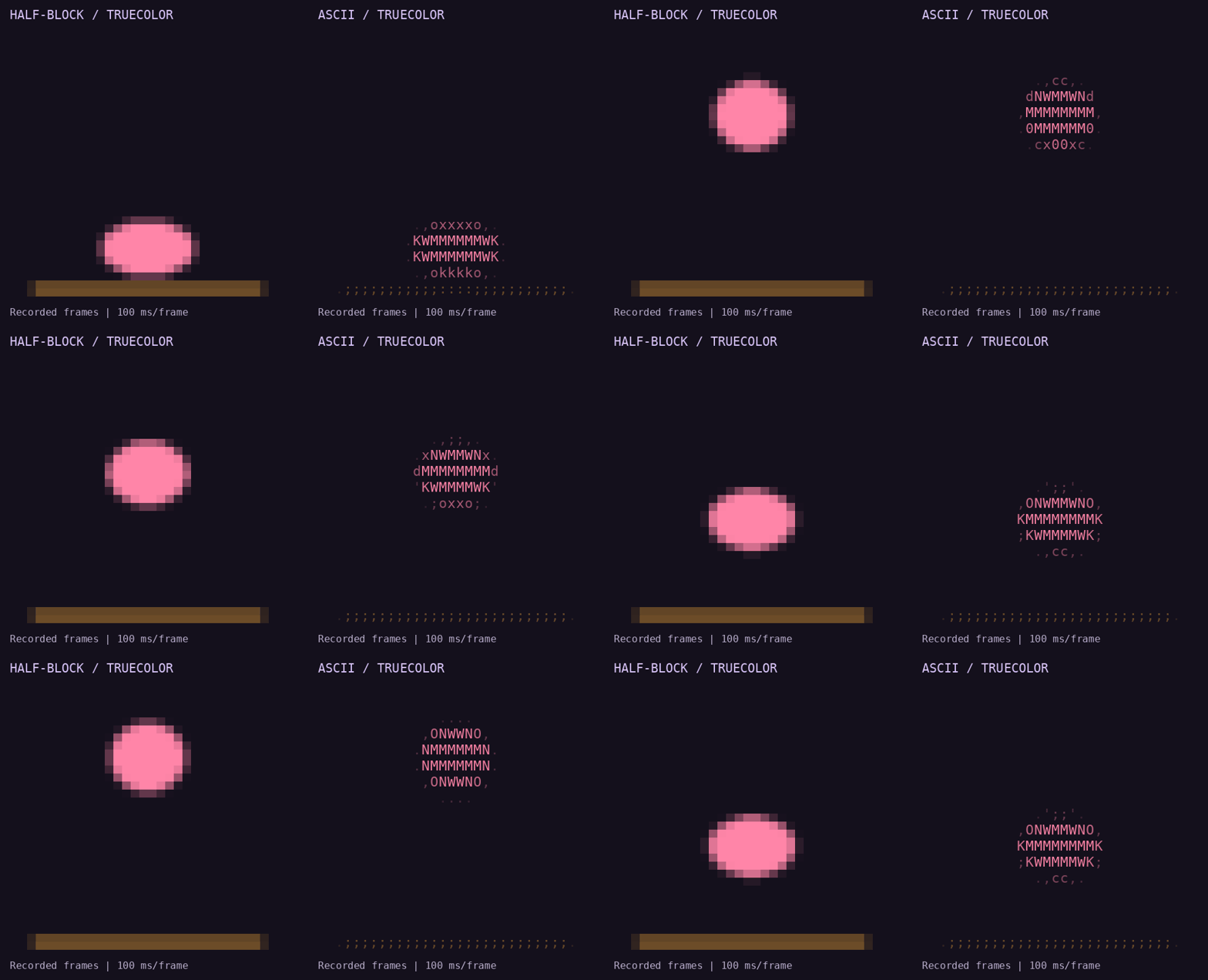
The left side uses upper-half block characters to represent two vertical pixels per terminal cell. The right side uses ASCII characters; both retain color.
Half-block rendering
From a repository checkout, in a truecolor terminal:
cargo run -p rs-rich-cli -- --gif crates/rich-art/examples/assets/ball.gif --gif-mode blocks --width 32 --loop 1
ASCII rendering
cargo run -p rs-rich-cli -- --gif crates/rich-art/examples/assets/ball.gif --gif-mode ascii --width 32 --loop 1
Animation needs an interactive terminal. Redirected output renders one frame; color support depends on terminal capabilities. See the CLI guide.
How these videos were made
The source is the project's v0.0.4 PTY evidence, captured in an 80 × 24 terminal with a 32-column image. These are replays of that recorded output, not fresh recordings of the current checkout. The generator verifies the saved ANSI SHA-256 hashes and checks that the asciinema output matches the ANSI stream.
The replay keeps complete frames, crops unused terminal space, uses DejaVu Sans Mono, and displays each frame for 100 ms. MP4s repeat the sequence three times; the preview GIF loops continuously. This presentation timing differs from the original recording. Titles and comparison layout are added by the media script.
To rebuild the media from the repository root (requires FFmpeg, Cairo and the DejaVu Sans Mono font installed on the system):
The progress and spinner GIFs elsewhere in the docs are conversions of committed SVG frame sequences exported by the library. They are not terminal recordings.