Text banners
Figlet draws text in large letters made of ordinary characters, the way the
classic figlet program does. Use it for a title screen, a release banner or a
section heading that has to stand out in a wall of log output.
Banners need no Cargo features and no image decoders.
The smallest example
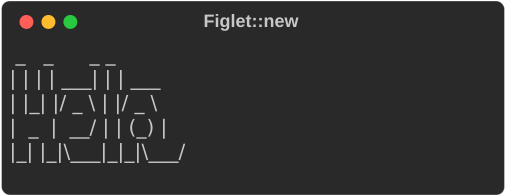
console.print takes any renderable; a Figlet is one. The output is
byte-identical to pyfiglet for the bundled standard font.
Style
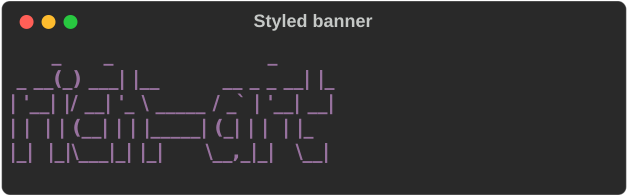
.style() paints every row of the banner with a rich style:
let style = Style::parse("bold magenta").expect("a valid style");
console.print(&Figlet::new("rich-art").style(style));
Justification
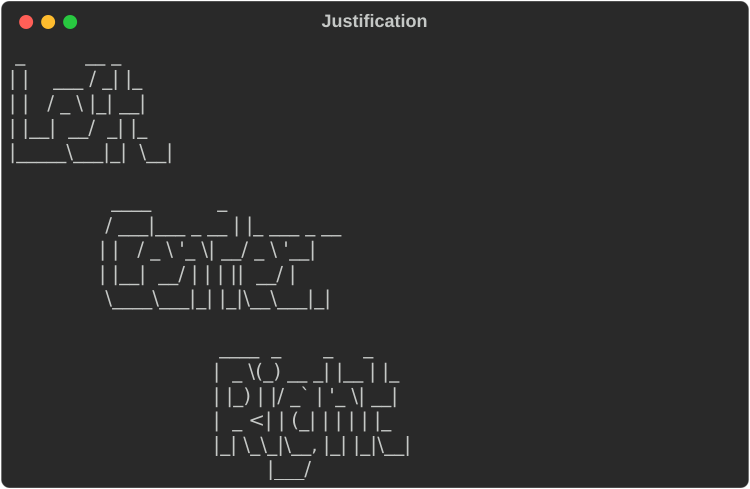
.justify() positions the banner within the available width. The default is
Justify::Left.
for (label, justify) in [
    ("Left", Justify::Left),
    ("Center", Justify::Center),
    ("Right", Justify::Right),
] {
    console.print(&Figlet::new(label).justify(justify));
}
Width and wrapping
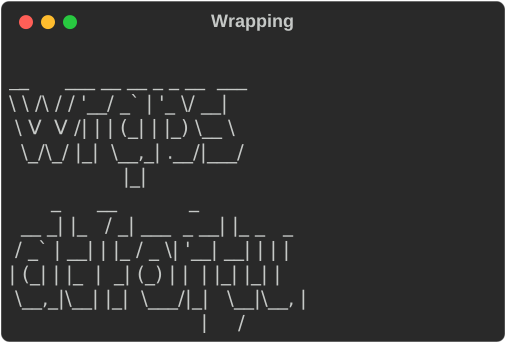
A banner lays out to the console's width. .width(n) overrides it. When a line
would not fit, the banner wraps onto another row of big letters, breaking at
spaces as figlet does:
// A banner lays out to the console width (or `.width(n)`), and wraps
// onto further banner rows when a line would not fit, as figlet does.
console.print(&Figlet::new("wraps at forty").width(40));
Compose it with other renderables
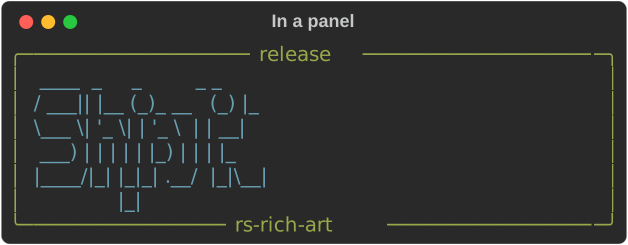
A banner is a renderable like a Text or a Table, so it can go inside a
Panel, a Table cell or a Layout:
// A banner is an ordinary renderable, so it composes with everything else.
let banner = Figlet::new("Ship it").style(Style::parse("cyan").expect("a valid style"));
let panel = Panel::new(Box::new(banner))
    .box_set(ROUNDED)
    .title("release")
    .subtitle("rs-rich-art")
    .border_style(Style::parse("green").expect("a valid style"));
console.print(&panel);
Plain text
to_text(width) returns the banner as a String, with no console and no
styling. Use it for a file header, a --version message or a test:
// `to_text` returns exactly what figlet(1) prints — no console, no styling.
let text: String = Figlet::new("Hi").to_text(80);
assert!(text.starts_with(" _   _ _ \n"));
Fonts
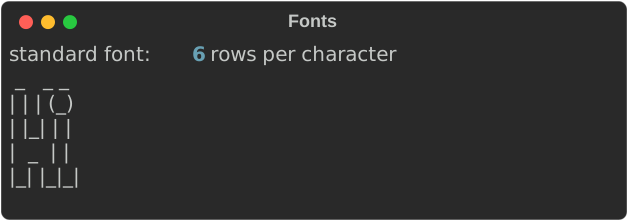
Fonts are FIGfont (.flf) files. The crate bundles one, standard, and uses
it by default. FigletFont::parse reads any other FIGfont from its text:
// Fonts are FIGfont (`.flf`) files. The bundled `standard` font is the
// default; parse any other with `FigletFont::parse`, e.g.
// `FigletFont::parse(&std::fs::read_to_string("slant.flf")?)?`.
let font = FigletFont::parse(rich_art::figlet::STANDARD_FONT).expect("a valid FIGfont");
console.print_str(&format!(
    "standard font: {} rows per character",
    font.height()
));
console.print(&Figlet::new("Hi").font(font));
The parser supports the FIGfont header, comment block, the required character
set and code-tagged characters (decimal, 0x hex and octal). Layout supports
full width, kerning, controlled smushing rules 1–6, universal overlapping and
hardblanks. A malformed font is a FontError, not a panic.
Animated banners
rich_art::animate (0.0.24) turns a banner into frames: AnimatedBanner
lays the text out once, and frame(t) gives the frame at time t, a grid
of characters with true-colour foregrounds. It is a pure function of the
banner and the time, with no clock and no terminal: a CLI prints frames on
a timer, a TUI draws them on its clock, a test snapshots any instant. At
and after its duration (two seconds by default) every frame is the still
one, still(), which is also what to show with no colour, with reduced
motion, or when output is not a terminal.
use rich_art::animate::{AnimatedBanner, Effect};
use std::time::Duration;

let banner = AnimatedBanner::new("Hello", &FigletFont::standard())
    .effect(Effect::Glow) // the default
    .wave(true) // a wave line under the letters
    .specks(true) // specks of light rising around them
    .seed(7); // the same seed, the same specks
// Halfway: the glow is in the letters. A frame is a renderable.
console.print(&banner.frame(Duration::from_millis(1000)));
// The still final frame: every frame at and after the end.
console.print(&banner.still());
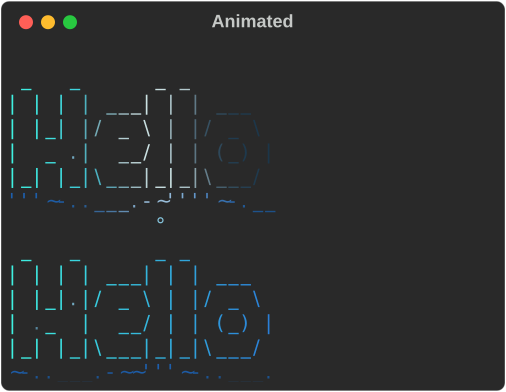
The effects: Glow (dark letters, a soft band of blue-green light
travelling left to right through them and leaving them lit, like plankton
glowing where the water moves), Shimmer (a narrow highlight sweeping
across lit letters), Typewriter (a column at a time), Fade (dark to
lit) and Still. Colours come from a BannerPalette; through a console
they drop to 256 or 16 colours, or none, as its colour system needs.
pulse(t) gives a brightness from 0 to 1 that pulses while the
animation runs and stays at 1 once still, for a light drawn beside the
banner. intuiTUIve plays it on its clock with
banner::banner and banner::Play,
and rich banner --effect, --wave and --specks play it in the CLI.
Gotchas
- Only the
standardfont ships with the crate. Other fonts are separate files; check their licences before you redistribute them. - Banners are wide. At 80 columns the
standardfont fits roughly a dozen characters per row, so keep banner text short or let it wrap. stylecolours the whole banner. For a gradient or per-letter colours, build several banners or post-processto_text.
See also
- rich-art overview
- Images — pictures rather than letters
- The
bannerexample:cargo run -p rs-rich-art --example banner -- "your text"