Positioned drawing
rich_ext::surface draws rich renderables at fixed places on the terminal
and writes only what changed. A Surface keeps the terminal's cells
between frames. Each draw hands your closure a Drawing, and you render
any renderable into a rectangle of it: a Panel, a Table, a chart or
plain Text. When the closure returns, the surface compares the rectangles
you drew with what it sent last time and writes the difference. A clock
ticking in one corner costs a few bytes, not a screen.
It is the drawing half of intuiTUIve without the
widget tree or the event loop. intuiTUIve's screen::Screen and
screen::Painter are these types, so an app and a plain Surface draw with
the same code. Input stays yours: read keys with crossterm, or with
rs-rich-interact's session.
The examples come from
guide_surface.rs.
The module needs no feature:
Drawing a frame
A frame renders each part into its own rectangle. Rect::new(x, y, width,
height) counts cells from the top left. A renderable is rendered as wide
as its rectangle and cut to its height, and the cells it does not reach
are cleared:
/// One frame of the dashboard: a title, a table of jobs and a status line,
/// each in its own rectangle.
fn dashboard(s: &mut Drawing<'_>, tick: u32) {
    let area = s.area();
    s.render(
        Rect::new(0, 0, area.width, 3),
        &Panel::new(Box::new(
            Text::from_markup("[b]deploy[/b] · production").unwrap(),
        )),
    );
    let mut jobs = Table::new();
    jobs.add_column("job")
        .add_column("state")
        .add_column("time");
    jobs.add_row(&["build", "[green]done[/]", "41s"]);
    jobs.add_row(&["test", "[green]done[/]", "2m 03s"]);
    jobs.add_row(&["rollout", "[yellow]running[/]", &format!("{tick}s")]);
    s.render(Rect::new(0, 3, area.width, 7), &jobs);
    s.render(
        Rect::new(0, area.height - 1, area.width, 1),
        &Text::from_markup(&format!("[dim]tick {tick} · updated in place[/]")).unwrap(),
    );
}
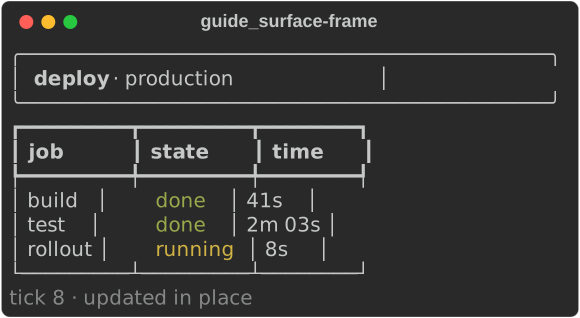
Cells nothing drew in a frame keep what they showed, so a frame only needs to render the parts that change. Drawing everything every time also works, because unchanged cells are never written.
On the terminal
Surface::stdout(viewport) takes the terminal's size and the colours
Console::new() detects:
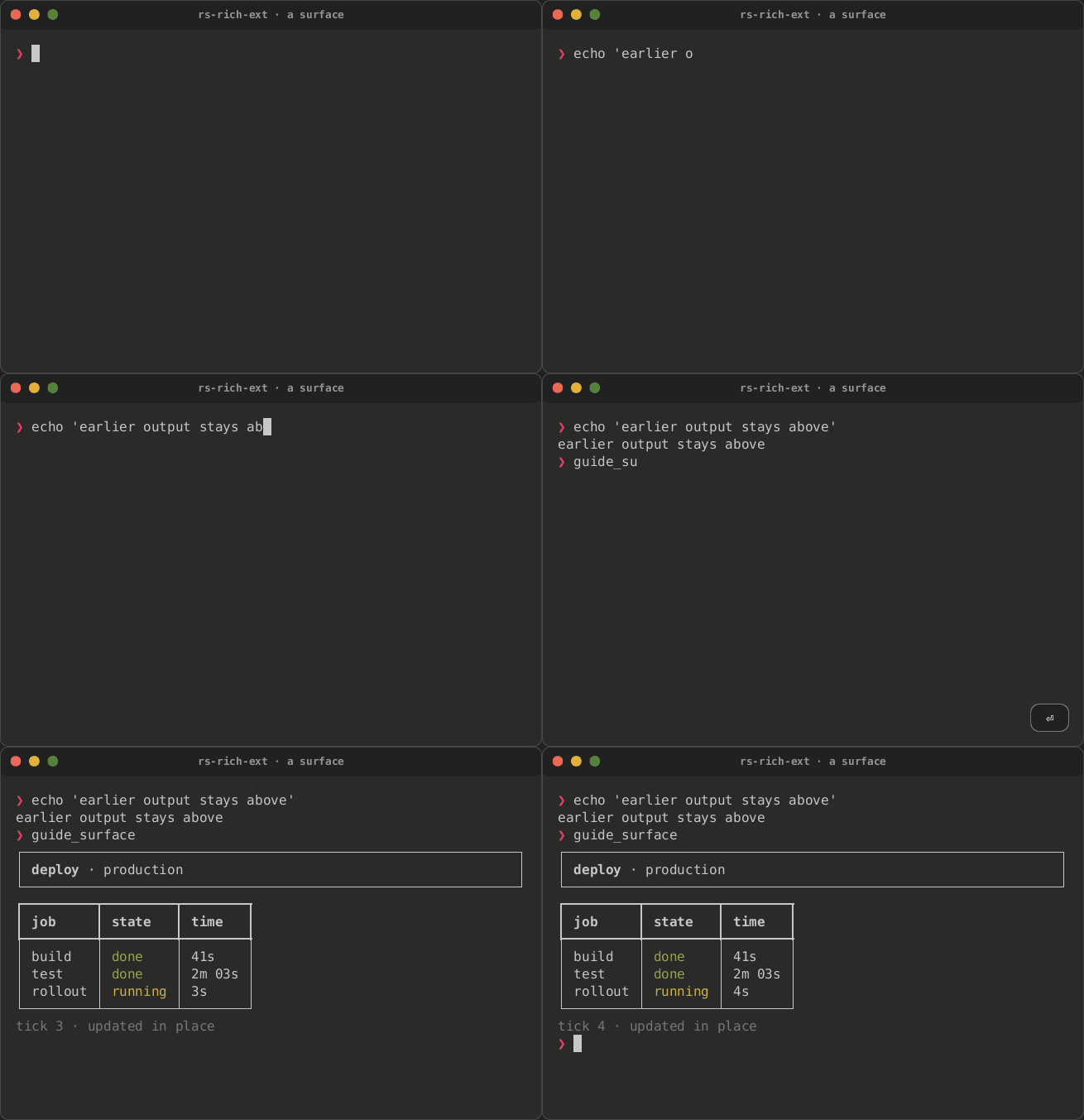
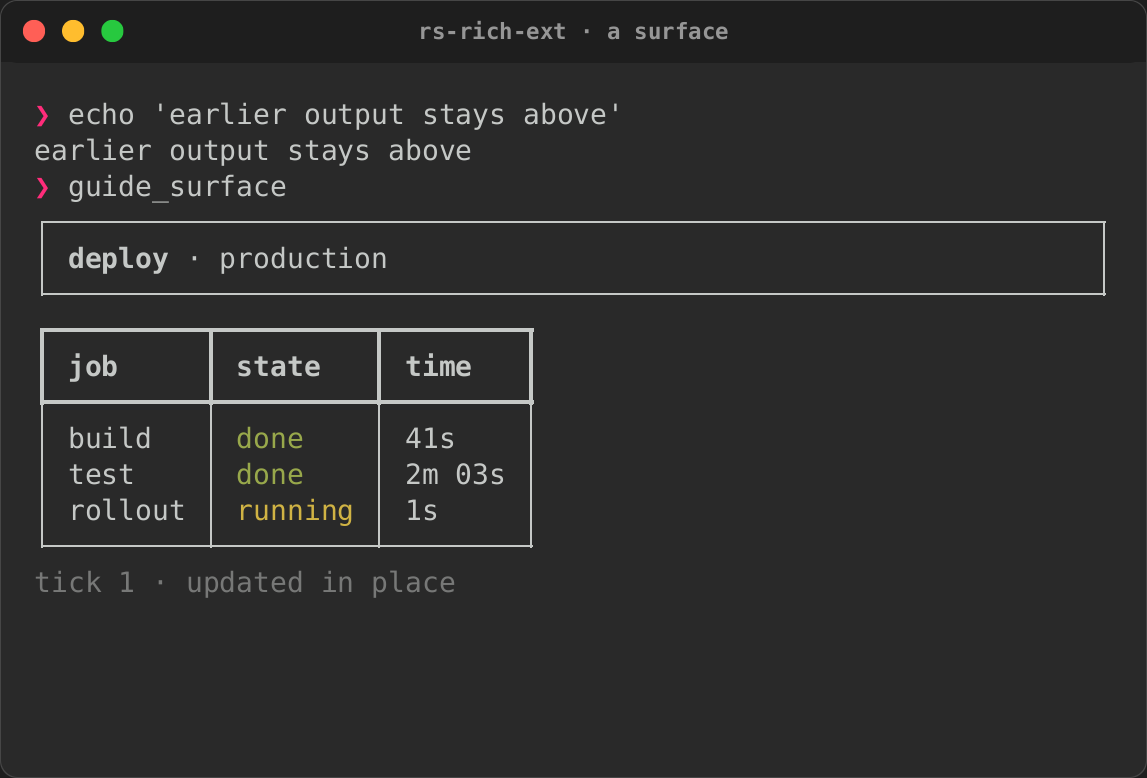
Viewport::Fullscreendraws on the alternate screen. What was on the terminal comes back when the surface finishes.Viewport::Inline(rows)takes that many rows from the cursor down and leaves the scrollback alone. When the surface finishes, the last frame stays on screen with the cursor below it, so the shell's prompt follows it.
fn run_in_terminal() -> std::io::Result<()> {
    // Eleven rows below the prompt; the scrollback above is left alone.
    let mut surface = Surface::stdout(Viewport::Inline(11)).synchronized(true);
    for tick in 0..5 {
        surface.draw(|s| dashboard(s, tick))?;
        std::thread::sleep(Duration::from_millis(500));
    }
    // The last frame stays on screen, with the cursor below it.
    surface.finish()
}
| Ticking | Done |
|---|---|
 |
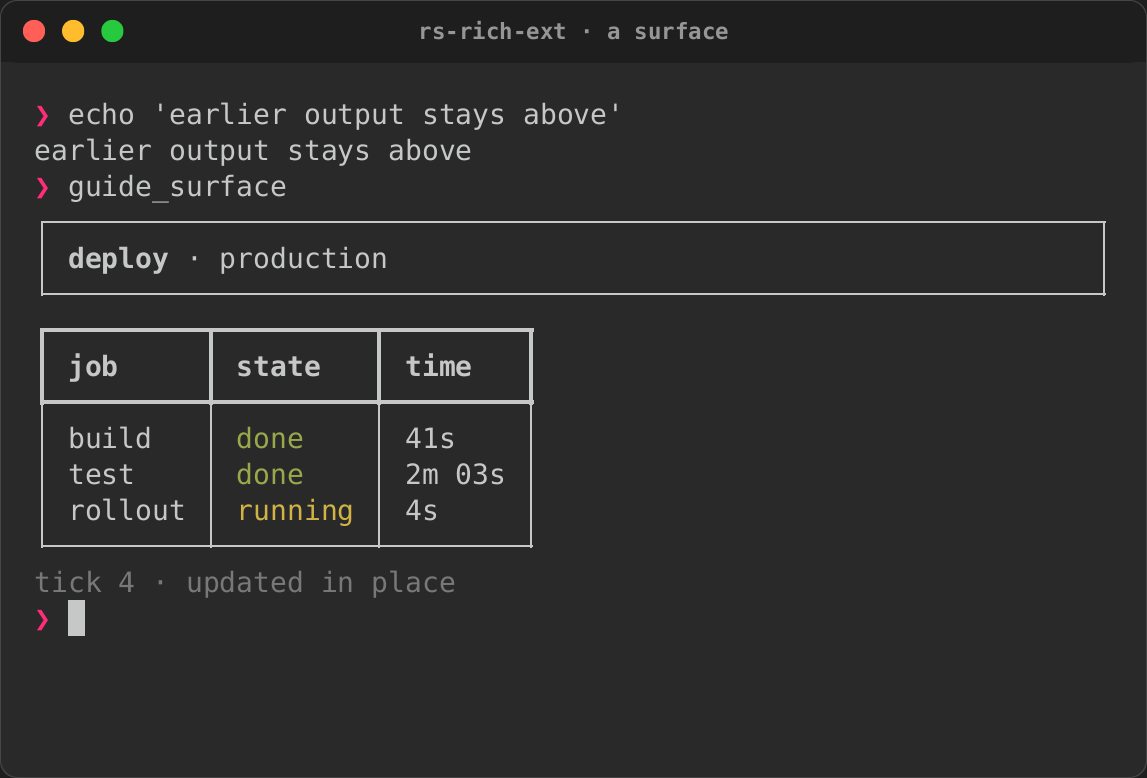 |
finish gives the terminal back: it leaves the alternate screen (or moves
below the inline region), resets styles and shows the cursor. A surface
dropped without finish does the same.
Other settings:
synchronized(true)writes each frame as one synchronized update (DEC mode 2026). A terminal that supports it shows the frame whole; one that does not ignores the markers.resize(width, height): call it when the terminal changes size. The cells are kept, cut to the new size, and the next draw writes everything once.set_cursor(x, y)in a frame shows the cursor there, for a text field. Otherwise the cursor is hidden.graphics(source)draws micro assets and images with Kitty, iTerm2 or Sixel graphics, from the samePlacementSourceframes use. A graphic is redrawn when the cells under it are repainted.console(console)sets the colour system, theme and highlighting renderables are rendered with.paint_strategy(strategy)sets how changes become bytes. The default isbest, as for an intuiTUIve app: rows that moved together (a log, a list scrolled by a line) move with the terminal's own scrolling, and anything else is painted cell by cell.cells,rows,fullandscrollare the fixed choices, and theRICH_PAINT_STRATEGYenvironment variable names one when the program does not. Every strategy shows the same screen.terminal_scroll(on)says whetherbestandscrollmay use the terminal's scrolling. Unset, they do, except on Windows and under tmux. An inline surface never scrolls, and no scroll moves rows through a graphic.
What a frame sends
Surface::new(writer, width, height) writes to any std::io::Write. With a
Vec<u8> you can see what each frame sends, which is also how to test
drawing code:
/// The same frames on a surface that writes to memory, as a test would:
/// what each frame sent, and what the surface shows after it.
fn frames() -> (Vec<String>, Surface<Vec<u8>>) {
    let mut surface = Surface::new(Vec::new(), 46, 11);
    let mut sent = Vec::new();
    for tick in [7, 8] {
        surface.draw(|s| dashboard(s, tick)).unwrap();
        sent.push(String::from_utf8(std::mem::take(surface.writer_mut())).unwrap());
    }
    (sent, surface)
}
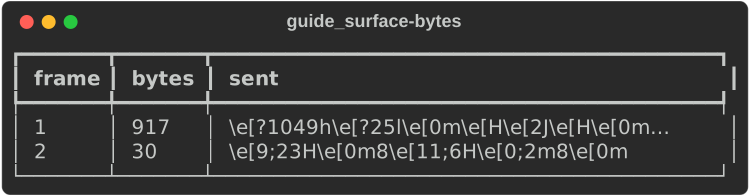
The first frame enters the alternate screen and writes every cell. The second frame changed two cells, the rollout time and the tick, and sends only those two cells and the moves to reach them.
The fast path
Drawing::render renders with rich: a Vec of Segments, each owning its
text and a Style, which the screen then takes apart into cells. That is
the faithful path, and works for every renderable. rs-rich-ext's own
charts also implement surface::Draw, which writes the same cells
straight into the screen, each style interned once:
use rich_ext::chart::{Chart, Dataset};
use rich_ext::surface::{Rect, Surface};

let mut surface = Surface::new(Vec::new(), 40, 10);
let chart = Chart::new([Dataset::new([(0.0, 0.0), (1.0, 1.0), (2.0, 0.5)])]);
surface
    .draw(|s| s.draw(Rect::new(0, 0, 40, 10), &chart))
    .unwrap();
The cells are the ones render gives; rich_ext/tests/fast_path.rs draws
every chart both ways and compares them. For drawing of your own,
Screen::put_rgb sets one cell in two true colours, Screen::put one
character in an interned style, and Screen::write_runs writes rows of
TextRuns (a borrowed text and an interned style id) as write_lines
writes segments. intuiTUIve draws through this path by default
(Canvas::draw, drawn).
Compared with ratatui
ratatui's Terminal::draw(|frame| …) has the same shape, and the
difference is in what goes into the rectangles:
| ratatui | rich_ext::surface |
|
|---|---|---|
| What you draw | ratatui widgets into a Buffer |
any rich renderable: tables, panels, Markdown, syntax, charts |
| A cell's style | foreground, background and modifiers | a full rich Style, hyperlinks included |
| Between frames | the buffer is cleared, so you redraw every widget | cells are kept, so you redraw what changed |
| What is written | the cells that differ from the last buffer | the cells that differ, within the rectangles drawn |
| Inline | Viewport::Inline(rows) |
Viewport::Inline(rows) |
The intuiTUIve benchmark gate measures this painter against ratatui on the
same dashboards; see Against ratatui.
To put rich renderables inside a ratatui app instead, use rs-rich-ratatui
(rich inside ratatui).
From Python
rs_rich.ext.surface has the same surface. The callback receives a
Drawing, and render takes anything print does: