Pictures, video and sound
Noctiluca 0.0.23 draws a page's pictures where the page puts them, moves
its animated GIFs, and plays its videos in their regions. Sound plays with
--audio.
Pictures and video
Pages read as terminal text, with their real pictures where the page puts
them. Noctiluca draws them itself, with rs-rich-art and intuiTUIve: Kitty,
Sixel or iTerm2 pixels when the terminal has them (--images, or auto),
half blocks anywhere else. Chrome only lays the page out and hands over
the files it loaded.
- Pictures come from the page's own files (an
<img>, a<picture>, a CSS background on a box with no text), at their own quality, when they are PNG, JPEG, GIF or WebP; else from Chrome's pixels (an SVG, an inline<svg>drawing, an AVIF). Each fills the box Chrome gave it. A build with theaviffeature (cargo install noctiluca --features avif) decodes AVIF from the page's own files too; it links the C library libdav1d, which must be installed first (apt install libdav1d-dev,brew install dav1d, vcpkg'sdav1don Windows). A picture with alt text and no caption of the page's gets anImage: …line under it. - Small pictures in a line (a chat's badges and emotes, an icon) are drawn in their line.
- Animated GIFs and WebPs move. Kitty plays them itself, for no further bytes;
elsewhere each frame is sent only when the terminal has room for it,
at most
[media] fpsa second (30 unless you set it).F4freezes every moving picture, and their bytes stop. - Video shows its poster with a play mark.
pplays it in its region, from frames Chrome paints, only while it plays: up to 30 frames a second, evenly spaced, as many as your terminal can take;[and]seek five seconds;Alt+Mmutes. The status line saysmedia PLAYING 0:03 / 0:05. Any<video>plays the same way, whatever the site. - Within the terminal's bandwidth. Moving pictures share a byte budget
(
[media] bandwidth, else 4 MB a second here and 256 kB over SSH to start, then the rate your terminal is measured taking output at: here up to 32 MB a second, so a fast terminal gets the full frame rate; over SSH only ever lower), at most[media] fpsframes a second. Short of it, a picture steps down: Kitty, then iTerm2, then Sixel, then half blocks. Over SSH, video starts as half blocks unless--imagesnames a protocol.
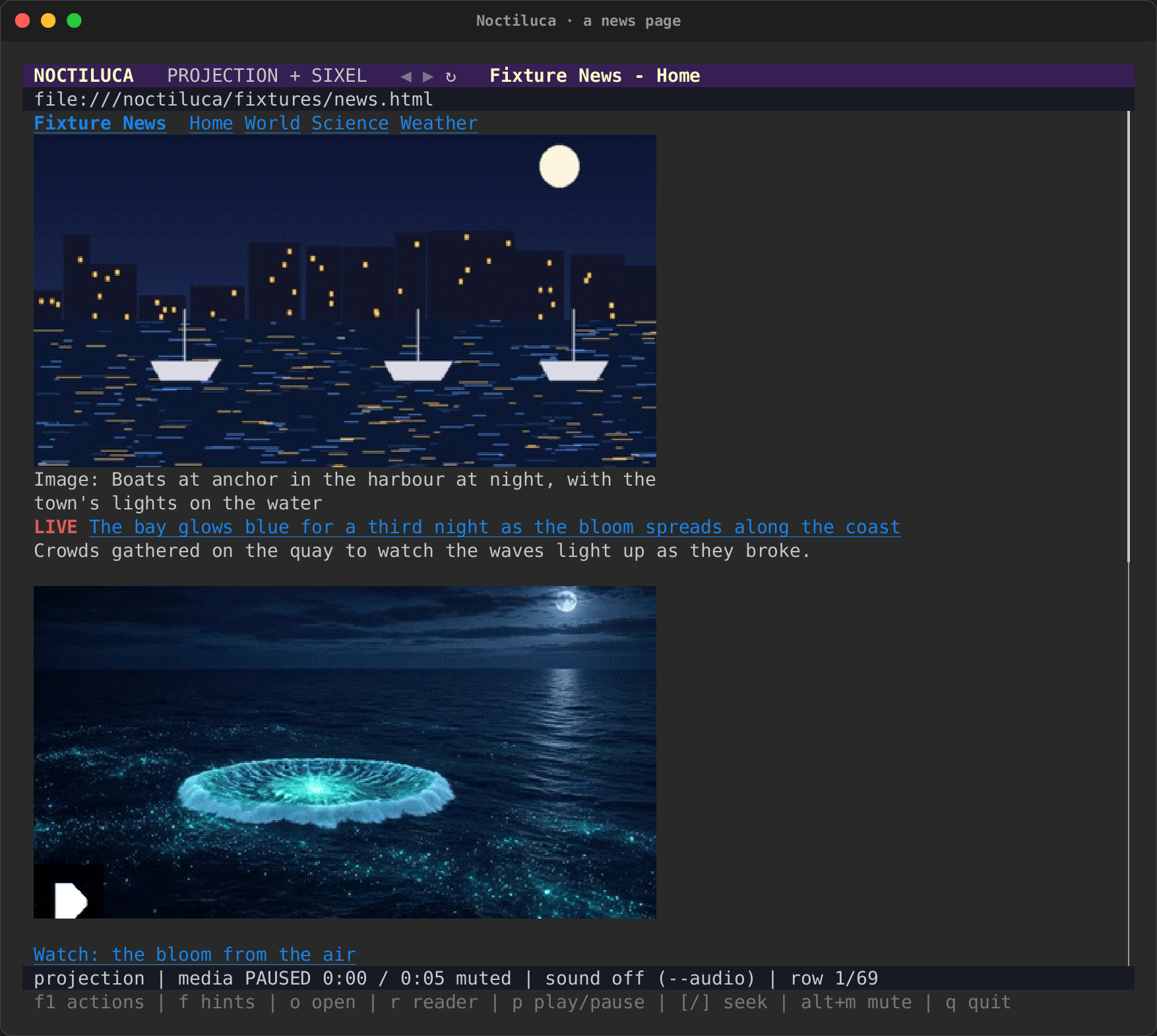
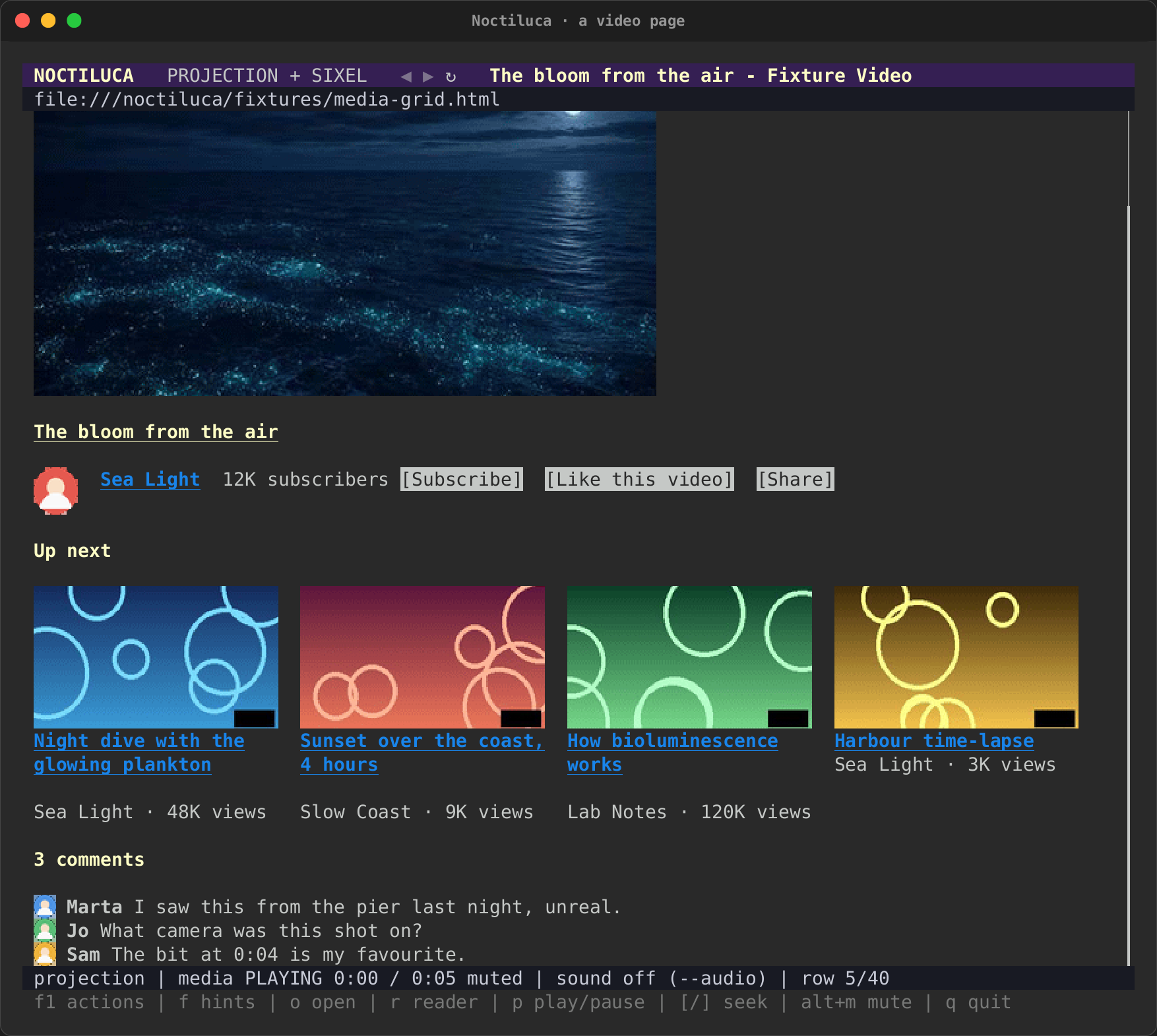
Both are local test pages (news.html, media-grid.html), drawn as the
proof of concept drew real sites: page text as terminal text, pictures
inline with their captions, a video's poster with a play mark, the mode
and address in the header, the media's state, the row and the keys in
the status line. See the recordings.
Sound
Sound is off by default: Chrome starts muted. Turn it on for a run
with --audio, or for every run with the config:
Sound plays on the machine Chrome runs on. No terminal can carry sound. Run Noctiluca over SSH, and the sound plays on the server, never on your machine.
Sound is a switch of the browser's launch, so it is on or off for the
whole run. A site's table can keep that site quiet with audio = false:
its media are kept muted. A site cannot turn sound on in a run that
started without it.
Media controls
In reader mode, each video and audio on the page gets a row of controls
under its alt text, read from the element itself: Play or Pause, Mute or
Unmute, a volume slider, and its time (0:12 / 2:00, or live for a
stream). While something plays, its state is read again every half
second.
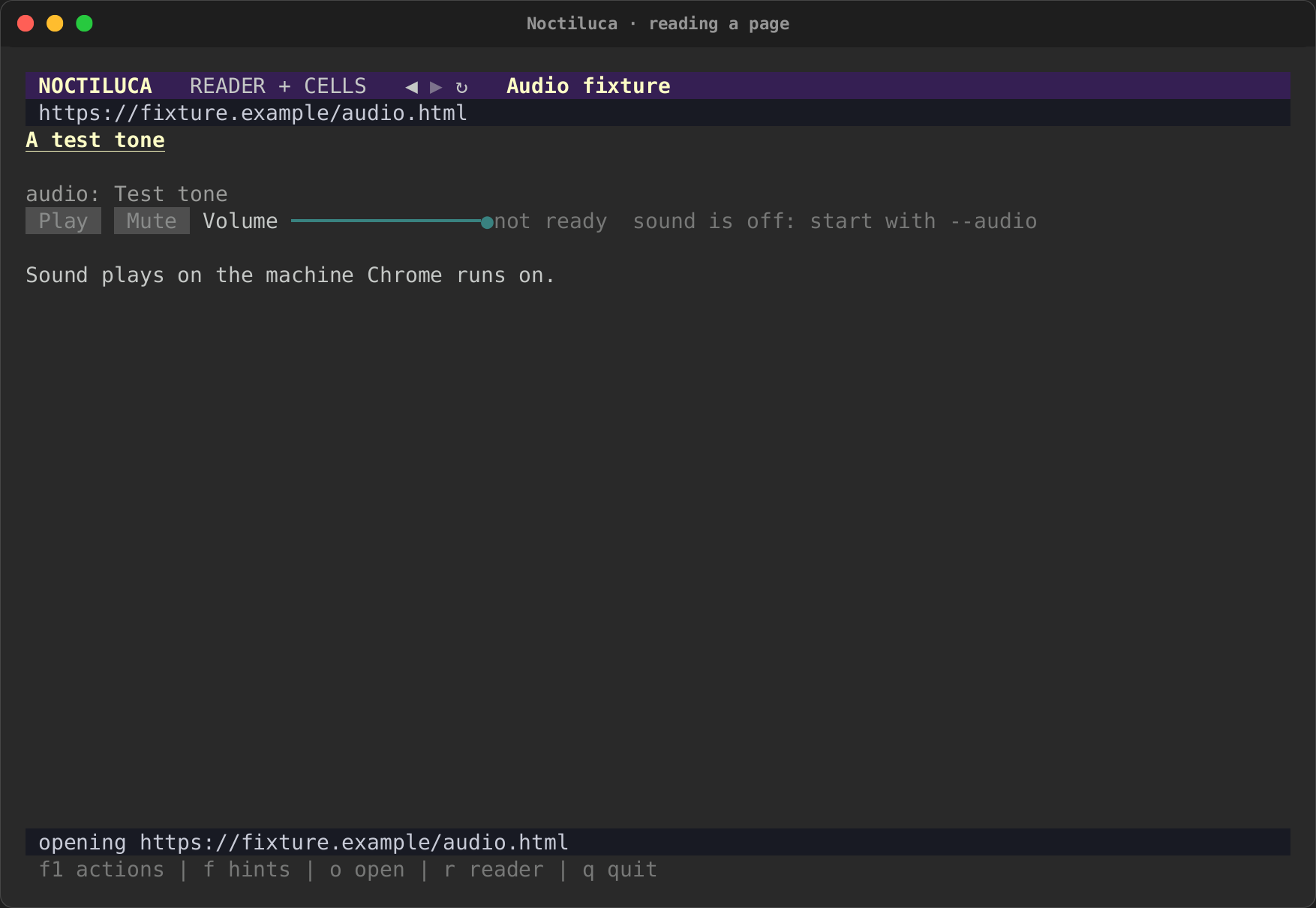
The controls say when the media is not ready yet, and, when sound is off, "sound is off: start with --audio". (This screenshot replays a saved page, which never plays, so its controls stay "not ready".)
The media keys work from anywhere on the page:
| Action | vim |
plain |
|---|---|---|
| Play or pause | p |
Alt+P |
| Mute or unmute | Alt+M |
Alt+M |
| Volume up | + |
Alt+Up |
| Volume down | - |
Alt+Down |
They work on the video or audio that is playing, or else the first that is ready. Volume moves ten points at a time, between 0 and 100%, and never unmutes. A play you ask for runs as your own gesture, so the page does not refuse it as autoplay. The F1 overlay says what each would do now ("Pause the media"), and why it cannot run ("No video or audio on this page.").
In the projection, a video is its poster, or its frames while it plays,
and a page's own player controls are buttons like any other. [ and ]
(Ctrl+Left, Ctrl+Right in the plain keys) seek five seconds, and F4
freezes every moving picture.
Images
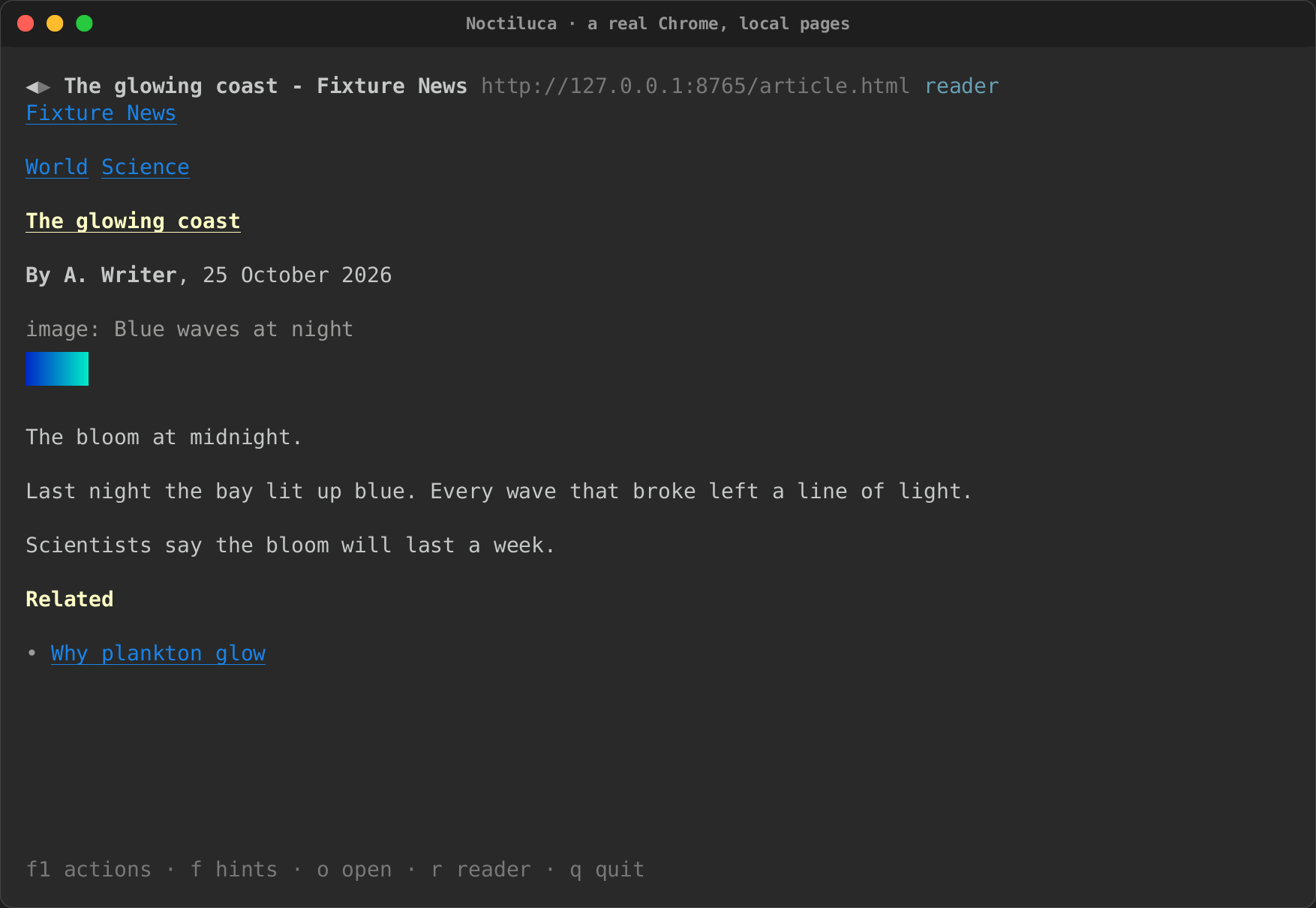
In reader mode, still images are drawn as pictures. Noctiluca takes each picture from Chrome's own pixels, after the page's text is shown, so text never waits for pictures. A picture keeps about its size on the page (8 by 18 CSS pixels a cell), under its alt text.
In the projection, an image is drawn over the box Chrome gave it (see Pictures and video). Images that load lazily load as you scroll, as in a browser, and a picture partly in view shows the part on screen.
A canvas, an inline SVG drawing and a frame (an iframe, an embed) show as
their alt text in both views.
| An image in reader mode, against a real Chrome | The same article in the projection (0.0.22) |
|---|---|
 |
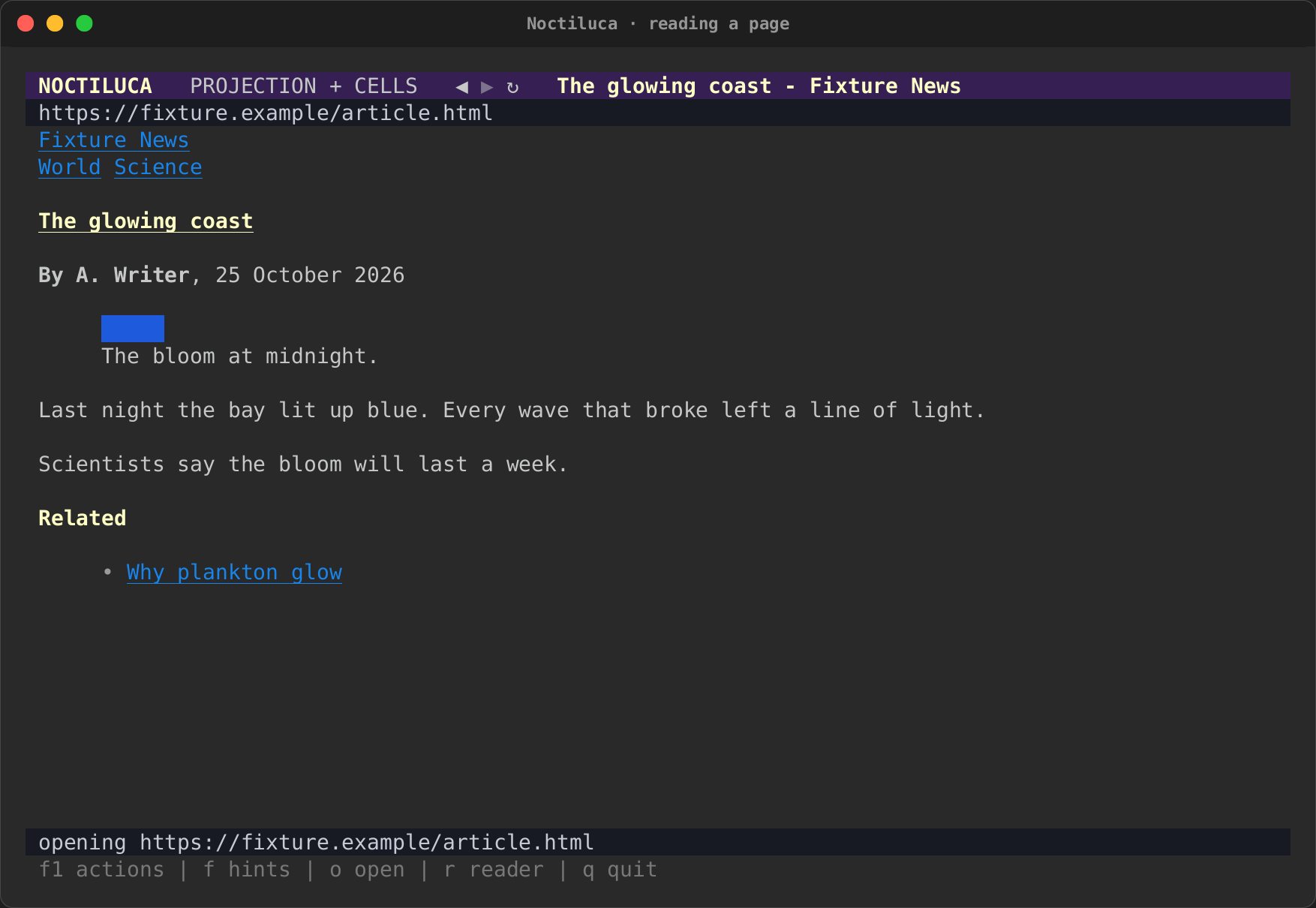 |
The recordings made over saved pages (every recording on these pages but the real-Chrome one) draw each picture as a flat blue box: the replay has no real pixels to show.
How pictures reach your terminal
--images MODE, or [media] images in the config, chooses how:
| Mode | What you get |
|---|---|
auto (the default; config only) |
What your terminal likely speaks: Kitty graphics in Kitty and Ghostty, iTerm2's images in iTerm2 and WezTerm, Sixel where it looks supported, and half blocks anywhere else |
kitty |
The Kitty graphics protocol |
sixel |
Sixel |
iterm2 |
iTerm2's inline images |
ansi |
Half blocks: two pixels a cell, in colour, in any terminal |
none |
No pictures: alt text only |
If pictures come out as half blocks in a terminal that can do better,
name its protocol. A site's table can turn pictures off there with
images = false.
The pixel view
In a terminal with Kitty graphics (kitty, WezTerm, Ghostty), Alt+X
(view.pixels), --pixels or --view pixels shows the page as Chrome
paints it, pixel for pixel, instead of the projection: a canvas, a map, a
page whose layout the projection gets wrong. Alt+X again goes back. The
projection stays the default, as it works in every terminal and a screen
reader can read it.
- Only what changed is sent. Chrome's screencast sends whole frames; Noctiluca cuts each into tiles of 8 by 4 cells and sends the terminal only the tiles whose pixels changed. A blinking caret or a spinner is one tile.
- Within the byte budget. A frame the budget has no room for is dropped, never queued, so the view stays current rather than falling behind.
- Input goes to the page. A click lands at its point of the page (to
the pixel where the terminal reports pixels), the wheel scrolls it, and
keys go to it as typed. Keys with Ctrl or Alt, and the F keys, stay
Noctiluca's:
Alt+Xto leave,F1for the actions. A key the page takes (qin the vim preset) reaches the page, so leave first to use it. - Without Kitty graphics the view says so and the projection shows: Sixel or half blocks of a whole page would be too slow to follow it.
What it costs, measured by the crate's benchmark
(cargo test -p noctiluca --test pixels benchmark -- --nocapture) on a
synthetic text page in 100 by 36 cells, through Kitty, against a budget
of 4 MB a second:
| Case | Whole frames: bytes a frame | Frames a second | Tiles: bytes a frame | Frames a second |
|---|---|---|---|---|
| Scrolling, three rows a frame | 2.46 MB | 1.7 | 1.85 MB | 2.3 |
| A caret blinking on a still page | 2.46 MB | 1.7 | 16 kB | 30 (the cap) |
Scrolling moves every row, so nearly every tile changes and tiles save only a quarter; a page that holds still while something small moves costs next to nothing. Scrolling in the projection, which sends text, stays far cheaper.