Timers, frames and games
Time in an app: timers on the app's clock, with handles that pause, change and cancel them; a fixed timestep for a game; frame pacing and the frame counters; then sprites that move over a backdrop and framebuffers drawn a pixel at a time. Background threads and feeds are on Tasks, feeds and other threads.
Timers
App::new(|| {
    let seconds = signal(0);
    every(Duration::from_secs(1), move |_| seconds.update(|s| *s += 1));
    text!("up {seconds}s")
})
everyruns a handler on a schedule. Call it insideApp::new's closure (or a screen's), next to the signals it writes. A timer that fell behind (the clock jumped, the laptop slept) ticks once, not once for every tick it missed, and keeps to its step after that.after(wait, |cx| ..)runs a handler once,waitfrom now, on the app's clock: anywhere while the app is built or running (a handler, a watch), orcx.after(..)from a handler. A test steps through it withDriver::advance;Resource::stale_afterwaits this way.- A timer's handle:
every,afterand theircxforms return aTimer(Copy, like a signal) thatpause()s (keeping the time it had left),resume()s,set_period(d)(the next tickdafter the last),reset()s andcancel()s; a cancelled or fired timer's handle does nothing.cx.every(d, ..)starts one from a handler, on the screen the handler runs on, so a game's tick starts with play and stops when its screen closes. In a timer's functioncx.now()is the app's clock andcx.missed_ticks()the ticks it fell behind. - A fixed timestep:
fixed_step(period, |cx, steps| ..)(andcx.fixed_step) is told how many steps are due, all of them after a stall, so a game keeps to the clock rather than to the frame rate;.max_catch_up(n)caps them. Under aDriver,advancecalls it once a period with 1, so a test steps the game exactly.
A game's tick, kept to the clock, paused with the game and quickened on a level up:
use std::time::Duration;
use intuituive::fixed_step;

App::new(|| {
    let world = signal(World::new());
    let paused = signal(false);
    let tick = fixed_step(Duration::from_millis(16), move |_, steps| {
        world.update(|w| (0..steps).for_each(|_| w.step()));
    })
    .max_catch_up(5);                     // after a stall, at most 5 steps at once
    view(world)
        .on_key("p", move |_| {
            if paused.get() { tick.resume() } else { tick.pause() }
            paused.update(|p| *p = !*p);
        })
        .on_key("n", move |_| tick.set_period(Duration::from_millis(12)))
})
The keys of a game (keys held down, their releases, a repeat the app times itself) are on State, keys and the mouse.
Frames
let app = App::new(build).max_fps(60);
let stats = app.stats_handle();           // a `StatsHandle`: `run` takes the app, so take this first
app.run()?;
let s = stats.get();
eprintln!("{} frames, {} held back", s.frames, s.skipped);
App::max_fps(n) draws at most n frames a second when the app runs its
own loop: what changes in between is drawn by the next frame, so an app
fed faster than it can draw shows the newest state at a steady rate.
Input and timers are still handled as they come. App::stats_handle()
keeps the FrameStats readable after run: frames drawn, skipped
(held back by max_fps), and the last frame's drawn nodes and bytes.
A full screen of pixels whose every colour changes each frame is cheap
enough for a game: a widget writes cells with
canvas.put_rgb(..), building no styles,
and styles no cell uses any more are dropped between frames.
An animated banner
intuituive::banner (the art feature, 0.0.24) plays rs-rich-art's
animated banners on the app's
clock. A Play is the clock of one run: it starts when something first
reads it, runs for its length once (or .looping(true)), then holds the
still frame and asks for no more frames. banner(art, play) draws the
art's frame at the play's time; anything that keeps time with it (a
light that pulses with the glow, a sprite that swims in) reads the same
play's elapsed() or progress() and draws again with each frame.
play.skip_on_key(node) makes any key inside node jump to the end; the
key then does what it does.
use intuituive::banner::{banner, Play};
use rich_art::animate::AnimatedBanner;
use rich_art::FigletFont;

let art = AnimatedBanner::new("Hello", &FigletFont::standard()).wave(true).specks(true);
let play = Play::new(art.duration_of());
let title = play.skip_on_key(banner(art, play.clone()).label("Hello"));
The theme can recolour it: banner.dark, banner.lit, banner.lit-end,
banner.crest, banner.wave and banner.speck. It does not move at all,
the still frame from the start, when
a11y::motion_allowed() says no: RICH_ANIMATION=0, RICH_A11Y
naming reduced-motion, no-animation or screen-reader, or NO_COLOR
(RICH_ANIMATION=1 wins over the rest). Text mode holds it still too.
a11y::set_motion(Some(true)) overrides the environment for the whole
process, for tests and recordings; Play::motion(bool) for one play.
Sprites, stages and pixel buffers
A game, a map or an animation draws things that move over a background.
intuituive::sprite has the pieces, all generic:
- A
Spriteis cell art: one or more frames of styled cells, some of them transparent.Sprite::from_markup(&lines, '.')reads console markup lines, every.a hole;Sprite::from_cells(rows)takesSpriteCells;Sprite::from_pixels(&pixel_sprite)draws pixel art in half blocks.Sprite::from_frames([..]).period(Duration::from_millis(120))animates on the app's clock (.once()stops on the last frame);.anchor(x, y)or.centered()says which cell goes at the sprite's position. - A
stagedrawsPlacedsprites from a closure that may read signals:Placed::new(id, sprite).at(x, y).z(1).flip(true). Sprites are clipped to the stage and drawn in z order over its backdrop (StageOptions::backdrop(node), any node) or its background (.bg(..)); a cell that sets no background takes the colour beneath it, so a red@on a blue backdrop is red on blue. The stage draws again when the signals change, and on the app's clock while a sprite animates or moves. - Clicks and hovers find the topmost sprite with an opaque cell under
the pointer:
StageOptions::on_sprite_click(|id, cx| ..)andon_sprite_hover(|id, cx| ..)(Noneoff every sprite). A click on no sprite goes on to the stage's ownon_click. - Movement:
Placed::tween(tween(from, to, duration, easing))moves a sprite on the app's clock, a frame every 16 ms until it arrives; a position in a signal moved bycx.animateworks too.StageOptions::half_cells(true)moves pixel-art sprites a pixel (half a cell) at a time up and down. - Collisions:
overlaps(a, b)is true when two placed sprites share an opaque cell (overlaps_at(a, b, now)at a time),bounds_overlap(a, b)when their rectangles meet.
use intuituive::sprite::{stage_with, Placed, Sprite, StageOptions};

let ship = Sprite::from_frames([
    Sprite::from_markup(&[".[cyan]/\\.[/]", "[cyan]<[b red]##[/]>", ".[yellow]''[/]."], '.'),
    Sprite::from_markup(&[".[cyan]/\\.[/]", "[cyan]<[b red]##[/]>", ".[red]\"\"[/]."], '.'),
])
.period(Duration::from_millis(120));
let (x, selected) = (signal(4.0), signal(None::<usize>));
stage_with(
    move || vec![Placed::new(0, ship.clone()).at(x.get(), 3.0)],
    StageOptions::new()
        .backdrop(fill("·", "grey30 on #0b1020"))
        .on_sprite_click(move |id, _| selected.set(Some(id))),
)
.on_key("right", move |_| x.update(|x| *x += 1.0))
intuituive::pixels is a framebuffer for what is drawn a pixel at a time
(a raycaster's view, a plot, pixel art): pixels(width, height, |buf| ..)
hands its closure a PixelBuf (RGBA, kept between draws) and shows it in
half blocks, two pixels a cell in true colour; pixels_fit(|buf| ..)
sizes the buffer to the node. PixelBuf has set, plot (blended),
fill_rect, line and blit(&sprite, x, y, scale, flip), which draws a
PixelSprite scaled (nearest neighbour) and mirrored, by each pixel's
alpha; pixels_mut() writes the pixels directly. .pixel_mode(PixelMode::
Quadrants) (2x2 a cell) and PixelMode::Braille (2x4) trade colour for
detail. PixelSprite::from_art(&rows, &palette) draws pixel art in
characters, .with_frame(..) adds frames and frame_at(elapsed) picks
one by the clock.
use intuituive::pixels::{pixels_fit, PixelMode, PixelSprite};

let ball = PixelSprite::from_art(&[".rr.", "rrrr", ".rr."], &[('r', [220, 40, 40, 255])]);
let x = signal(0i32);
every(Duration::from_millis(16), move |_| x.update(|x| *x = (*x + 1) % 160));
pixels_fit(move |buf| {
    buf.clear([10, 16, 48, 255]);
    let h = buf.height() as i32;
    buf.line(0, h - 1, buf.width() as i32 - 1, h - 1, [255, 255, 255, 255]);
    buf.blit(&ball, x.get(), h - 4, 1.0, false);
})
.pixel_mode(PixelMode::HalfBlocks)
Behind features, two plugins: sprite_sheet(path, tile_width,
tile_height) (and sprite_sheet_bytes) cuts an image into PixelSprite
tiles, .animation(&[0, 1, 2]) and .sprite(i) (art); and
micro_sprite(&asset) makes an rs-rich-micro micro asset a sprite, its
images fitted in half blocks, its fallback where it has none (micro;
micro_pixels(&asset, &limits) gives its images as a PixelSprite for a
pixel buffer).
A stage of 300 moving sprites with a full-screen backdrop draws a 200x60
frame in about 6 ms in a release build, painting included; a 200x120
pixel buffer whose every pixel changes, about 12 to 17 ms
(tests/sprites.rs measures both). examples/sprites.rs puts it
together: animated sprites drifting over a backdrop, a click to select
one, the arrows to steer it, and a pixel buffer beside them.
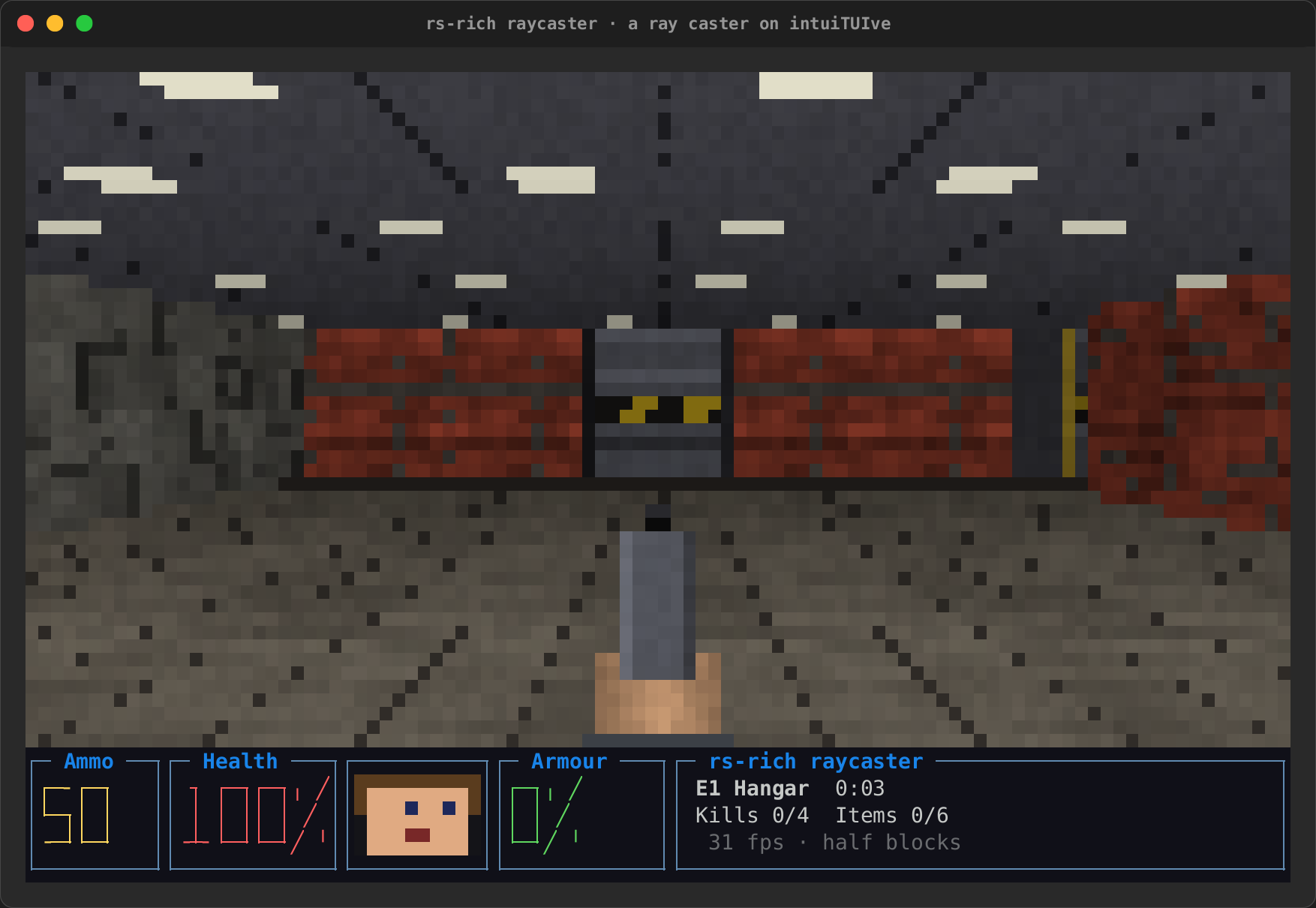
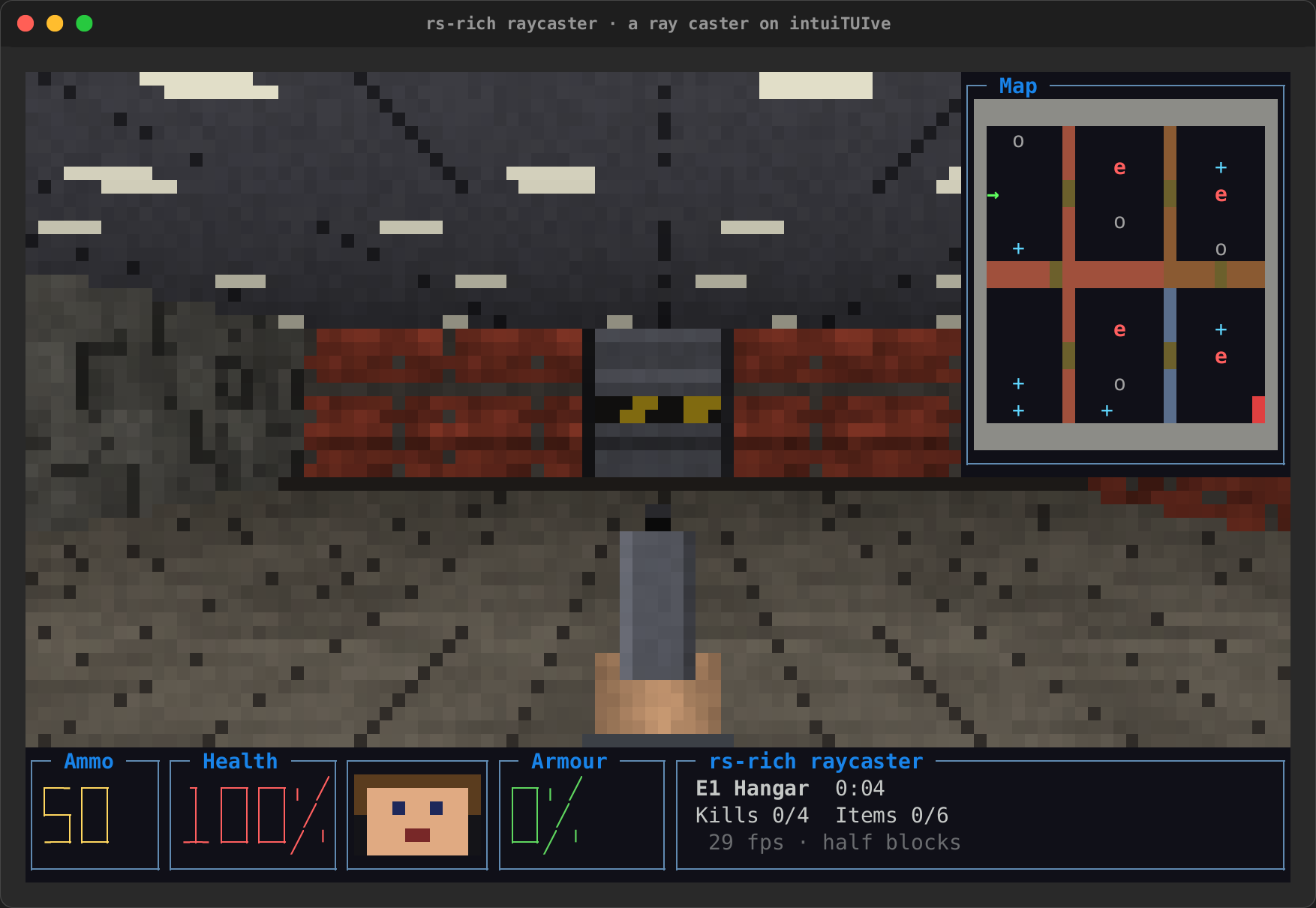
The raycaster (crates/rich-intuituive/examples/raycast, cargo run -p
rs-rich-intuituive --example raycast --features art) is a first-person
game on these pieces: fixed_step for its tics, a pixels_fit view in
half blocks, quadrants or Braille (or real pixels through
App::graphics), and held keys from App::all_keys(true):
| The start | The map (Tab) |
|---|---|
 |
 |