Going places and keys
This page covers keywords, the command line, the two key presets, keys of your own, and keys that work on one site only. It ends with every action and its keys.
Keywords
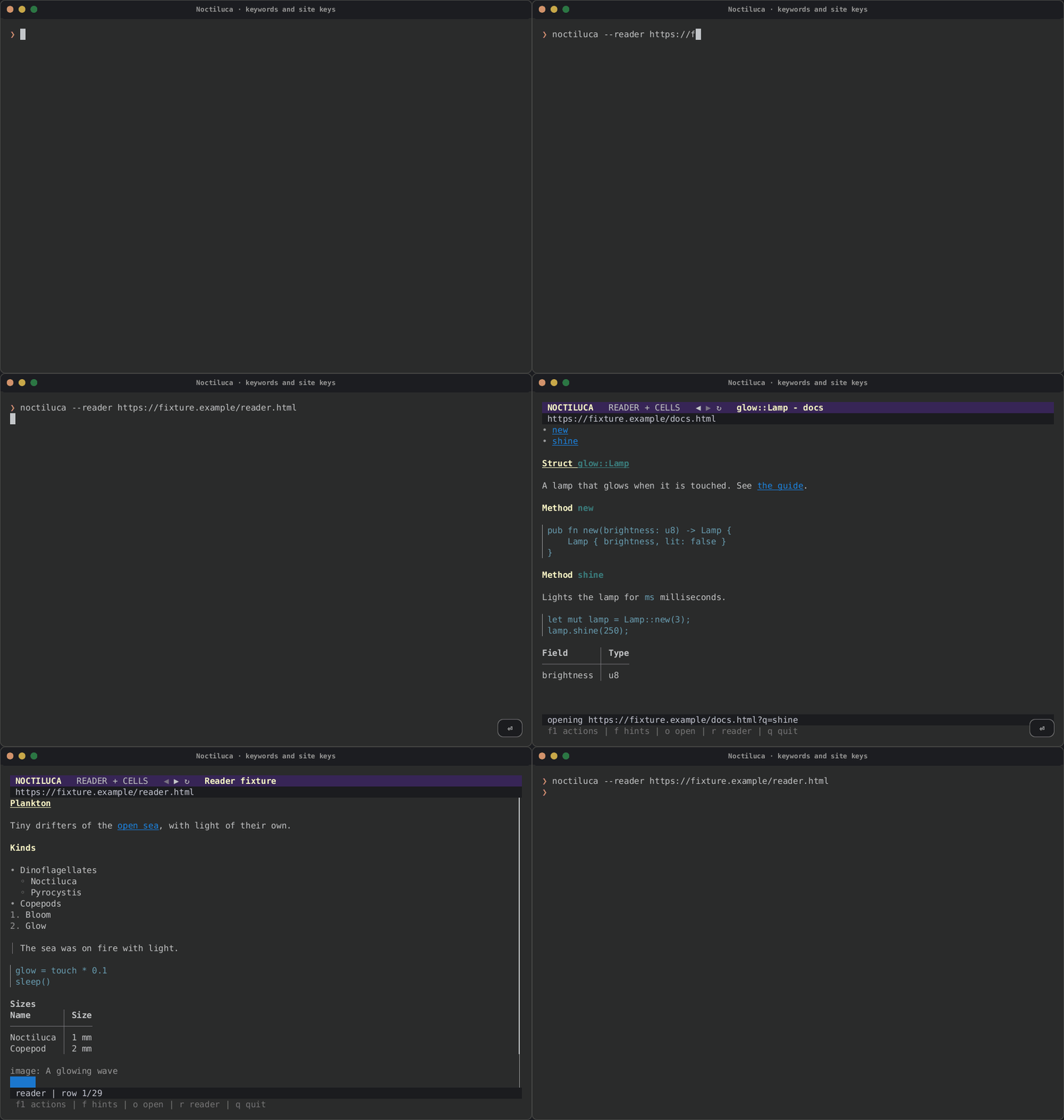
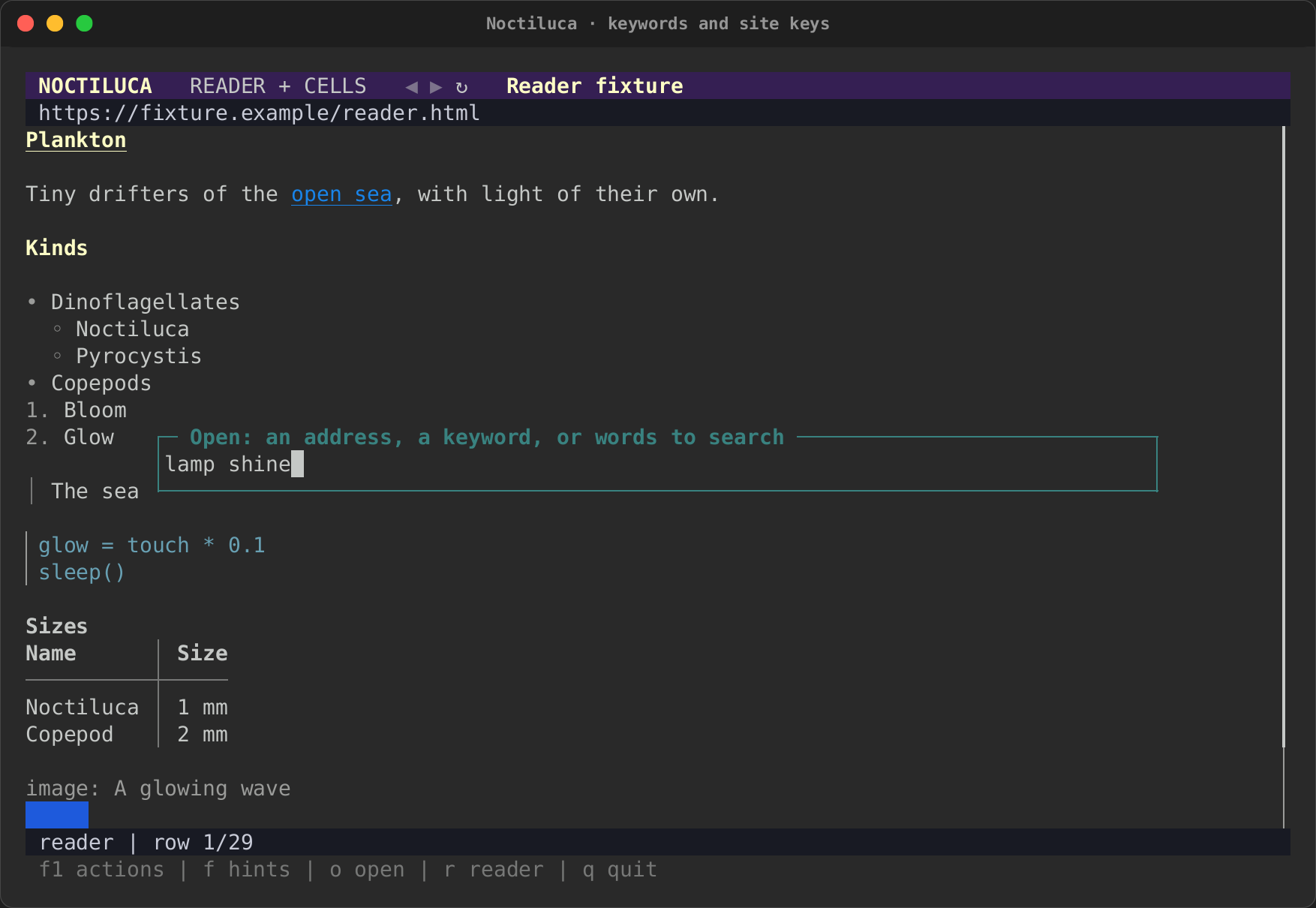
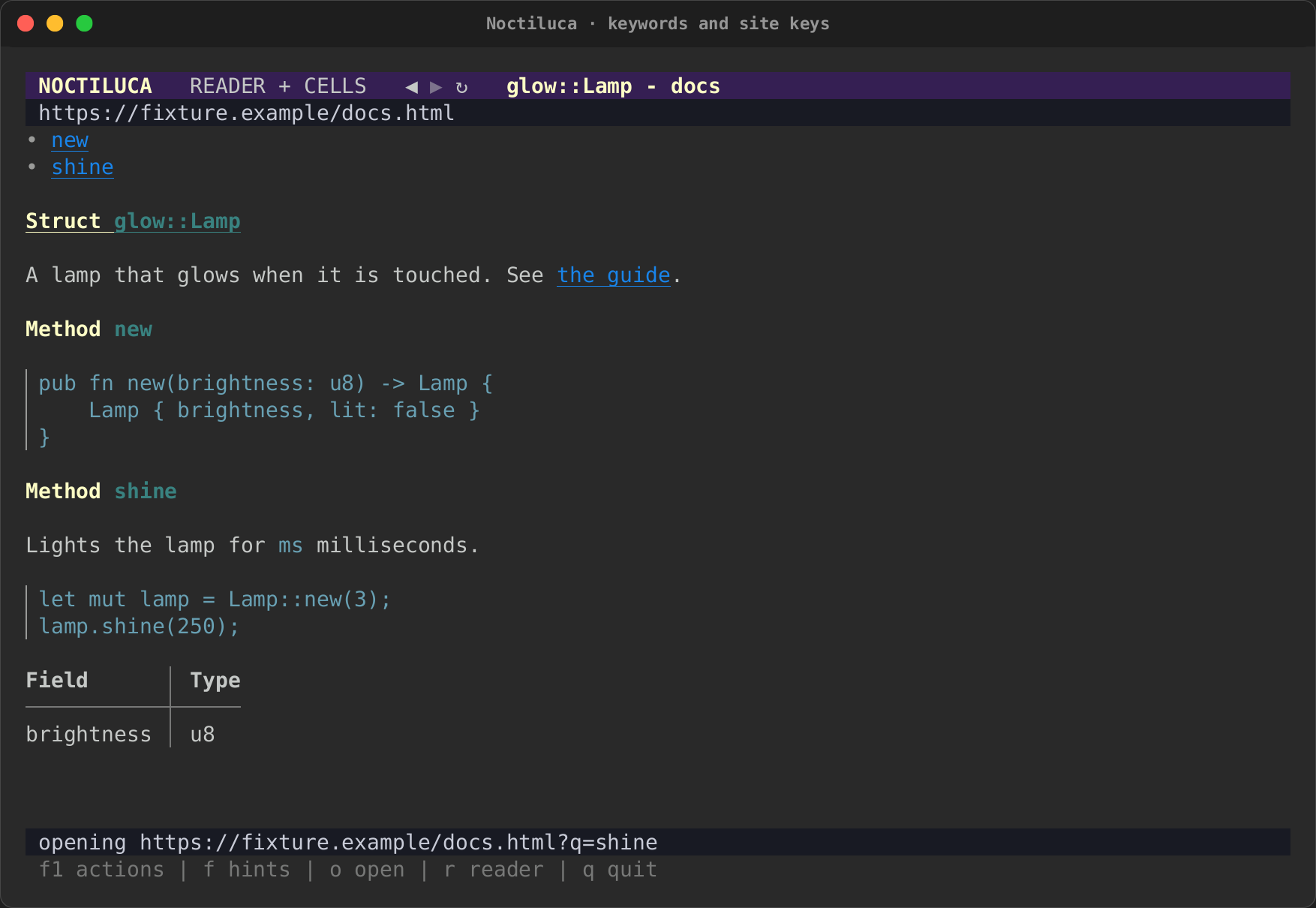
A keyword is a short word for a site: gh rs-rich in the address bar, or
noctiluca gh rs-rich on the command line, searches GitHub for
rs-rich. The words after the keyword fill in the keyword's template,
escaped. A keyword alone opens its site's home.
| Typed | Keyword result |
|---|---|
 |
 |
Four are built in:
| Keyword | Searches | Alone, opens |
|---|---|---|
rs |
https://docs.rs/releases/search?query={} |
https://docs.rs |
crates |
https://crates.io/search?q={} |
https://crates.io |
mdn |
https://developer.mozilla.org/en-US/search?q={} |
https://developer.mozilla.org |
gh |
https://github.com/search?q={} |
https://github.com |
Add your own, or change or remove a built-in, under [shortcuts]:
[shortcuts]
# {} takes the words after the keyword; the home is the template's site.
so = "https://stackoverflow.com/search?q={}"
# A table sets the search and the home apart.
wiki = { search = "https://en.wikipedia.org/w/index.php?search={}", home = "https://en.wikipedia.org" }
# No {}: the keyword opens this address, words or not.
news = "https://lobste.rs"
# false removes a built-in.
mdn = false
A site's own keyword. In a site's table, keyword = "s" makes
s WORDS search the site you are on: the words go to your search engine
with site:HOST in front. A bookmark's keyword works like a
shortcut too (see Bookmarks).
When several could match, the address bar tries an address first, then
this site's keyword, then a bookmark's, then [shortcuts], and searches
last. See the address bar.
The command line
noctiluca [OPTIONS] [URL | FILE | KEYWORD WORDS…]
noctiluca keys [--site HOST] [--config PATH]
noctiluca ls [--json]
noctiluca action [--session PID] [--json] [--no-wait] VERB [ARGS…]
| Switch | What it does |
|---|---|
--reader, --projection, --pixels, --raster |
The first view (default: the config's [startup] view, else the projection). Choose one. --pixels needs Kitty graphics: see the pixel view |
--view NAME |
The same, by name: projection, reader, pixels or raster |
--audio |
Let pages play sound. Off by default. It plays where Chrome runs, never over SSH |
--profile NAME |
Keep a profile, with its cookies and storage, between runs (opt-in). A name of letters, digits, - and _ |
--chrome PATH |
The browser to run (default: the one found) |
--images MODE |
How images reach the terminal: ansi, kitty, sixel, iterm2 or none (default: the config's, else detected). See images |
--fps N |
The most frames a second a moving picture (a GIF, a video) shows, 1 to 60: a ceiling, not a target (default 30); video never goes above 30 |
--adapt LIST |
Switch terminal adaptations off (-name) or on (+name) for this run: --adapt=-collapse-nav,+text-over-pictures |
--no-adapt |
Every adaptation off: the faithful projection |
--transparent |
Where a page sets no background of its own, the terminal's background shows (a translucent or themed terminal). See the config |
--no-mouse |
Leave the mouse to the terminal: no clicks or wheel in Noctiluca, and the terminal's own selection and scrollback. See the mouse |
--ssh [USER@]HOST |
Run Chrome here, but make every request through HOST over an SSH tunnel: its localhost is localhost. See Over SSH |
--ssh-arg ARG |
One more word for that ssh, repeatable: --ssh-arg=-p --ssh-arg=2222 |
--split DIR |
Open in a new pane beside this one (right, left, up, down) and return: noctiluca --split right http://localhost:3000 beside a coding agent. Works in tmux, WezTerm, kitty (with allow_remote_control), zellij (right and down) and terminals with terminal-browser's socket. See the terminal host |
--control |
Listen for noctiluca action: a socket of your own user, no network listener (Unix only for now). See Scripts and coding agents |
--read-only |
Listen, but refuse every action that changes anything: scripts may only read |
--dump HOW |
Print the page's model and exit: text, ax (its controls) or json (all of it). Needs a page |
--no-js |
Turn the page's script off |
--config PATH |
Read another config file |
-h, --help |
The usage |
-V, --version |
The version |
-- |
Everything after it is the page or the words, even if it starts with - |
A switch that takes a value takes it as the next word or after =
(--images=kitty). An unknown switch is an error, with the usage.
--dump is for scripts and CI. It opens the page, waits until it has
loaded and stayed still for a moment (up to a minute), prints, and exits:
text: the page's text, block by block;ax: one line per control, tab-separated: its role, its name, thenvalue=…,checked,uncheckedormixed,disabledand its link, where they apply;json: the address, the title, the blocks, the controls and the media, with their positions.
noctiluca ls and noctiluca action list and drive the sessions
started with --control: see Scripts and coding agents.
noctiluca keys prints every action with its keys, after your
config, and then your site keys. noctiluca keys --site github.com prints
only the keys of the site tables that match that host.
The mouse
Noctiluca takes the mouse while it runs full-screen:
| Where | Click | Wheel |
|---|---|---|
| A link, a button, a check box, a radio, a tab | Uses it, as its link hint does (a real click in Chrome) | |
| A field, a select, a slider | Gives it its widget: focused in reader mode, in a box over the page in the projection | |
| A video's region | Plays or pauses it | |
| Anywhere on the page | Scrolls three rows a notch | |
The header's ◀ ▶ ↻ |
Back, forward, reload | |
| The address row | Edits the address, as Ctrl+L does |
|
A key in the status bar's second row (f1 actions, r reader, …) |
Runs its action | |
| A row of a list (bookmarks, site keys, the binding picker) | Selects it; a click on the selected row chooses it, as Enter does | Moves the selection |
An action in F1's list |
Runs it | Moves the selection |
A click on plain text does nothing, so a drag over text selects it and
copies it to the clipboard. Most terminals also select with Shift held
while an app has the mouse. --no-mouse leaves the mouse to the terminal
altogether. Clicks land on whole cells.
The key presets
Two sets of keys come with Noctiluca. [keys] preset in the config
chooses one:
vim(the default): the keys of vim-like browsers.oopens,fshows hints,/finds,HandLgo back and forward.plain: arrows and modifiers.Ctrl+Oopens,Alt+Hshows hints,Ctrl+Ffinds,Alt+LeftandAlt+Rightgo back and forward.
Both are in the table below.
Your own keys
Rebind any action by its id under [keys]. Keys separated by spaces (or
commas) are alternatives:
[keys]
preset = "vim"
hints = "f ctrl+g"        # f or Ctrl+G shows hints
reader = "ctrl+r"
quit = "none"             # none (or "") unbinds an action
Key names are like ctrl+g, alt+left, shift+f3, f6, pagedown,
space, and a letter by itself (G is Shift+G). A rebound key leaves
the action it used to run. The F1 overlay and noctiluca keys show the
keys in effect.
A line that names no action, or has a key name Noctiluca does not know,
is a warning: that line is skipped, its action keeps the preset's keys,
and every other line still applies. The warnings show on the status line
when Noctiluca starts, and noctiluca keys prints them all.
Keys on one site
A key can do something on one site only, and there it wins over the same key's action everywhere else. A site key runs one of three things:
- an action, by its id:
n = "scroll.down"; - an element of the page, by its accessible role and name:
"]" = { role = "link", name = "Next" }, looked up when you press the key. When several elements share the name,nth = 2picks the second; - a list of those, run in turn:
x = ["top", { role = "link", name = "Home" }].
A site key is one key, not a sequence. Never a script, and never a CSS selector. A role and a name are what a screen reader would say. They survive a redesign, and a config you share cannot use them to read a page's data. Running one is the same checked action a link hint runs.
A site table matches a host (github.com), a wildcard (*.example.com,
which takes the domain and every host under it) or an address prefix
("https://example.com/docs/"). When several match, the most specific
wins: a prefix, then a host, then a wildcard, and a longer one over a
shorter. See Configuration.
Binding a key from inside Noctiluca
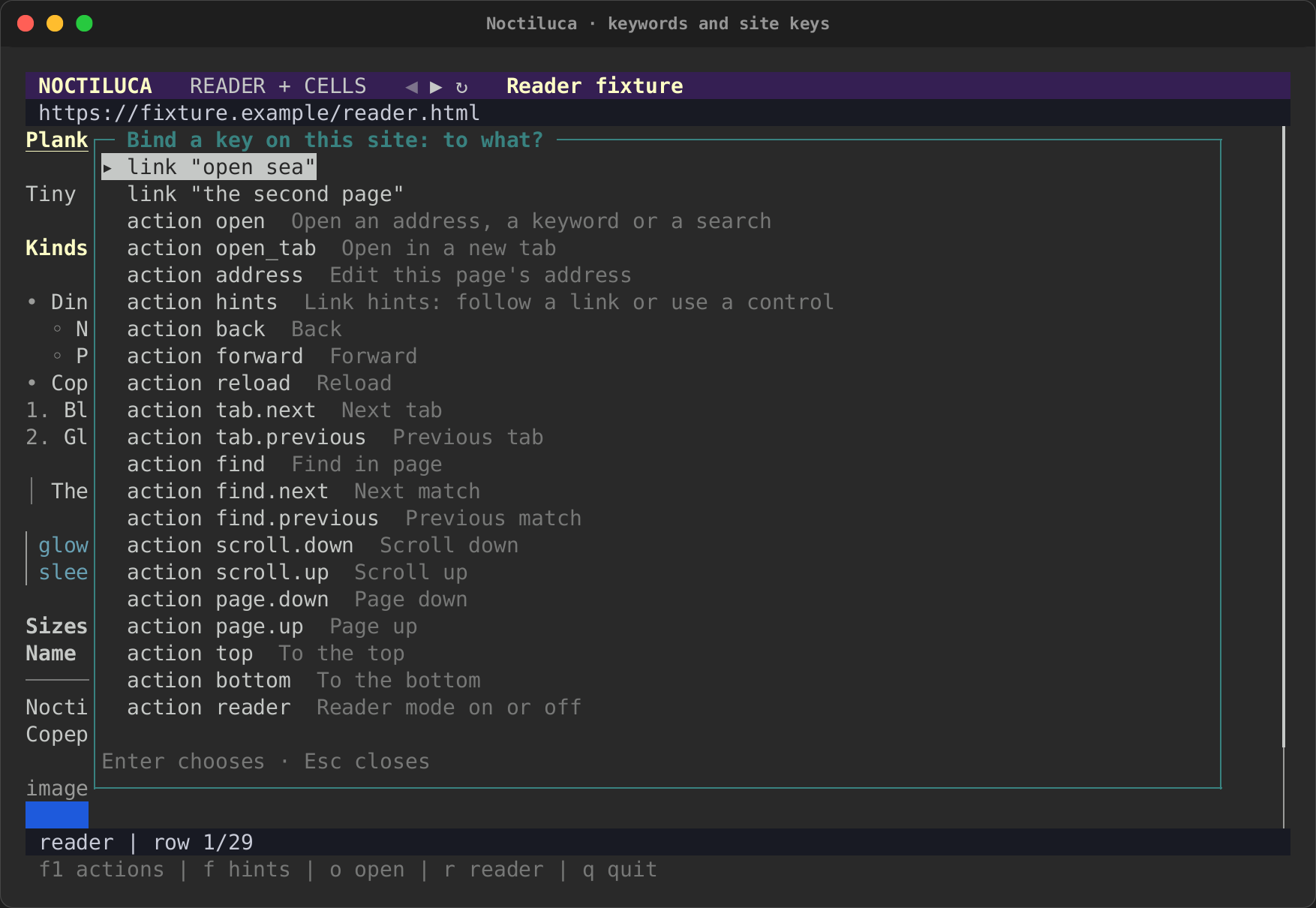
You do not have to edit the file. On the page, press Ctrl+K ("Bind a
key on this site…"). It lists the page's named controls, by role and name,
then every action. Choose one with Enter, then press the key.
| Choose what the key does | Press the key, and confirm |
|---|---|
 |
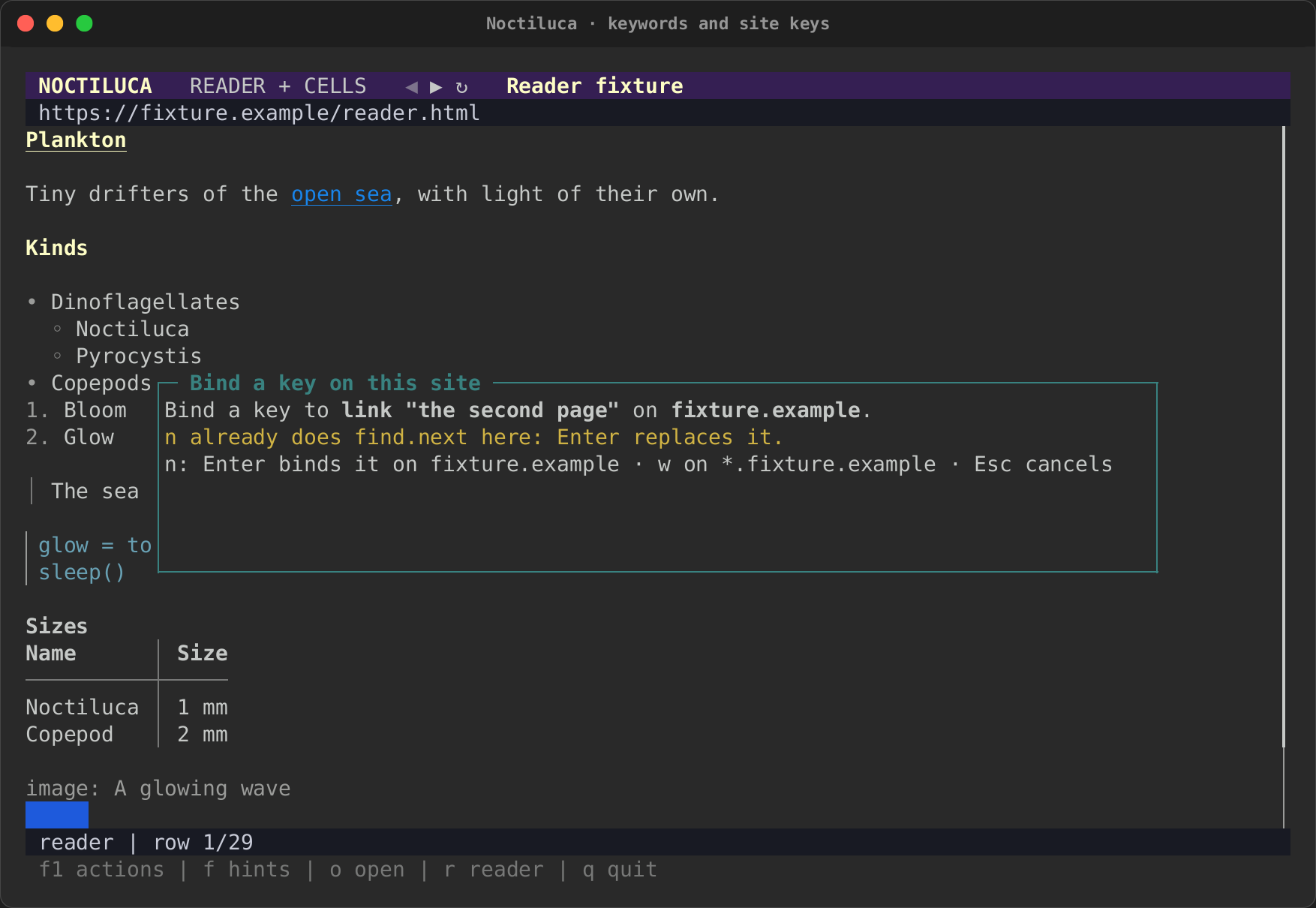 |
Enter binds it on this host, w on *.host (the host and every host
under it), Esc cancels. If the key already does something here, you are
told, and Enter replaces it on this site only. When more than one element
has the name, you are told which match the key binds.
The binding is written to [site."HOST".keys] in your config file,
keeping the file's comments and layout, and works at once. It needs a
config file to write to and a page with a host: a local file has none.
This site's keys
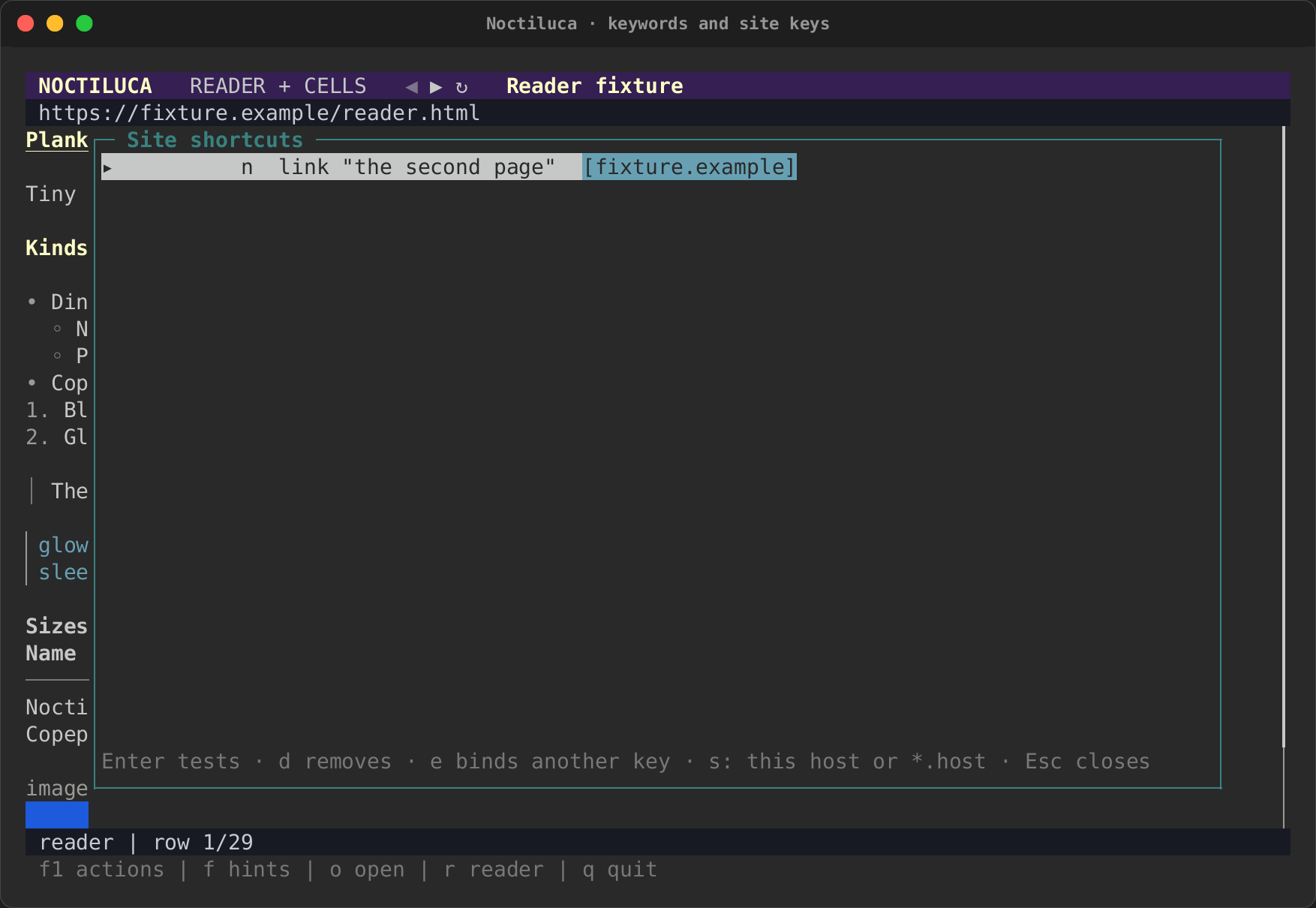
Press K (Ctrl+Shift+K with the plain keys) for this site's keys.
Enter tests one, d removes it, e binds it to another key, and s
moves it between the host and *.host. A key whose element is not on
this page is listed with the reason.
| This site's keys | In the F1 overlay |
|---|---|
 |
 |
Every action and its keys
Each action's id is what [keys] and site keys use. A key written as two
keys with a space (g g) is a sequence: press one, then the other.
| Id | Action | vim (the default) |
plain |
|---|---|---|---|
open |
Open an address, a keyword or a search | o |
ctrl+o |
open_tab |
Open in a new tab | O |
ctrl+t |
address |
Edit this page's address | ctrl+l |
ctrl+l, f6 |
hints |
Link hints: follow a link or use a control | f |
alt+h |
back |
Back | H |
alt+left |
forward |
Forward | L |
alt+right |
reload |
Reload | R |
ctrl+r, f5 |
tab.next |
Next tab | g t |
ctrl+pagedown |
tab.previous |
Previous tab | g T |
ctrl+pageup |
find |
Find in page | / |
ctrl+f |
find.next |
Next match | n |
f3 |
find.previous |
Previous match | N |
shift+f3 |
scroll.down |
Scroll down | j, down |
down |
scroll.up |
Scroll up | k, up |
up |
page.down |
Page down | space, pagedown, ctrl+d |
pagedown, space |
page.up |
Page up | pageup, ctrl+u |
pageup |
top |
To the top | g g |
home |
bottom |
To the bottom | G |
end |
reader |
Reader mode on or off | r |
alt+r |
adapt |
Adapted or faithful projection (terminal adaptations on or off) | a |
alt+a |
view.pixels |
Pixel view on or off: Chrome's own pixels (Kitty graphics) | alt+x |
alt+x |
log.older |
Scroll the live log up (it holds still) | { |
alt+pageup |
log.newer |
Scroll the live log down (at its end it follows again) | } |
alt+pagedown |
media.play_pause |
Play or pause the media | p |
alt+p |
media.mute |
Mute or unmute the media | alt+m |
alt+m |
media.volume_up |
Volume up | + |
alt+up |
media.seek_back |
Back five seconds in the media | [ |
ctrl+left |
media.seek_forward |
On five seconds in the media | ] |
ctrl+right |
media.volume_down |
Volume down | - |
alt+down |
media.freeze |
Freeze or resume moving pictures | f4 |
f4 |
bookmark |
Bookmark this page | m |
ctrl+d |
bookmarks |
Bookmarks | M |
ctrl+b |
site.bind |
Bind a key on this site… | ctrl+k |
ctrl+k |
site.keys |
Site shortcuts… | K |
ctrl+shift+k |
agent.send |
Send an element to the agent: pick it with a hint | ctrl+g |
ctrl+g |
actions |
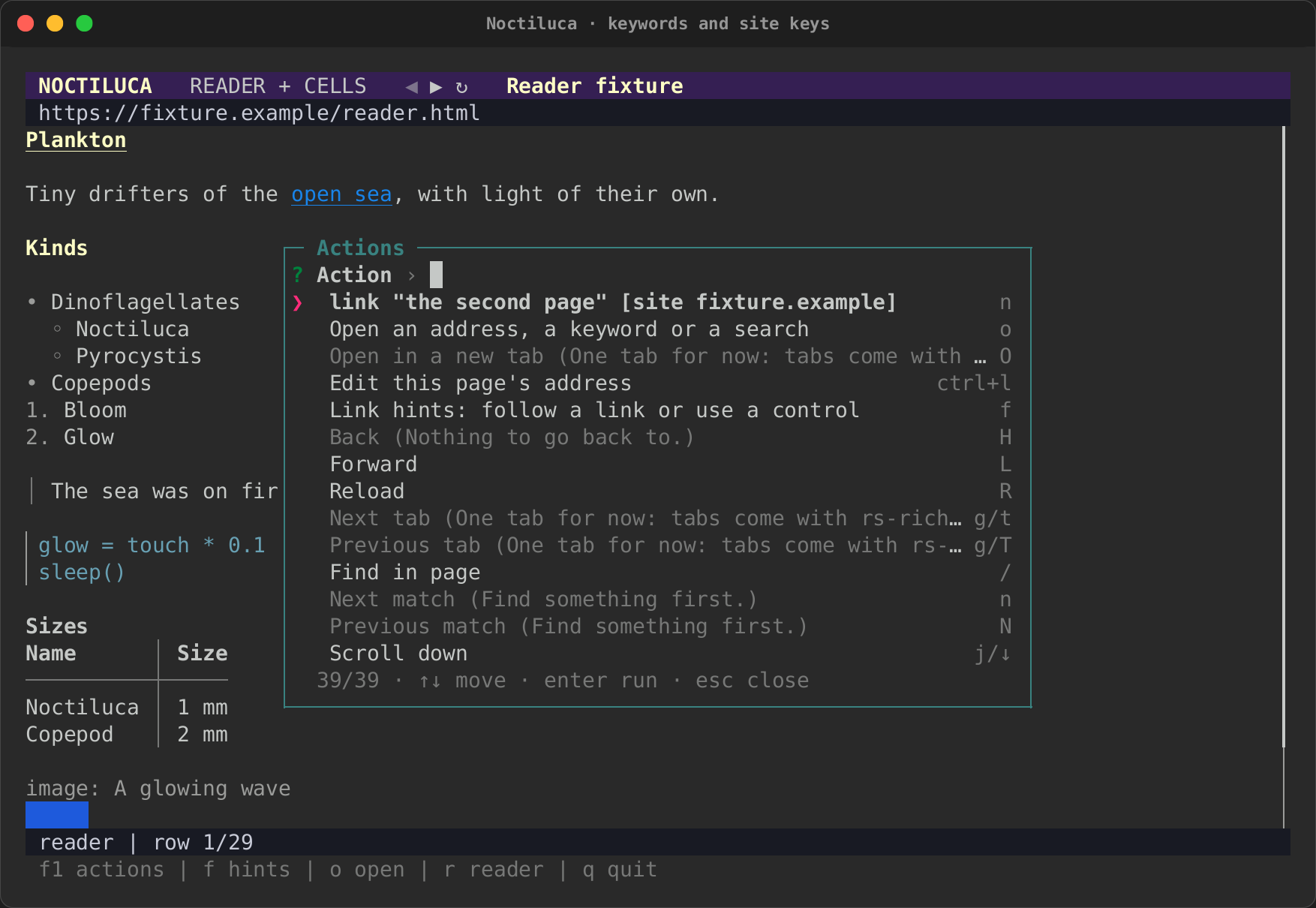
Actions (this list) | f1 |
f1 |
about |
About: the version, the adaptations and which are on, and the codecs (about:noctiluca) |
? |
alt+i |
quit |
Quit | q |
ctrl+q |
The tab actions are listed, and say "One tab for now" when you run them.
Inside a list (bookmarks, site keys, the bind picker), ↑ and ↓ (or
k and j) move, Enter chooses and Esc closes.