Marketplace
Find plugins, micro packs and themes for rich. This page lists what the
plugin marketplace
holds, and gives the command that installs each package. In a terminal,
rich plugin search and rich plugin browse show the same list
(In the terminal). The marketplace also has its own site:
buchochelliq-labs.github.io/rs-rich-marketplace.
How to read a package
Which packages are rs-rich's own. A package marked
✓ Official · by rs-rich is built and published by rs-rich, from
its repository. The
mark comes only from the listing's tier, which only a maintainer can set,
and the marketplace refuses official for a package whose repository is
not rs-rich's. Every other package is someone else's: reviewed means a
maintainer read its source and rebuilt the same file; community means
the marketplace's checks passed and nothing more, so read its source and
permissions first. A package's own name, description and authors are its
author's words; "Authored by" names them in quotes when they claim to be
rs-rich. The tiers say more.
Kinds. A WASM plugin runs in a sandbox with no files, network, clock
or processes. A micro pack and a theme are data. A crate is native
code: it is never installed by rich, so its command is the cargo add
line for your own program.
Trust
This page only lists packages: it reads the marketplace's index.json and
each listing in your browser, checks each listing's SHA-256 against the
index, and sends nothing else anywhere. It does not check the index's
signature. rich plugin install does: it verifies the index's minisign
signature with the keys compiled into rich, then the listing's hash, then
the downloaded file's size and SHA-256, before it writes anything.
Download counts and ratings come from the marketplace's stats.json,
refreshed nightly. They are not part of the signed index, and rich never
reads them. A rating is the 👍 and 👎 reactions on the package's GitHub
discussion, and its reviews are that discussion's comments; Read or write
reviews on GitHub opens it. A count shows as "—" where nothing was
counted, such as a version published before counting began.
In the terminal
rich plugin search                          # every package: kind, tier, version, author
rich plugin search rot13                    # every word must match: id, name, description,
                                            # keywords, authors or capabilities
rich plugin search --kind theme --tier official
rich plugin info textcase                   # who publishes it, every version, permissions
rich plugin install textcase                # shows what it is and asks first
rich plugin browse                          # all of it in a selector
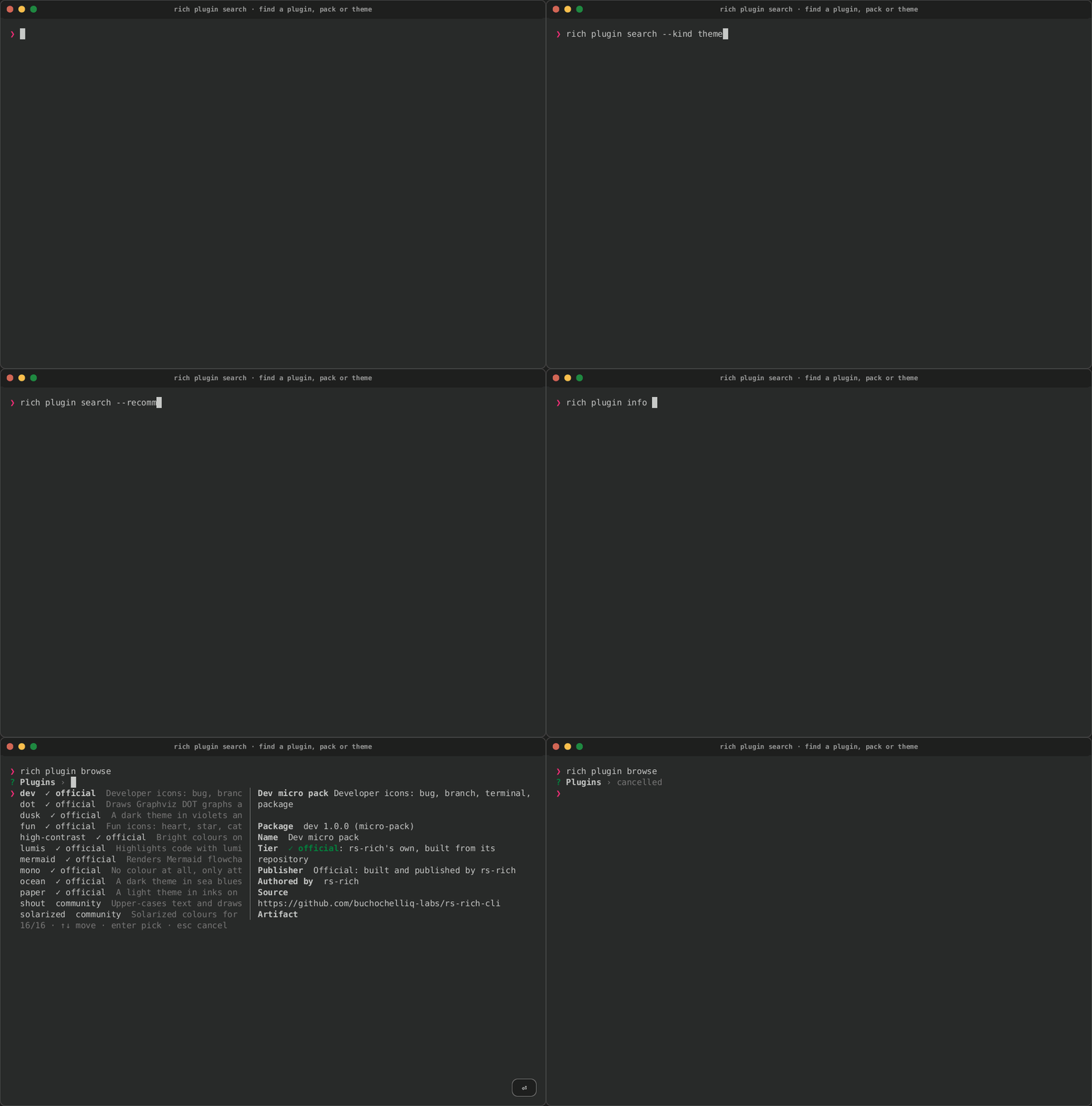
See Install plugins from the marketplace
for every rich plugin command, and Extending
for how the marketplace works and how to publish a package.