Porting a ratatui app
 This page is for people with a ratatui app who want to
move it to intuiTUIve. You do not have to move all of it at once:
| Path | What changes | When to choose it |
|---|---|---|
| 1. Use rich inside ratatui | Nothing; you add widgets | You want rich's tables, Markdown, syntax or charts, and nothing else |
| 2. Host ratatui widgets in intuiTUIve | The app shell and state | You want the framework now, and to port widgets as you touch them |
| 3. Port fully | Everything | A new major version, or a small app |
| 4. Host intuiTUIve in ratatui | One pane | ratatui keeps the terminal and the loop, and an intuiTUIve app runs in part of the frame |
Coming from ratatui, and looking for a feature?
intuiTUIve against ratatui compares the two feature by feature: what intuiTUIve does the same way, what it does differently and why, and what is still missing and planned.
Paths 2 and 3 are the same work done at different speeds, so the recipe below covers both. Three complete ports show where it leads:
- An ops dashboard, written both ways in
tests/versus_ratatui.rs: the ratatui version and the intuiTUIve one draw the same screen, and CI measures them against each other. - A Yazi-style file manager. Yazi is
the most-starred app built on ratatui. It is rebuilt on intuiTUIve in
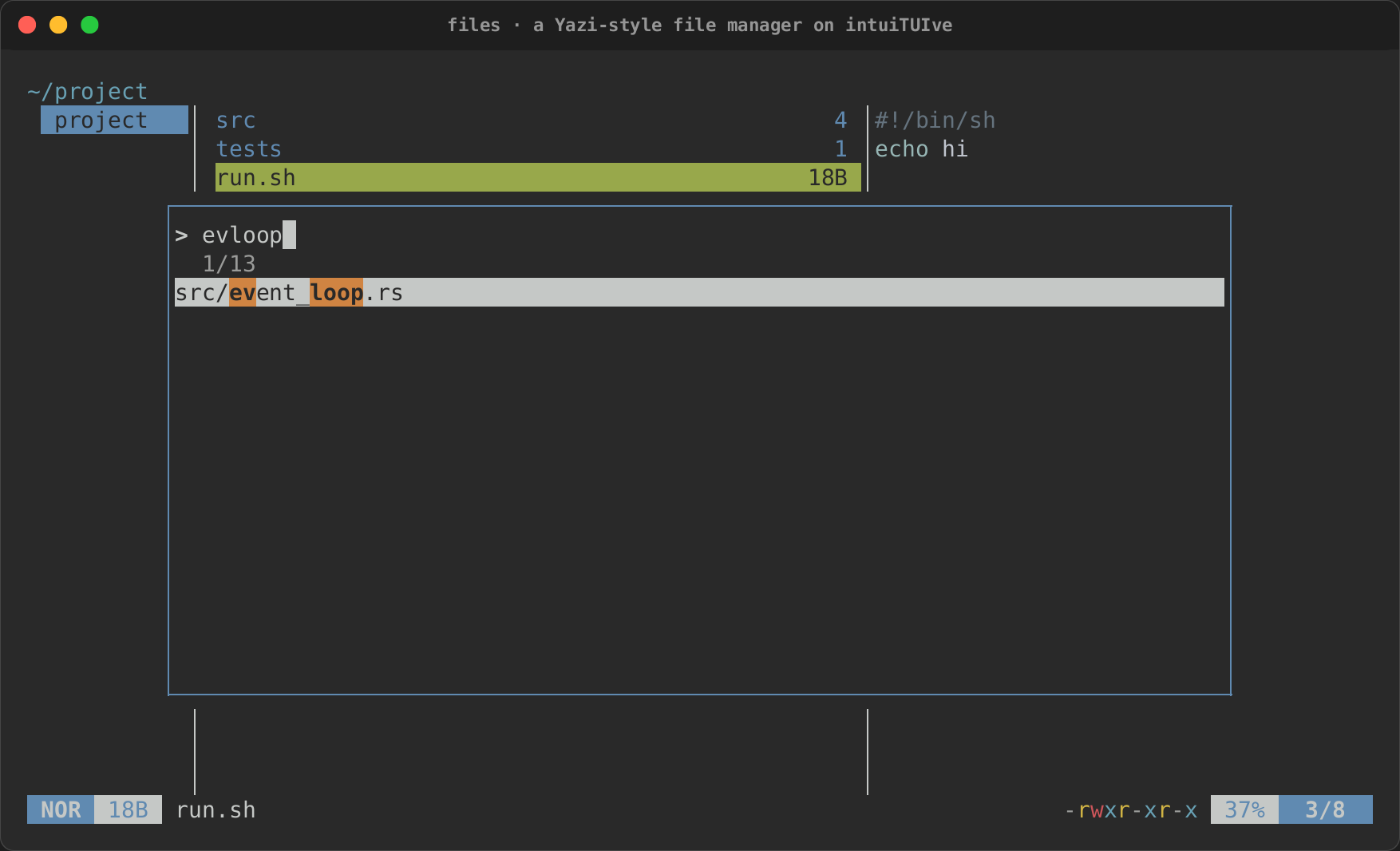
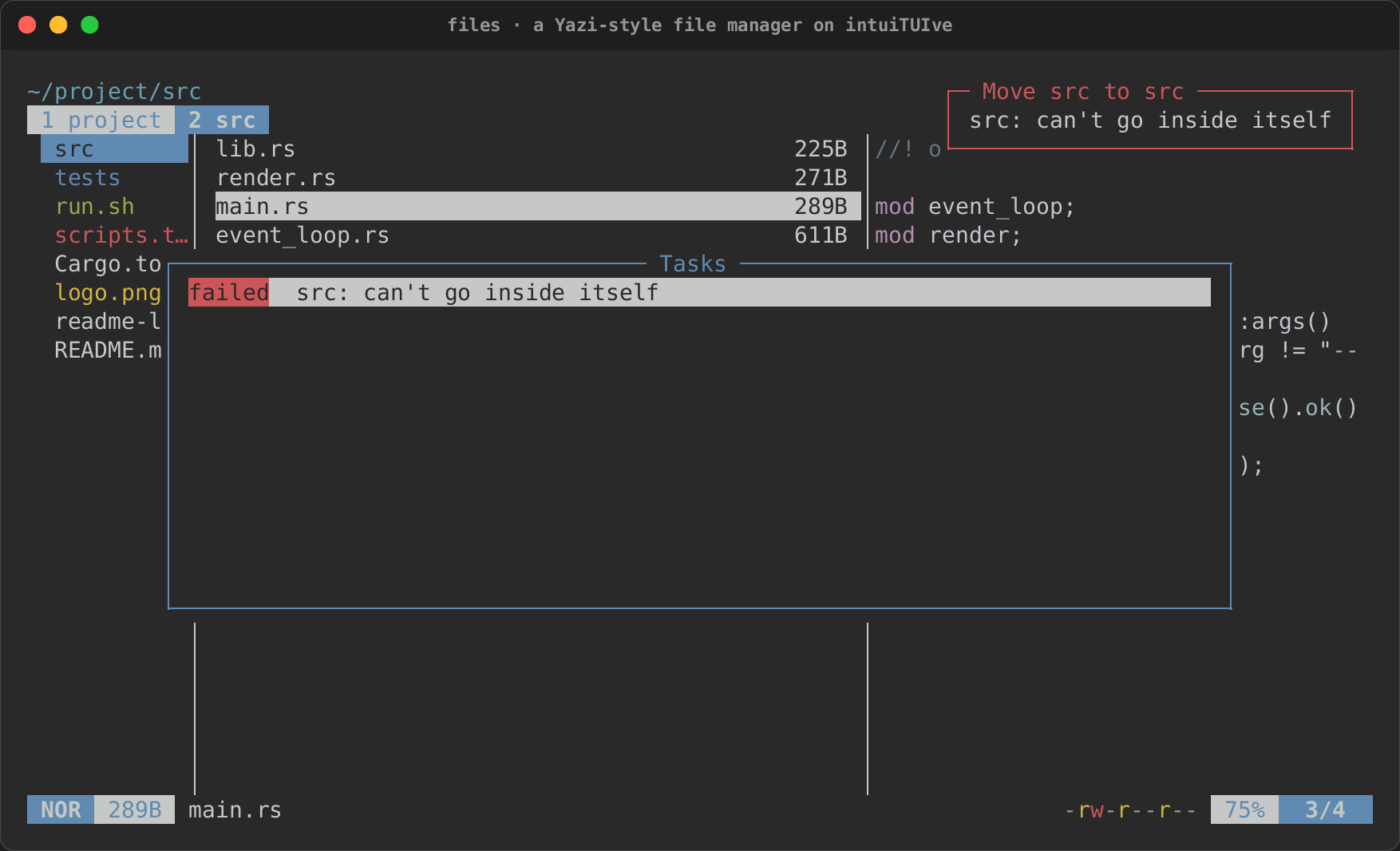
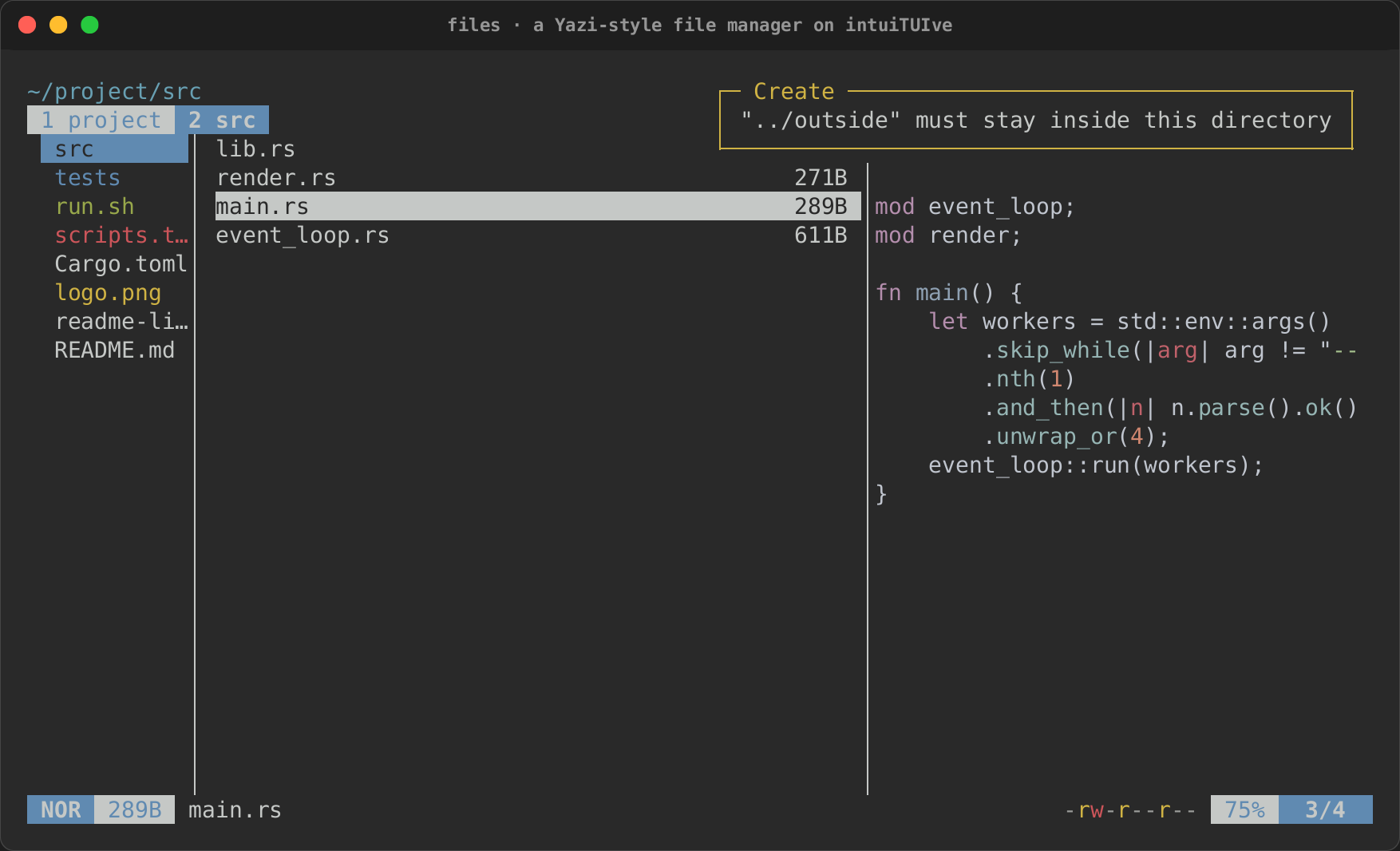
examples/files.rs(cargo run -p rs-rich-intuituive --features files --example files), on thefilesplugin's Miller columns, with Yazi's layout, theme, status line and default keymap (chords and their which-key pop-up included), previews by type loaded in the background, selection and visual mode, yank and paste, trash and delete as background tasks, create and rename, find, filter, sorting, git signs, archives, a fuzzy finder, tabs and the help. See the walkthrough below. - An oscilloscope. scope-tui
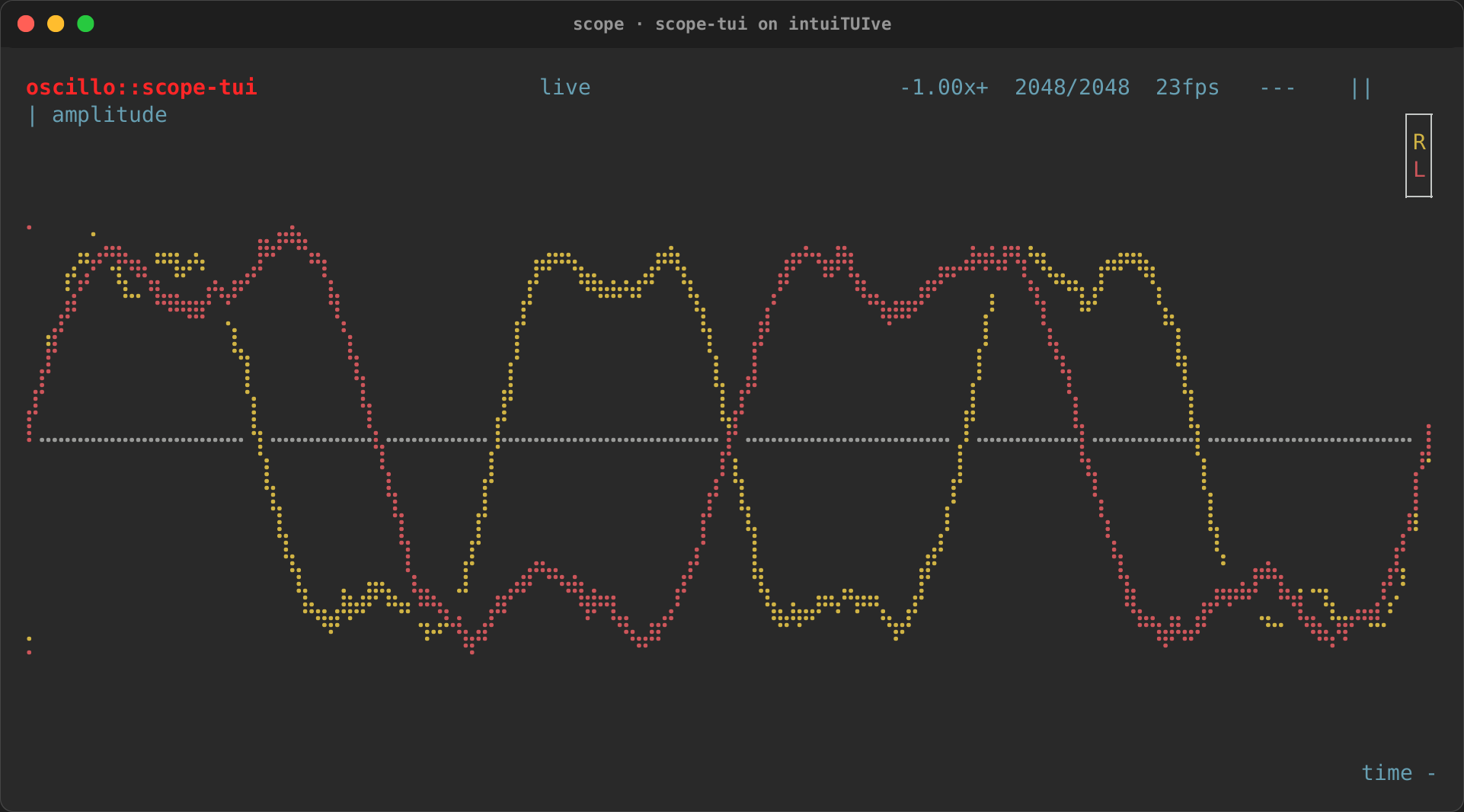
draws audio as an oscilloscope, a vectorscope and a spectroscope, twenty
or more times a second. It is rebuilt in
examples/scope.rs(cargo run -p rs-rich-intuituive --example scope --features pcm), with its keys, options, trigger, averaging, Braille plots and live capture (with theaudiofeature). See the walkthrough below.
What changes, in one table
| ratatui | intuiTUIve |
|---|---|
An App struct holding state |
Signals: let selected = signal(0) |
terminal.draw(\|frame\| …) every frame |
A tree built once in App::new(\|\| …); only what changed draws |
Layout::vertical([..]).areas(r) |
column([..]) / row([..]) / grid(..), sizes on the children |
Constraint::Length(n) |
.fixed(n) |
Constraint::Percentage(p) |
.percent(p) |
Constraint::Fill(w) / Min(0) |
.flex(w) (the default) |
Constraint::Min(n) / Max(n) |
.min_size(n) / .max_size(n) on any child |
| Content-sized rows (measured by hand) | .auto() |
Block::bordered().title(t) |
.panel(t), and .title_flush() for the title at the corner; .padding(v, h) for space |
Paragraph, Line, Span |
text!("…{signal}…"), label("…"), console markup |
List + ListState |
list(items, selected) (scrolls, highlights, binds ↑↓ jk); list_optional for select(None) |
highlight_symbol, HighlightSpacing, ListDirection, scroll_padding, ListItem::style |
.symbol(..), .highlight_spacing(..), .direction(..), .scroll_padding(n), .row_style(\|i\| ..) on the list; .multiline() for items of several lines |
Table + TableState |
table(columns, rows, selected) (sized columns, a sticky header, keys, clicks); virtual_table for huge ones; table_optional for select(None) |
footer, column_spacing, Row::height, Row::style, column_highlight_style, a cell's alignment |
TableOptions::footer(..), .column_spacing(n), .multiline() or .row_height(n), .row_style(..), .column_highlight(); Column::align(Align::End) |
Tabs |
tabs(titles, selected) with switch(\|\| tab.get(), build) for the content; .divider(..), .tab_padding(..) |
Scrollbar and a scroll offset |
scroll(child): a viewport with keys, the wheel and a scrollbar; .scrollbar(Scrollbar::new()..) on lists, tables, trees, text areas and logs; scrollbar(position, len, view, bar) on its own |
An input field (tui-input, by hand) |
input(signal), number_input(signal, range) |
Chart, Canvas |
rich_ext::chart::{Chart, Canvas} (laid out as ratatui's) via drawn (the fast path) or renderable |
Gauge, Sparkline, BarChart |
rich_ext::chart (Gauge, Sparkline, BarChart) via renderable |
Clear + a centred popup |
cx.modal(width, height, build); cx.modal_with(.., ModalOptions::new().shadow(..).backdrop(..), ..) for a shadow |
| A popup placed next to a widget | cx.popup(anchor, Placement::Below, width, height, build) |
A custom Widget |
impl Widget and widget(w) (cells, events, children, focus); leaf for drawing only; or keep the widget (path 2) |
crossterm::event::read() + match |
.on_key("q", …) on the node that owns the key; keys bubble. Or keep your loop and feed an App::driver (path 4) |
| A focus enum and Tab handling | .focusable() / .focus_style(..); Tab and Shift+Tab are built in |
Mouse hit-testing against stored Rects |
.on_click(…), .on_mouse(…); events arrive in the node's own coordinates and bubble |
| A tick rate in the loop | every(interval, …), which returns a Timer to pause or re-time; fixed_step(period, \|cx, steps\| …) for a game's timestep |
KeyEventKind::Release, keys held down |
.on_key_up(..), .bind_release(..), held_keys(); App::all_keys(true) for every key's release |
| A "terminal too small" check before drawing | App::min_size(w, h, message); min_size_with(w, h, \|\| node) for a node of its own, min_size_forms for shorter forms |
| Threads and channels into the loop | spawn(work, done), resource(fetch), Proxy::run |
| "When X changes, do Y" in the loop | watch(\|\| x.get(), \|x, cx\| …) |
ratatui::init() / restore() |
App::run() (restores on every exit, panics included) |
| Returning a choice or an error from the loop | cx.quit_with(value) and App::run_for::<T>(); cx.fail(error) |
Viewport::Inline(n) |
App::inline(n) |
Terminal::insert_before(n, ..) |
cx.print_above(markup), Proxy::print_above |
EnableMouseCapture at the app's choice |
App::mouse(Some(true)) or Some(false) |
Frame::count() |
FrameStats::frames (Driver::stats()) |
TestBackend and buffer asserts |
Headless scripts: keys, clicks, resizes, a virtual clock |
Path 1: rich inside ratatui
Nothing about your app changes. rs-rich-ratatui makes any rich renderable a
ratatui Widget:
frame.render_widget(&RichWidget::new(&table), area);
frame.render_widget(RichWidget::markup("[b]q[/] quit"), footer);
Path 2: ratatui widgets inside intuiTUIve
rs-rich-ratatui's RatatuiComponent (its interact feature) runs a
ratatui draw function as a component, and component(..) puts it in the
tree. The widget can read signals: when they change, it draws again.
[dependencies]
rs-rich-intuituive = "0.0.5"
rs-rich-ratatui = { version = "0.0.1", features = ["interact"] }
ratatui = "0.30"
use intuituive::prelude::*;
use ratatui::widgets::{Block, Gauge, Widget};
use rich_ratatui::RatatuiComponent;

App::new(|| {
    let done = signal(1u16);
    // Your existing widget code, unchanged, reading a signal.
    let gauge = RatatuiComponent::<(), ()>::new(move |area, buf| {
        Gauge::default()
            .block(Block::bordered().title("Progress"))
            .percent(done.get() * 10)
            .render(area, buf);
    });
    column([
        component(gauge, |_, _| {}).no_focus().fixed(3),
        text!("done {done}/10").auto(),
    ])
    .on_key("+", move |_| done.update(|d| *d += 1))
    .on_key("q", |cx| cx.quit())
})
.run()
This is tested in tests/ratatui_widgets.rs. From here, port one widget at
a time, the busiest first: each port also moves that part of the screen from
"redraw when anything changes" to "redraw when its own state changes".
Path 3: the recipe
1. State becomes signals
// intuiTUIve, inside App::new(|| { … })
let selected = signal(0usize);
let tick = signal(0u64);
let log = Log::new(500);
Signals are Copy: move them into every closure that needs them, with no
Rc<RefCell<..>>. Derived values become memos:
let left = memo(move || todos.with(|t| t.iter().filter(|t| !t.done).count())).
In handlers, read with get(); to read without subscribing anything (rarely
needed), use get_untracked().
2. The draw function becomes a tree
A ratatui draw runs every frame and lays out from scratch. In intuiTUIve
you build the same shape once:
// ratatui
let [header, body, footer] = Layout::vertical([
    Constraint::Length(1),
    Constraint::Min(0),
    Constraint::Length(1),
])
.areas(frame.area());
let [left, right] =
    Layout::horizontal([Constraint::Percentage(40), Constraint::Percentage(60)]).areas(body);
// intuiTUIve
column([
    header.fixed(1),
    row([services.percent(40), detail_and_log.percent(60)]),
    footer.fixed(1),
])
Each closure inside the tree (text!, text(..), renderable(..), list's
items) re-runs only when the signals it read change. You no longer pass
Rects around; when you need one (for a click), the framework keeps it.
3. Widgets become nodes
Most widgets have a direct counterpart (see the table above). Three are worth a closer look:
- Lists.
list(items, selected)isListandListStatetogether. It keeps the selection in view, highlights it in the theme'sselectedstyle and binds ↑/↓, j/k, Home/End and PageUp/PageDown while it has the focus. Bind Enter yourself. - Tables.
table(columns, rows, selected)isTableandTableStatetogether: sized columns, a header that stays, the keys and clicks.TableOptionssorts, scrolls across and adds a cell cursor, and its options can follow signals;.cursor_by(|i| key)keeps the selection on its row through a re-sort. A file too big to hold is aTableSourcebehindview_of, filtered and sorted on a worker thread. See Tables and scrolling. - Popups. Replace
Clearplus a centredRectwithcx.modal(Size::Auto, Size::Auto, build). Keys go to the modal untilcx.pop().
Styles move from Style::new().fg(..) to markup ("[bold red]…[/]") or,
better, theme names ("[bad]…[/]") that a theme file
can change while the app runs. rs-rich-ratatui's to_rich_style
converts an existing ratatui Style.
4. The event loop becomes bindings
// ratatui
match event::read()? {
    Event::Key(key) => match key.code {
        KeyCode::Up | KeyCode::Char('k') => app.selected = app.selected.saturating_sub(1),
        KeyCode::Char('q') => return Ok(()),
        _ => {}
    },
    _ => {}
}
// intuiTUIve
list(items, selected)                 // ↑/k and ↓/j are built in
    .on_key("enter", move |cx| open(selected.get(), cx));
root.on_key("q", |cx| cx.quit());
Keys go to the focused node first and bubble up to its ancestors, so a key
bound on the root works anywhere unless something deeper uses it. Replace a
hand-written Focus enum with .focusable() nodes: Tab and Shift+Tab move
between them, panels highlight while the focus is inside, and
.focus_style("reverse") marks a focused row.
5. Ticks, threads and side effects
| In your loop | Becomes |
|---|---|
if last_tick.elapsed() >= tick_rate { app.on_tick() } |
every(tick_rate, move \|_\| …) |
| A thread sending results down a channel | spawn(work, move \|result, cx\| …) |
| A thread sending a stream of values (a sensor, audio) | latest(\|tx\| …): a signal of the newest; latest_with_state also says when it stalls or ends |
| A value that loads in the background | resource(fetch): Loading, Ready, Failed, reload() |
| A tokio task updating state | proxy.run(move \|\| signal.set(v)) from the task |
| "If the selection changed, reload the preview" | watch(\|\| selected.get(), \|i, cx\| …) |
watch is the one most ports need: it replaces the "compare with last
frame's value" checks a ratatui loop accumulates.
6. Tests
TestBackend asserts become scripts, which press keys, type text, click,
resize and wait on a virtual clock:
let rows = app.render_with(&["j", "j", "enter", "q"], 80, 24)?;
assert!(rows[3].contains("selected"));
For more control, App::run_on with intuituive::interact::headless::Headless
records every frame and every byte sent. App::wait_for_tasks(true) makes
background work finish before the next scripted key, so tests of loading
states are deterministic.
7. Check the result
Run the port with INTUITUIVE_INSPECT=1. The inspector
shows which nodes drew in each frame. A key press should redraw what it
changed and nothing else. If a whole panel redraws on every tick, a closure
inside it reads a signal it does not need: the inspector's trace (Shift+F12,
then 4) names each signal written and the nodes it made dirty, and its
timings (3) show which nodes take the time.
Path 4: keep your loop
A ratatui program can keep its terminal, its loop and its frame, and give
part of the screen to an intuiTUIve app. App::driver(width, height) runs
the app without a loop of its own. Each turn, call:
update(elapsed);render(), then copydriver.screen().lines()into your buffer with rs-rich-ratatui'slines_to_buffer;event(…)with the app's events, translated byrich_interact::event::from_crossterm.
examples/in_ratatui.rs is the whole program, and the guide's
Owning the loop has the details. This is the
way in for an app too big to port at once: move one pane at a time.
Worked example: a Yazi-style file manager
examples/files.rs
reproduces Yazi as it looks and behaves out of the box: its 1:4:3 columns,
its default dark theme, icons and type colours, header, tab strip and
status line, and its default keymap. It is built only from the
framework's ready-made components: the core's bars, help, fuzzy lists and
dialogs, and the files plugin's Miller columns, previews, tabs,
selection, yank, openers, tasks, finder, frecency, search, shell, bulk
rename and spotter. What it writes itself is Yazi's keymap and what each
key does (about 1,200 lines, down from round 3's 1,450). Its tests are in tests/files.rs. It does not
reuse any of Yazi's code: it is a rebuild of the behaviour, showing how a
large ratatui app's ideas map.
cargo run -p rs-rich-intuituive --features files --example files
cargo run -p rs-rich-intuituive --features files,archive,watch,art --example files
Credit
Ported from Yazi, by sxyazi and its
contributors (MIT licence). Its layout, keys, theme and behaviour are
theirs. The icons and type colours (--icons, for a Nerd Font) are
Yazi's defaults, through rs-rich-ext's filetype, whose glyphs come
from nvim-web-devicons (MIT).
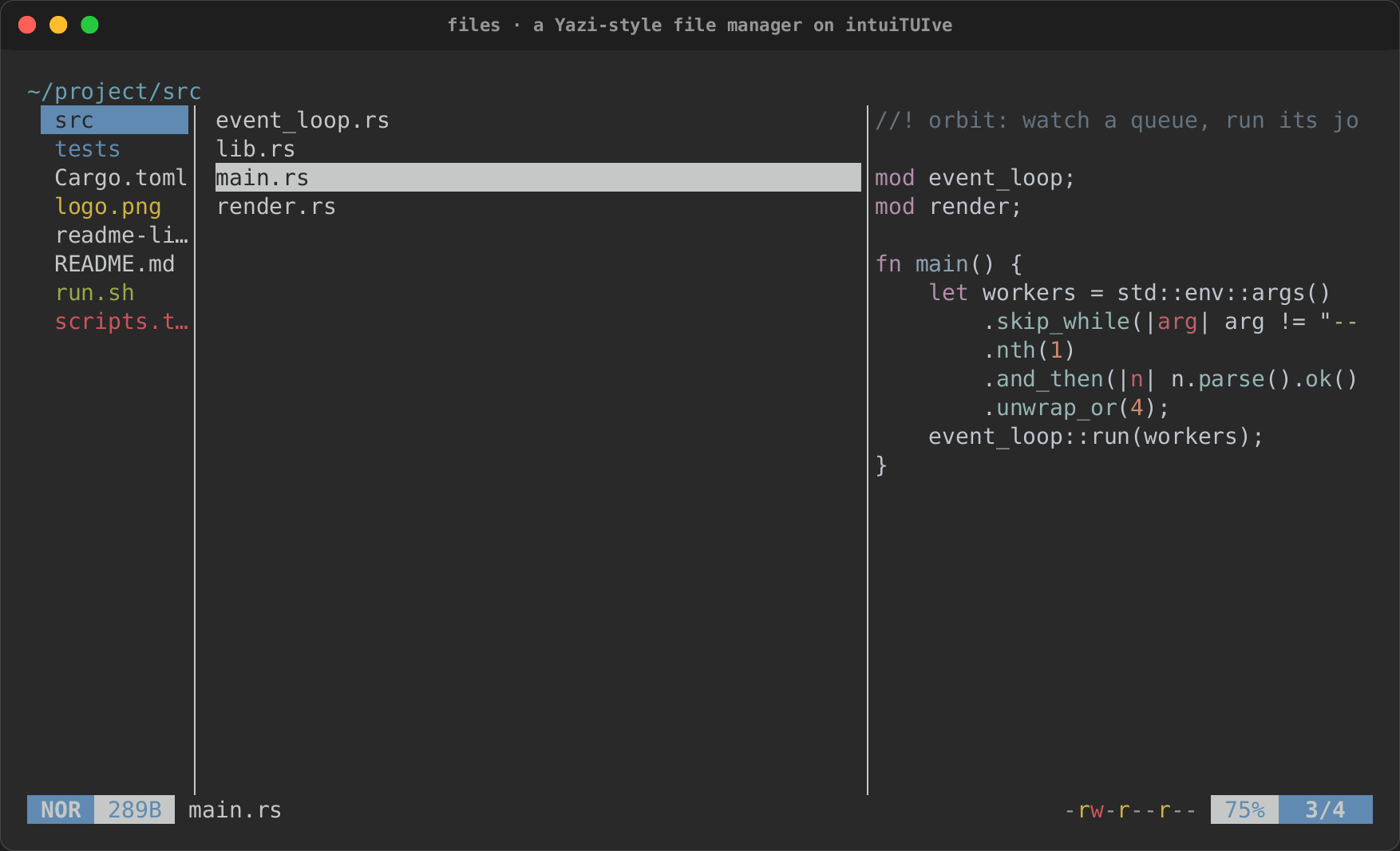
| Yazi does | The rebuild uses |
|---|---|
| Three columns, parent, current and preview, in a 1:4:3 ratio, with rails the mouse drags; each directory remembers its hovered entry; a click in the parent column goes there, one in a directory's preview enters it | files::miller(start): cwd, cursor, hovered, hidden, sort, linemode and find are its signals; arrow, page, enter, leave, cd and refresh its moves; view_with(MillerOptions) draws it |
One row per entry: icon, the type's colour (sniffed from the first bytes) across the row, the hovered row reversed with rounded ends on a Nerd Font, markers, find matches with [2/5], git signs and a line mode at the right |
the plugin's file_list inside the columns; MillerOptions::markers(Yank::markers(yanked)), .git(git_status(model)), .hovered_caps(..); Linemode::{Size, Permissions, Mtime, Btime, Owner} |
| The cursor stays on its entry through a sort, a filter, hidden files and a refresh | Miller's cursor is kept by path (the list's cursor_by) |
Selection: Space, Ctrl+A, Ctrl+R, v and V, what y, x, d and r act on |
files::selection(m) (the core's multi_select), marked in the columns; m.targets() |
| Yank, cut and paste, the copied and cut markers | files::Yank in a signal: Yank::markers, yank.paste(into, conflict) |
Find (/, ?), n and N |
m.find and m.find_next(previous) (the core's list_search) |
| A directory listing sorted, filtered, followed on disk | each column's DirModel (m.current.filter, m.sort, m.hidden); with watch it follows the disk |
Previews by type, off the UI thread, stale results dropped: code highlighted, images, archives, directories, a binary file as file classifies it |
the plugin's preview inside the columns, MillerOptions::binary(BinaryPreview::FileType); archive lists tar and zip, art draws images; rich_ext::syntax::preload warms the grammars at start-up |
Header: the path cut from the left, ~ for home, (filter: x), and the selected or yanked count |
files::path_crumb(cwd).crumb_suffix(..) in the theme's breadcrumb styles (cyan) beside a text |
A status line: mode, size and name; a task progress gauge, permissions, Top/Bot/percent and position, with rounded caps on a Nerd Font |
status_bar(left, right) of seg(..).style_with(..) segments and seg_gauge over Tasks::summary(), .caps(Caps::Rounded) with icons; files::coloured_permissions |
Tabs (tt, 1–9, [ ], Ctrl+C), the strip shown from two tabs, each tab with its own history (H, L) |
files::tabs(m) (the core's tab_set and history); tabs(titles, active).fit().auto_hide() |
One keymap that wins over the focused column, with sequences (gg, ,s, cc, tt) and a which-key pop-up |
the root column .previews_keys() holds every bind and bind_sequence ("comma s") in a section("mgr", ..); App::which_key(true) in Yazi's which-key colours |
Prompts for find, filter, create and cd at the top centre, 50 wide; rename below the hovered row with the caret before the extension |
cx.prompt_with(title, text, PromptOptions::new().title_style("default").on_change(..).on_cancel(..), ..); .at(Origin::At(row), ..) from m.row_rects() and .caret(Caret::At(n)) |
| Confirmations before trashing and deleting (70 x 20), overwriting (50 x 15) and quitting with tasks running | cx.confirm_with(title, body, files, ConfirmOptions::new().size(..), on_yes) |
Enter and o open with the first opener for the type; O picks one below the row |
files::opener_rules() (Yazi's [open] rules) and files::open_with_tasks; cx.pick_with("Open with:", Origin::At(row), ..); extract runs as a task |
Copy, move, trash (the system's trash) and delete as background tasks with progress; w shows them; a failure told once |
files::tasks().on_fail(..) with rs-rich-ext's file_ops::Op; tasks_panel_with(jobs, JobsPanelOptions::new().failed_title(false)) in a modal |
fzf and zoxide jumps (z, Z), zoxide's ranks kept between sessions |
files::finder_with(walk(cwd), ..) and the core's fuzzy_list_with over files::frecency().follow(m)'s ranked(), in the same look |
Search by name and content (s, S, Ctrl+S) into the current column |
files::search(cwd, query, SearchKind::Name \| Grep) and m.show_search(..) |
A shell command on the selection (;, :) and bulk rename in $EDITOR (r on a selection) |
files::shell(cx, paths, ShellOptions::new().block(..).tasks(jobs)), files::bulk_rename(cx, paths, ..) |
| The spotter (Tab) | files::spot(path), the core's facts, in a modal |
| Errors as notifications at the top right | cx.notify(Level::Error, ..) and App::toasts_at(Corner::TopRight) |
| The help, searchable, keys in Vim's notation | cx.help_with(HelpOptions::new().title("mgr.help").key_format(KeyFormat::Vim).filter_first(true)) |
| (not in Yazi) a command palette and a right-click menu | .palette_key("ctrl+p"); MillerOptions::on_context(..) opening context_menu |
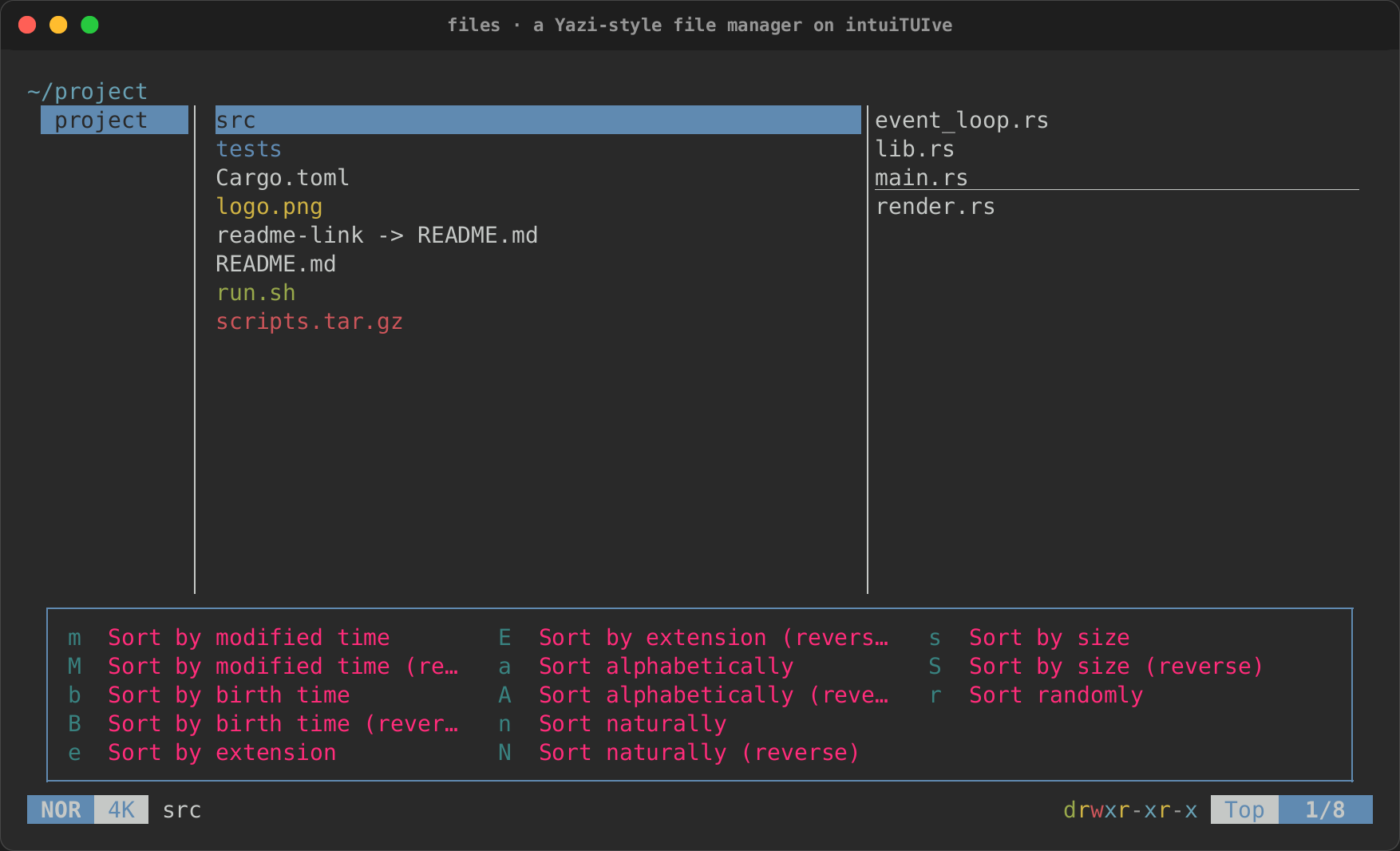
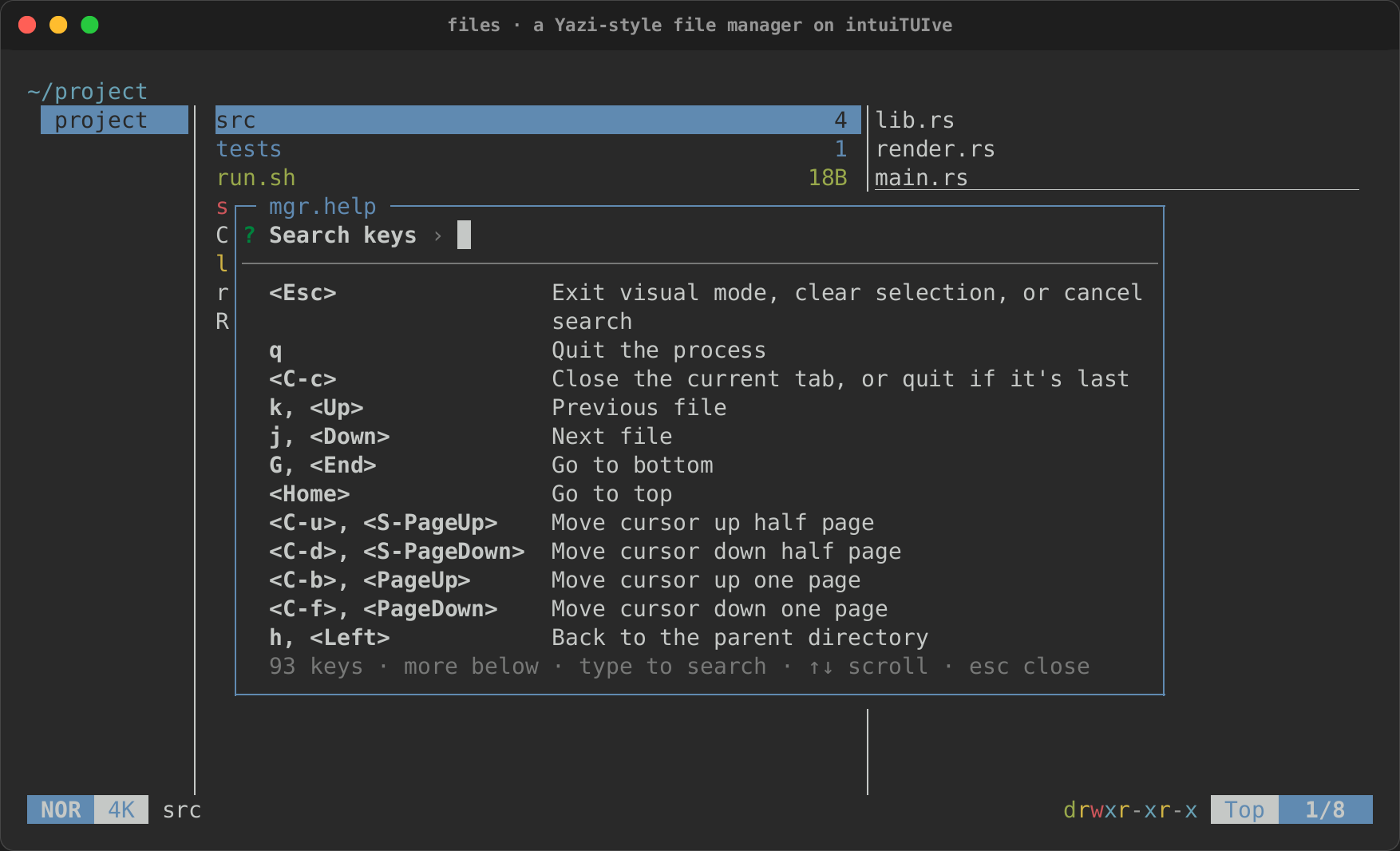
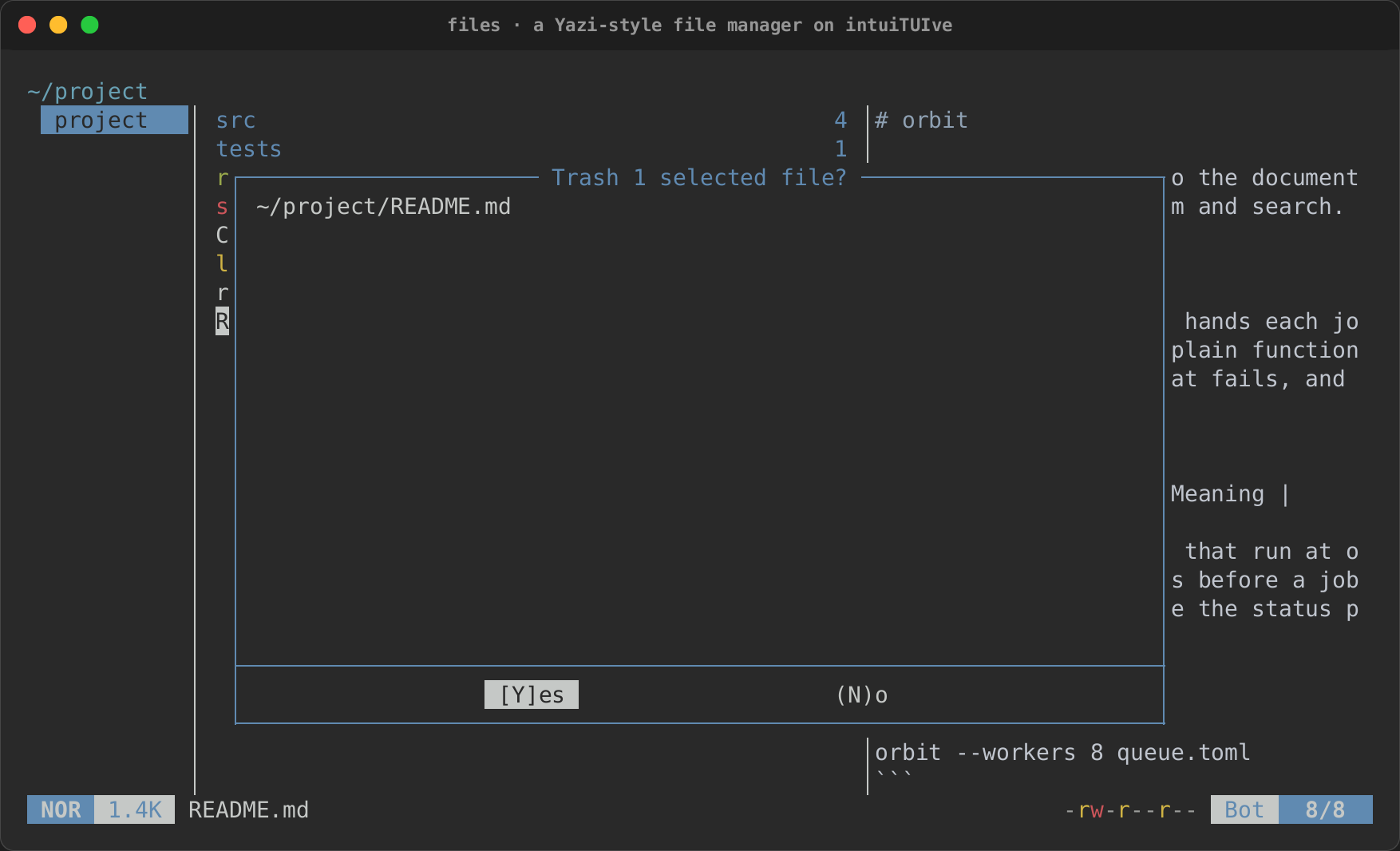
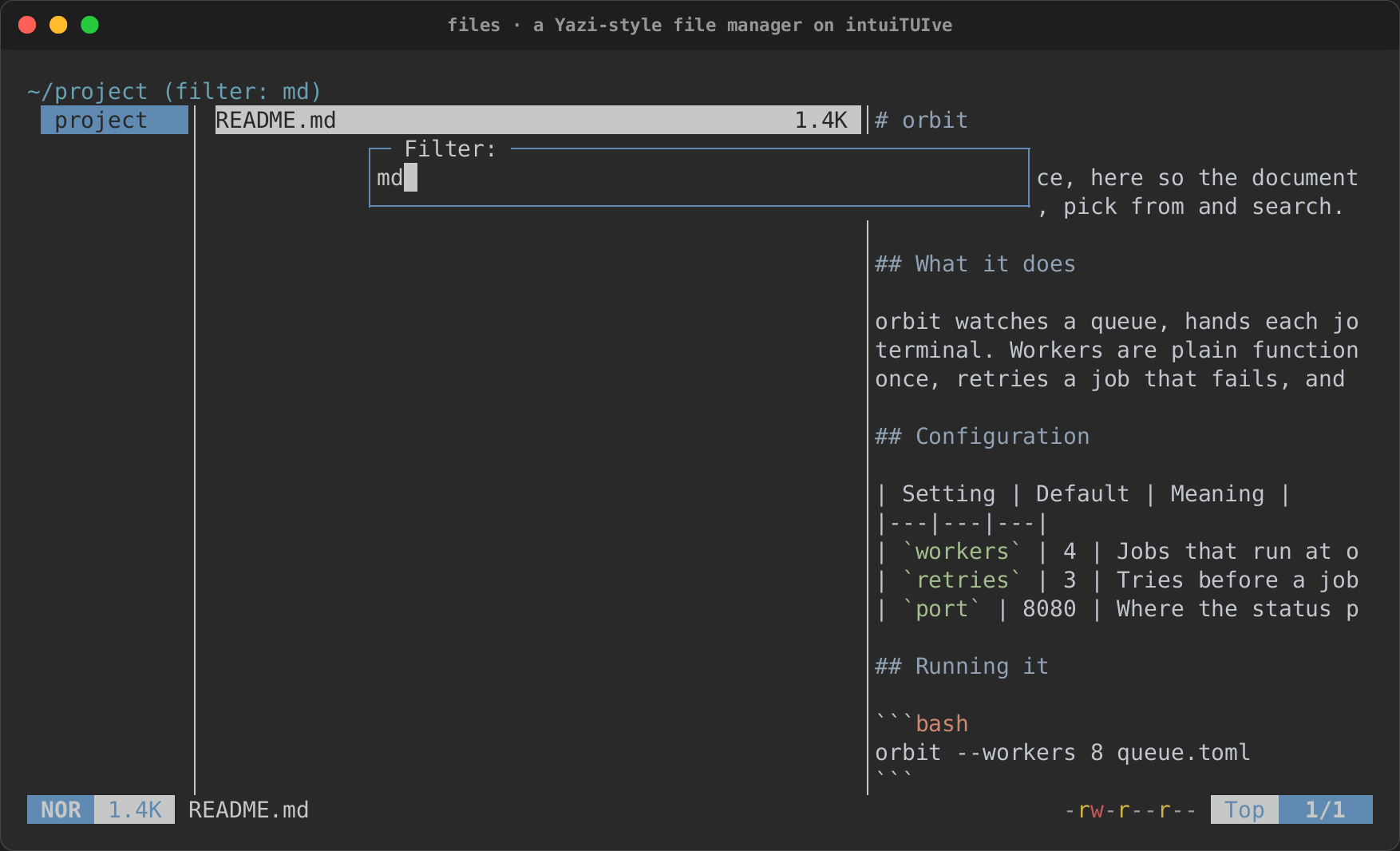
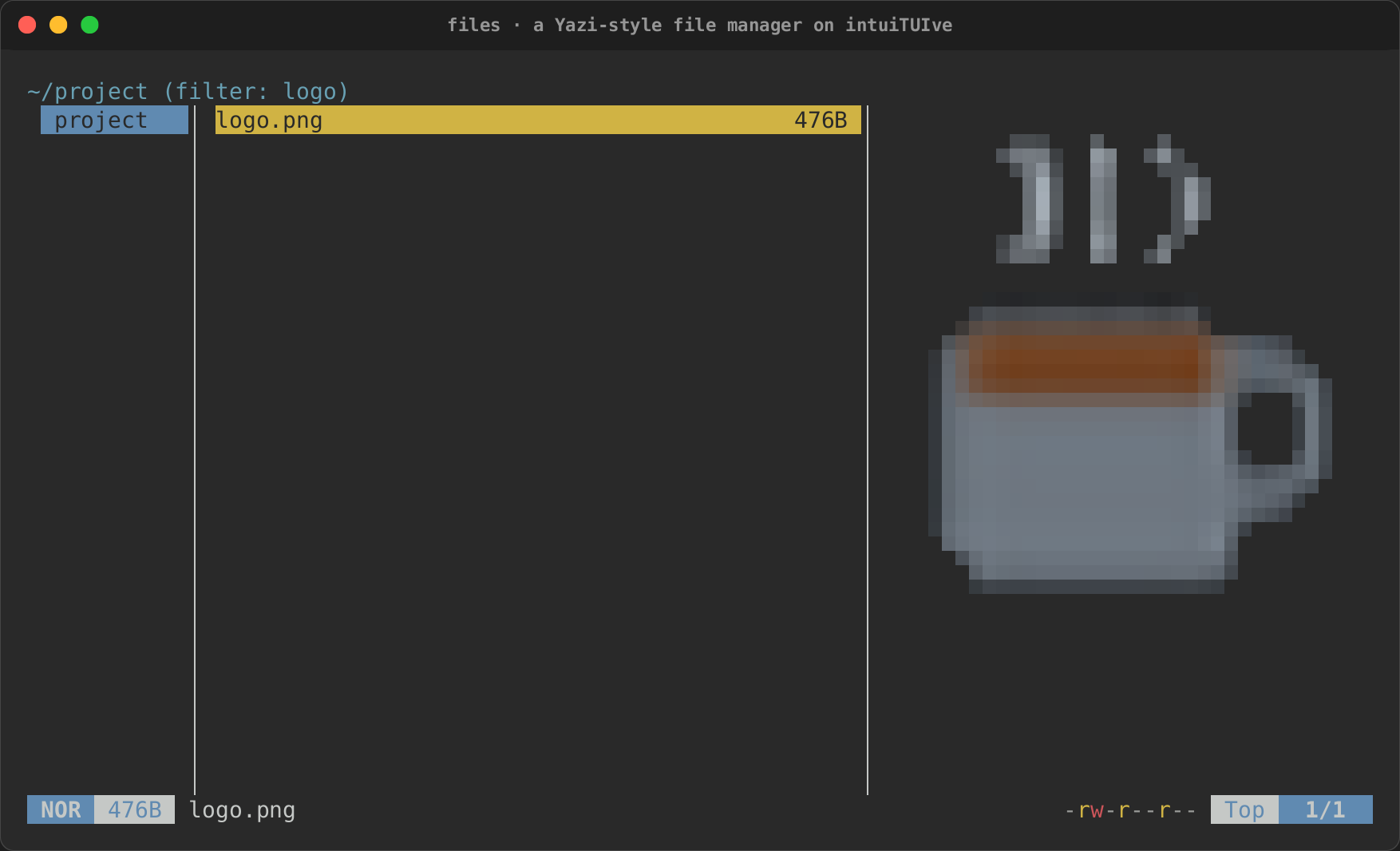
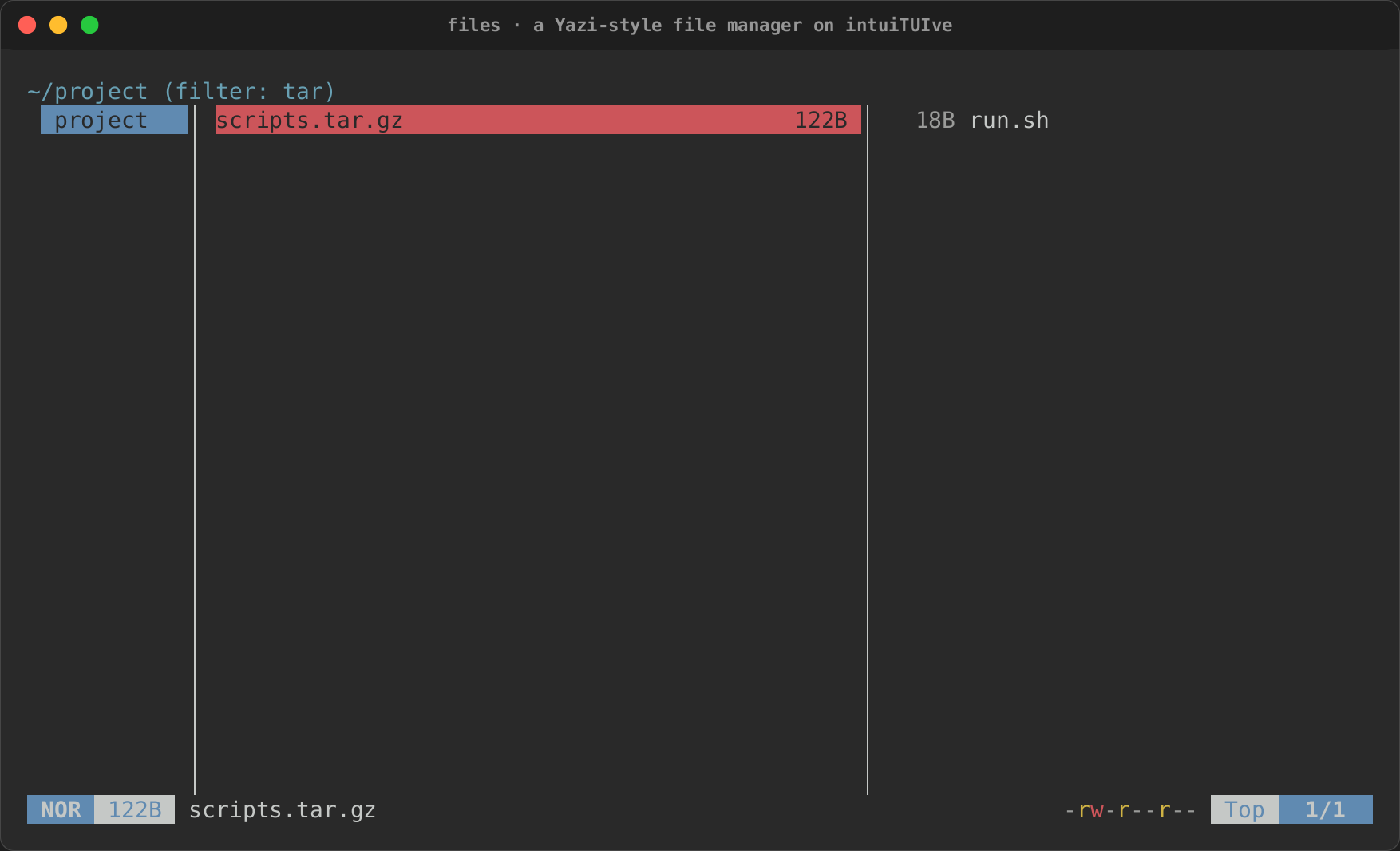
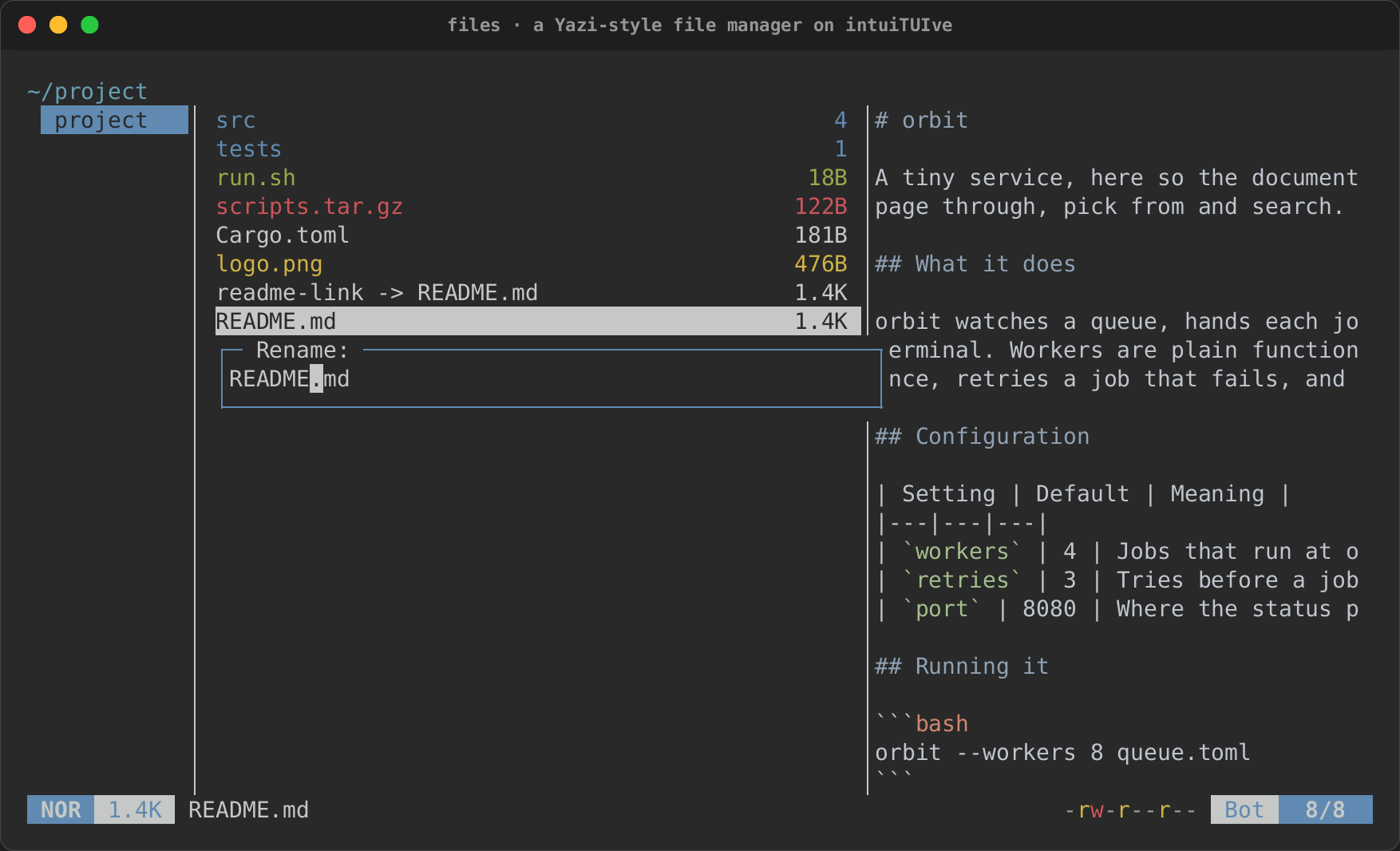
Where it differs from Yazi, and why:
- Opening:
$EDITOR(split on spaces) and the system opener cover Yazi'sedit,open,playandreveal, andextractwith thearchivefeature. - Images are drawn in half blocks: the
imagenode places no Kitty or Sixel graphics yet. - The selection and visual mode are one for all tabs (Yazi keeps them per tab); switching tabs ends visual mode.
hin a search's listing goes up from the directory searched, where Yazi goes back to it.- The help filters as you type, where Yazi's moves with j/k and
filters after
/. - Icons are off unless
--iconsis given orRICH_NERD_FONT=1says a Nerd Font is in use: an installed Nerd Font may not be the terminal's.
Two things the port shows:
- Slow work belongs on a worker, including rendering. Highlighting a language for the first time compiles its grammar, which takes seconds in a debug build for Markdown and its embedded languages. The app warms the likely grammars at start-up, and the preview worker highlights the text at the pane's size, so the app's thread only copies the finished lines onto the screen. Yazi does this for the same reason.
- The components are signals, so they compose by watching.
Miller's columns know nothing of tabs or selections;
files::tabsandfiles::selectionwatchm.cwdto keep each tab's history and drop a visual range, and the app readsm.hovered,m.cursorandm.currentfor its status line, as Yazi's Lua components read itscx.
Worked example: scope-tui, an oscilloscope
examples/scope.rs
rebuilds scope-tui in about 1,300
lines, built only from intuiTUIve's components and rs-rich-ext's. Its tests are in tests/scope.rs. Like the file manager, it reuses
none of the original's code. Where the file manager redraws when you press
a key, this app redraws whenever a new buffer of audio arrives.
Credit
Ported from scope-tui 0.3.5, by alemi (MIT licence). Its design, keys, options and display layout are alemi's.
| scope-tui does | The rebuild uses |
|---|---|
| A loop that blocks on the audio source, then draws | each source is a signal of the newest buffer: the test signal is made every buffer period by latest_every(…), a file or a pipe is read on a latest(…) thread kept to its beat by Latest::sleep, and a sound card is audio::open(…) before the app with capture.samples() inside it. on_write takes every buffer, two equal ones (silence) included |
fps, counted as it reads |
rate(samples), the writes a second |
Audio from cpal (audio) and PulseAudio (pulse) |
intuiTUIve's audio feature, on cpal: audio [DEVICE] [--list] [--timeout S], with --list printing each device's configurations (Device::configs) as scope-tui does and --timeout ending the app when capture.status() says Stalled; pulse [DEVICE] [--server-buffer N] on the pulse feature's PulseAudio host, every source and sink monitor by name, --server-buffer as AudioOptions::latency |
| Raw s16le PCM from a file or a pipe | audio::pcm(reader, Format::S16Le, …) |
Three DisplayMode trait objects, mutated by key handlers |
one signal per mode's settings, and one per shared setting (Graph) |
The header, a one-row Table with percentage columns |
cells([(35, …), (25, …), …]), ratatui's one-row table, styled as the table is with .style(…) |
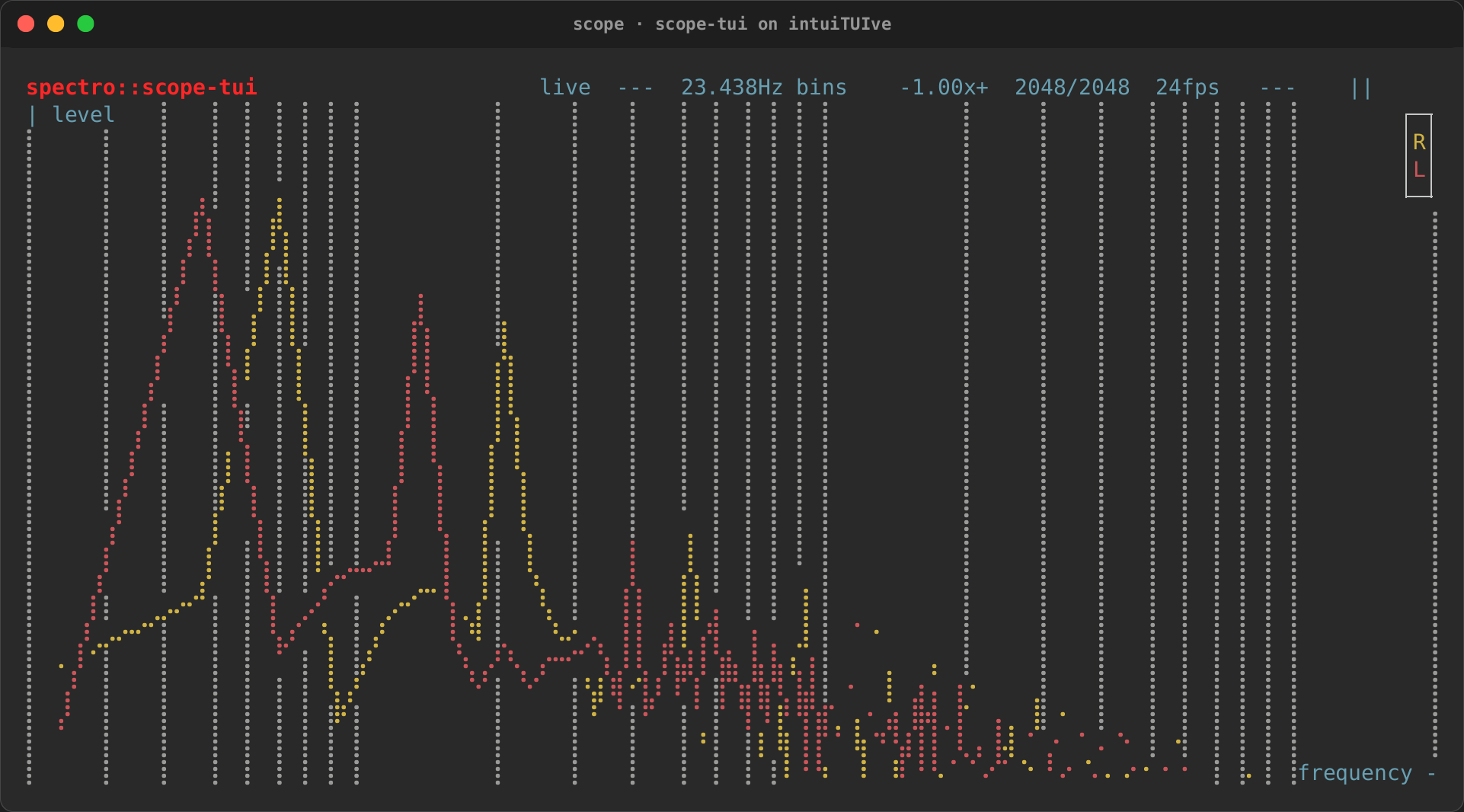
Chart with Braille Datasets, axis titles and a legend, and axes without labels (so without lines) |
rs-rich-ext's Chart, laid out as ratatui's, with the same Datasets and Labels::None, and drawn as ratatui 0.29 draws: out_of_bounds(OutOfBounds::Drop), layering(Layering::PerDataset), style("none") (the legend takes it) and legend_clear(false); the spectroscope's frequencies on a log Axis |
| Reference lines as datasets (29 in the spectroscope) | Axis::grid([…]) in the axis colour, under the traces |
rustfft for the spectrum; a trigger search |
rich_ext::dsp::spectrum_full, fft, hann; dsp::trigger(…, Edge::Rising) |
--tune NOTE, from a table of pitches |
dsp::note_hz |
Colours parsed by ratatui (--axis-color DarkGray) |
rich_ext::palette::style_from_color_name |
| Tab through the modes | .bind_cycle("tab", …, mode, &Mode::ALL) |
| Shift ×10, Ctrl ×5, Alt ×⅕ on every step | .bind_scaled(key, &[("", 1.0), ("shift", 10.0), ("ctrl", 5.0), ("alt", 0.2)], …), one help row each |
h hides the interface |
switch on the show_ui setting |
The test signal is made of dsp::partials, tone, noise(..).low_pass(..)
and mix, and ? opens the framework's help, each scope's keys in a
section of its own (.bind_in("oscilloscope", …)).
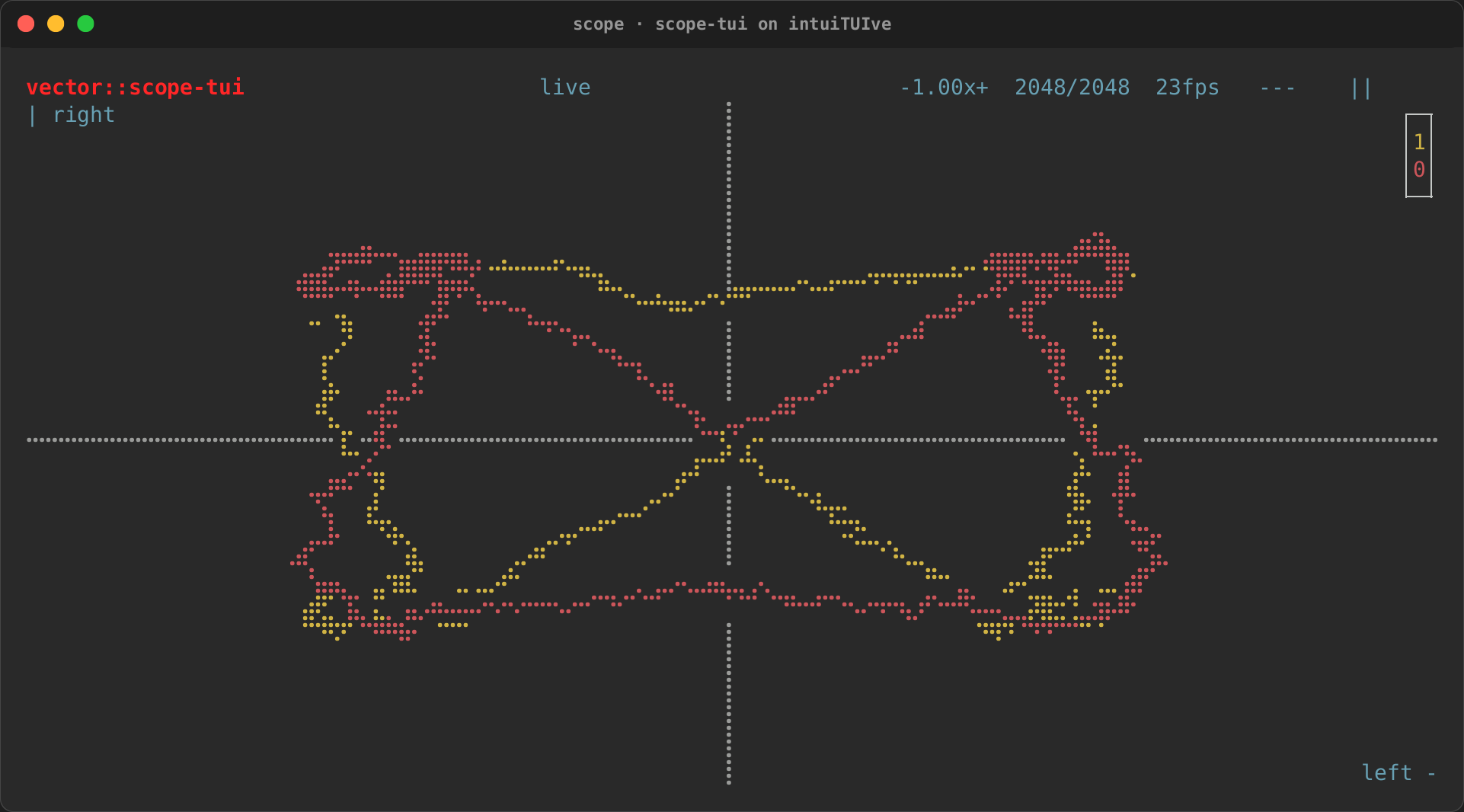
What the port shows:
- Redraw follows what changed. The plot reads the frame, so it draws
once per buffer. Each header cell reads only its own value. The fps cell
draws once a second, and the other cells draw only when a key changes
them. While the scope is paused nothing draws at all, and identical
buffers (the
--stilltest signal) draw nothing either. - Take the newest frame from a stream rather than queueing them.
latest,latest_everyand a capture'ssamples()keep only the newest buffer, so when the terminal falls behind the app skips old buffers rather than drawing a backlog.on_writesees every write, so two buffers of silence count as two frames, as in scope-tui. - Threads can keep to the app's clock. Under
wait_for_tasks(true)the test signal and a file's beat run on the app's clock, so the tests count frames exactly. - Ported layouts can keep ratatui's arithmetic.
cellsplaces the header's cells in the same columns as scope-tui's table at every width, and cuts them as a table cell is cut.
It differs from scope-tui in a few deliberate ways:
audioandpulseneed the crate'saudiofeature (and ALSA's headers on Linux); without it they say so and point atfile -. Withaudioalone,pulseopens ALSA'spulsedevice (PulseAudio's default source); thepulsefeature reaches every PulseAudio and PipeWire source.- Its
filesource reads a whole buffer per channel. scope-tui 0.3.5's reads half of one, so its waveform fills half the width and its spectroscope stops at the first frame; this one draws what scope-tui's audio sources do. Past the end of a file it draws silence a buffer period apart, where scope-tui reads silence as fast as it can. --tunetakes equal-temperament pitches (dsp::note_hz), where scope-tui doubles a table of octave-0 pitches rounded to the hundredth: about one note in ten gives a buffer a sample longer or shorter (E2 is 582 samples at 48 kHz here, 583 in scope-tui).- The trigger threshold keeps scope-tui's 16-bit units, and compares them with the samples scaled back up, so it triggers on every source.
- Where the vectorscope's reference lines cross with nothing drawn over them, the two grid lines merge in one cell; scope-tui draws its second reference over the first.
?lists the keys, and options may follow the source.- For now it shows at most 20 frames a second (23 is scope-tui's at its default buffer): the framework picks up values from other threads every 50 ms, a bug listed in the demo gaps.
Credit for ports
Every app ported into this repository names where it came from, who made it and its licence: in the example's header comment, in its section of this guide, and in the recordings gallery. A port that copies code from the original must also keep the original's copyright and licence notice with that code, as MIT and Apache-2.0 require. The ports here reuse none, so the credit is all they carry. Port your own app the same way.
The ports so far, and whose they are:
- Yazi, by sxyazi and its
contributors, MIT licence:
files. - scope-tui, by alemi, MIT
licence:
scope. - ratatui's example apps, by Florian Dehau and the Ratatui Developers, MIT licence: rebuilt from ratatui 0.30, with sample data of our own, and listed in ratatui's examples, rebuilt.
Common questions
Where did my Frame go? There is none. Nodes draw themselves into the
rectangle the layout gives them. A leaf(|console, width, height| …)
returning rich segments is the closest thing to a custom Widget::render.
Can I keep my ratatui backend? App::run uses rs-rich-interact's
terminal session (crossterm). To keep your own terminal and loop, ratatui's
included, drive the app with App::driver (path 4). App::run_with drives
it with termion or termwiz instead, behind this crate's features of those
names (see Backends).
Do I lose performance? Not where most frames change little:
the benchmark has intuiTUIve ahead on a status
tick, a selection move and a log append, because it redraws and sends only
what changed. Where every cell changes each frame (a full-screen swatch, a
chart redrawn whole) it is ahead too when it draws through rs-rich-ext's
fast path (Canvas::put_rgb, Canvas::draw, drawn), as the same page
shows; a renderable drawn as rich segments takes longer. For a log or a
list that scrolls, try
App::paint_strategy(PaintStrategy::Best) (see paint
strategies).
What about async runtimes? Keep yours. Send results to the app with a
Proxy, or use spawn_future for futures that do not need a particular
runtime.