intuiTUIve: terminal apps
rs-rich-intuituive (intuituive, new and early) is a framework for
terminal apps, full-screen or inline. You describe the screen once as a
tree of nodes and keep your state in signals. When a signal changes, the nodes that
read it draw again, and only the cells that changed are sent to the
terminal. You never write a draw loop, a layout pass, or "what changed"
bookkeeping.
It builds on rs-rich-interact, so its sessions, its headless test driver
and its components (inputs, selectors, forms, pagers) all work inside an
app. Any rich renderable (tables, Markdown, syntax, charts) is a node.
One dependency is enough: intuituive::rich is rs-rich and
intuituive::interact is rs-rich-interact. New here? The
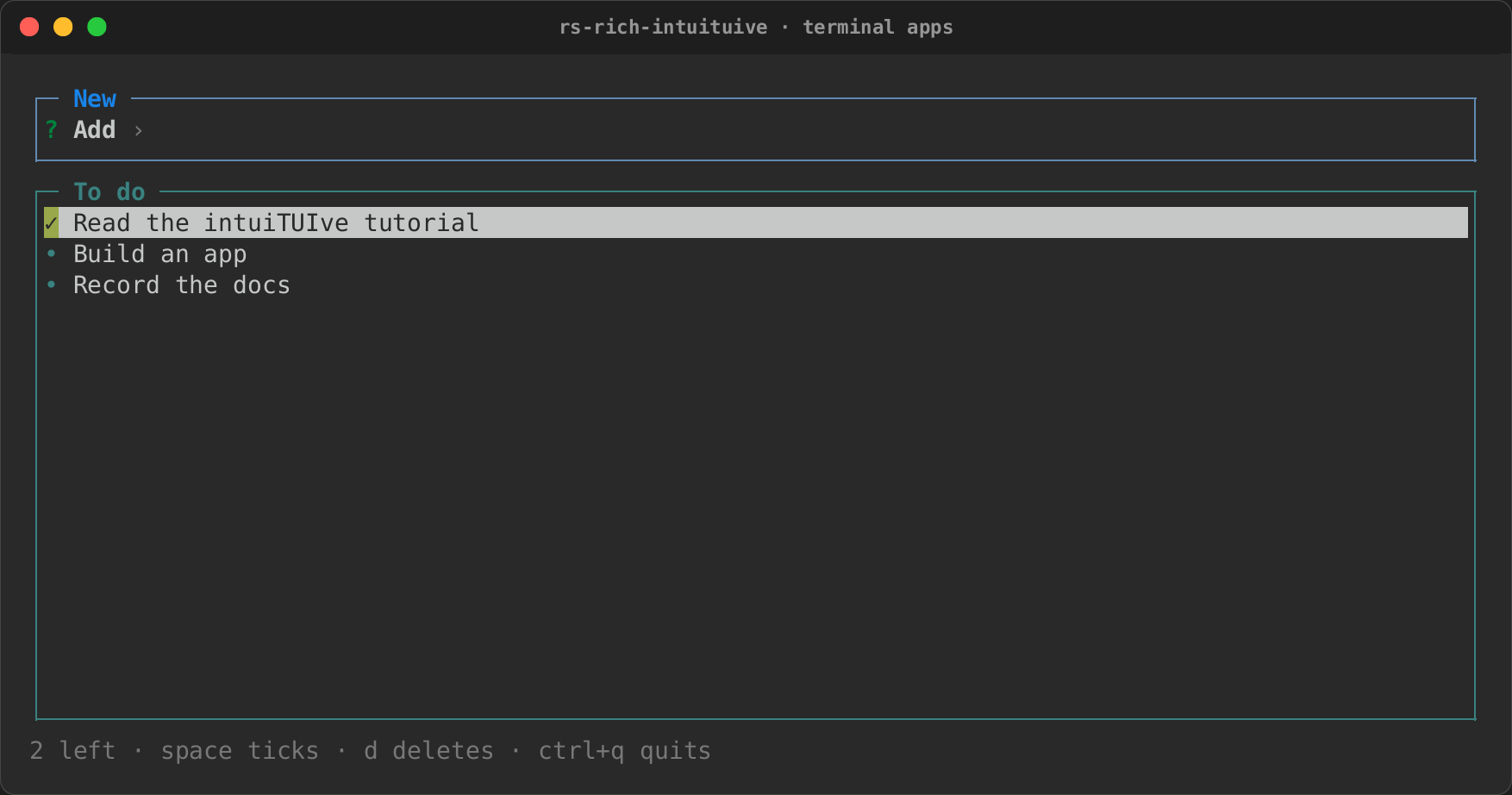
tutorial builds a to-do app step by step, and the template
starts a project with one command. Coming from ratatui?
Porting a ratatui app maps every concept and walks through a
Yazi-style file manager rebuilt on intuiTUIve.
The template needs cargo-generate 0.23.4 or later: its manifest is
Cargo.toml.liquid, so a crate that depends on this repo by git does not
trip over the {{project-name}} placeholder, and older releases leave the
suffix on.
A first app
use intuituive::prelude::*;

fn main() -> std::io::Result<()> {
    App::new(|| {
        let count = signal(0);
        column([
            text!("[b]Count:[/] {count}").panel("Counter"),
            label("[dim]+ adds one · q quits"),
        ])
        .on_key("+", move |_| count.update(|c| *c += 1))
        .on_key("q", |cx| cx.quit())
    })
    .run()
}
The closure passed to App::new runs once. It creates the state (count)
and returns the root node. The rest happens on its own:
text!readscount, so pressing+redraws that one line;- the label and the panel's border are not touched;
- the terminal receives the one changed digit.
App::run takes the screen and restores the terminal on every way out,
including Ctrl+C and a panic.
The pages
Each page covers one part of the framework, with an example for each thing it introduces:
| Page | What it covers |
|---|---|
 Tutorial: a to-do app |
An app built step by step |
 Nodes and layout |
The nodes; sizes, flexbox alignment, grids, layers, layout that follows state, treemaps, responsive layout, App::min_size |
 Panels, themes and stylesheets |
Borders, titles, rules and shared borders; themes and theme files; styles on a node; CSS stylesheets and :error |
 State, keys and the mouse |
Signals, memos and watches; focus, scopes and directions; key sequences, held keys, releases and repeat; the mouse, tooltips, drag-and-drop; bindings, the help and the command palette |
 Inputs, text and dates |
Hosted components, inputs with completion and history, a command line, text areas, calendars, date and time pickers, queries over records |
 Editing text: keys, search and presets |
Rebinding the editing keys, the Emacs and Vim presets, search and a find bar, word wrap, the cursor line, the caret's shape, tabs, the undo limit, validation messages |
 Buttons and form controls |
Buttons in three looks, check boxes, radio groups, switches, sliders, select fields, collapsible sections, spinners and a node shown as loading |
 Lists, trees and tabs |
How lists look, ranges, selections, finding and reordering; trees by path, by key and lazy; split panes; tab strips and tab sets; logs |
 Tables and scrolling |
Tables, sorting, a cell cursor, options that follow state, rows from a source, scrolling and scrollbars |
 Chrome, your own widgets and effects |
Status bars, breadcrumbs, key hints, facts; the Widget trait; effects and effect presets (fx) |
 Screens, pop-ups and toasts |
Screens, modals, ending with a value, pop-ups, prompts, menus, confirming, toasts, animations |
 Tasks, feeds and other threads |
Tasks, resources, values from threads, signals over time, handing off the terminal, a play head |
 Browsing, jobs and app state |
Miller columns over any tree, jobs, a fuzzy list, a preview pane, $EDITOR, state files, frecency |
 Timers, frames and games |
Timers and their handles, a fixed timestep, frame pacing, sprites, stages and pixel buffers |
 Files, sound, images and charts |
The plugins: watch, audio, art, files and viz |
 Accessibility |
The cursor on the focus, text mode, roles and states, announcements, linear mode |
 Inline apps, backends and your own loop |
Inline apps, termion and termwiz, synchronized output, a loop of your own, inside ratatui |
 Testing and the inspector |
Headless tests, snapshots, a clock you move, the inspector |
 Eleven apps, rebuilt |
Real terminal apps cloned from components only: what each one is built from, with recordings |
 Widget index |
Every widget and component, with its constructor and the section that documents it |
Then: porting a ratatui app, ratatui's examples, rebuilt, serving an app to a browser, embedding programs and pages, testing with screen readers and writing an app in Python.
Against ratatui
tests/versus_ratatui.rs draws the same ops dashboard with ratatui 0.30 and
with intuiTUIve, and asserts that intuiTUIve is no slower and sends no more
bytes.
| 80x24, release | ratatui | intuiTUIve |
|---|---|---|
| status tick | 88 µs, 37 B | 8 µs, 18 B |
| selection move | 88 µs, 184 B | 23 µs, 118 B |
| log append | 93 µs, 443 B | 16 µs, 325 B |
Two more scenes are reported, not gated: a frame where every cell changes
(an RGB swatch, as ratatui's colors-rgb), and a braille chart redrawn each
tick. Both draw through rs-rich-ext's fast path (Canvas::put_rgb and
Canvas::draw), which writes cells straight into the screen rather than
building rich segments:
| 80x24, release | ratatui | intuiTUIve |
|---|---|---|
| churn, every cell | 340 µs, 62 kB | 104 µs, 61 kB |
| a chart redrawn | 84 µs, 4.2 kB | 60 µs, 2.8 kB |
The rendering performance note has where the time goes on each path, and every paint strategy measured. The design note explains why. It also lists the architectural problems in ratatui that intuiTUIve is built to avoid: redraw-everything frames, state kept apart from widgets, hand-written event routing and hit-testing, and per-widget styling.
Coming from ratatui? Using rich with ratatui covers
rs-rich-ratatui, the interop crate: rich renderables drawn as ratatui
widgets in an existing app, and ratatui widgets run inside rs-rich-interact.
Status
This is an early slice (0.0.x), so the API will change. An app can be
served to a browser with rs-rich-web, drawn by xterm.js or by a DOM
renderer that carries its accessibility tree as ARIA, and so can any terminal
program (rich serve -- htop). It can also be written in Python,
with rs_rich.tui in the rs-rich wheel.