Getting started
This page installs Noctiluca, finds it a browser, and opens a first page. For what Noctiluca is, see the overview.
Install
Noctiluca is a Rust crate with one binary:
From a checkout of the repository:
The Chrome it needs
Noctiluca does not download a browser. It needs a Chrome or Chromium that you install. A system Google Chrome is best, since it has the codecs for more audio and video.
It uses the first browser it finds, in this order:
- The one
--chrome PATHnames. - The one the
RICH_EMBED_CHROMEenvironment variable names. - A system Google Chrome in its usual place:
/usr/bin/google-chrome-stable,/usr/bin/google-chromeor/opt/google/chrome/chromeon Linux,/Applications/Google Chrome.appon macOS, andC:\Program Files\Google\Chrome\Application\chrome.exe(or itsProgram Files (x86)twin) on Windows. - A browser on your
PATH, by these names in turn:google-chrome,google-chrome-stable,chromium,chromium-browser,chrome,headless_shellandmicrosoft-edge. - Chromium in
/Applications/Chromium.appon macOS.
Chrome runs headless, as a separate process, with its sandbox on. Noctiluca never turns the sandbox off, and Chrome's sandbox does not run as root. So run Noctiluca as a normal user. As root, starting the browser fails, and Noctiluca says why.
A first run
The screen has three parts:
- The address line at the top: back and forward arrows (dim when there
is nowhere to go),
…while the page loads, the page's title, its address, and the view (projectionorreader). - The page, in the projection by default. Press
rfor reader mode. - The status line at the bottom: the main keys, or what Noctiluca has to say (a config warning, "opening …", a find's "match 2 of 5").
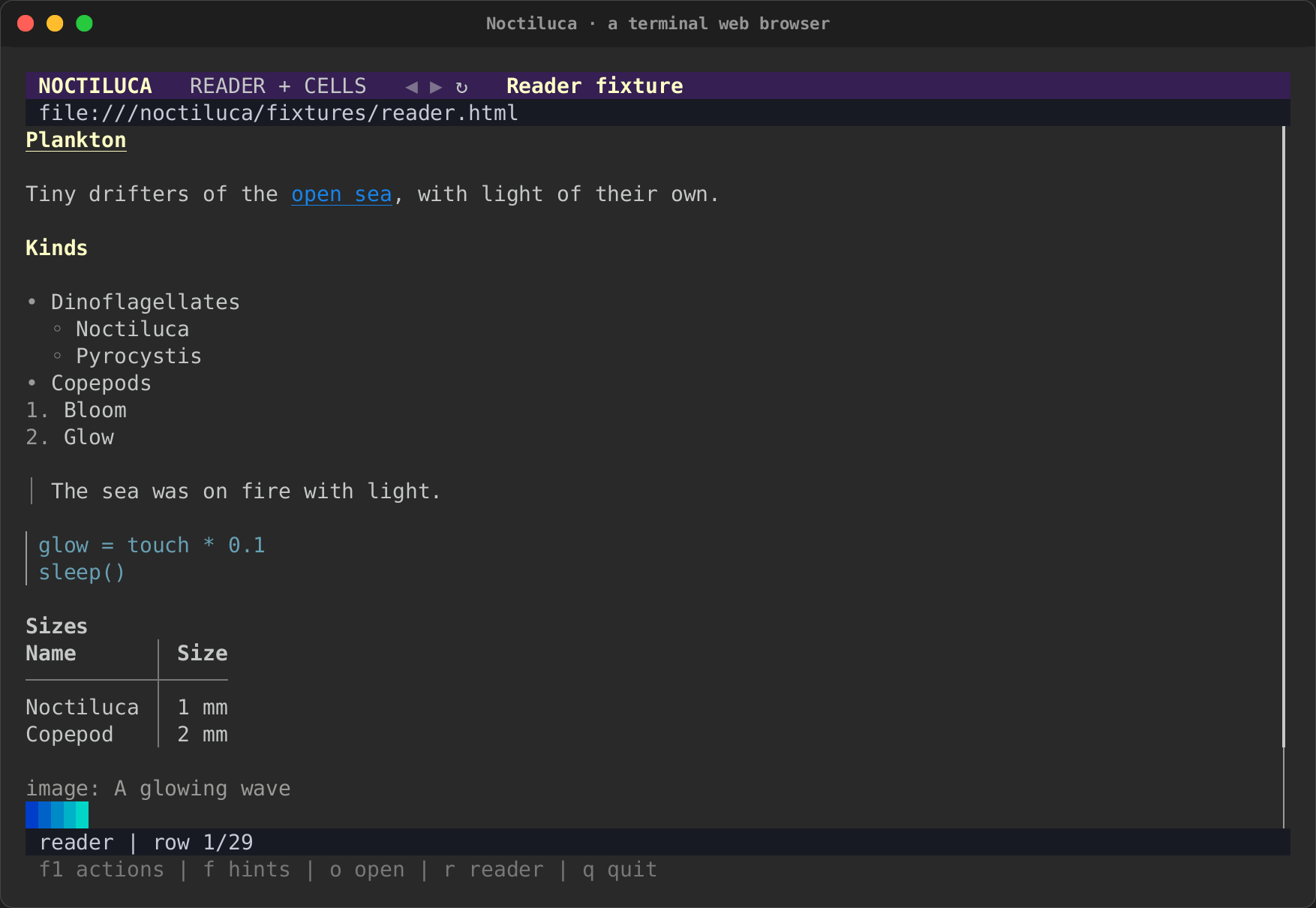
With no page on the command line, Noctiluca opens the home page from the
config ([startup] home), or, if there is none, its start page.
The start page
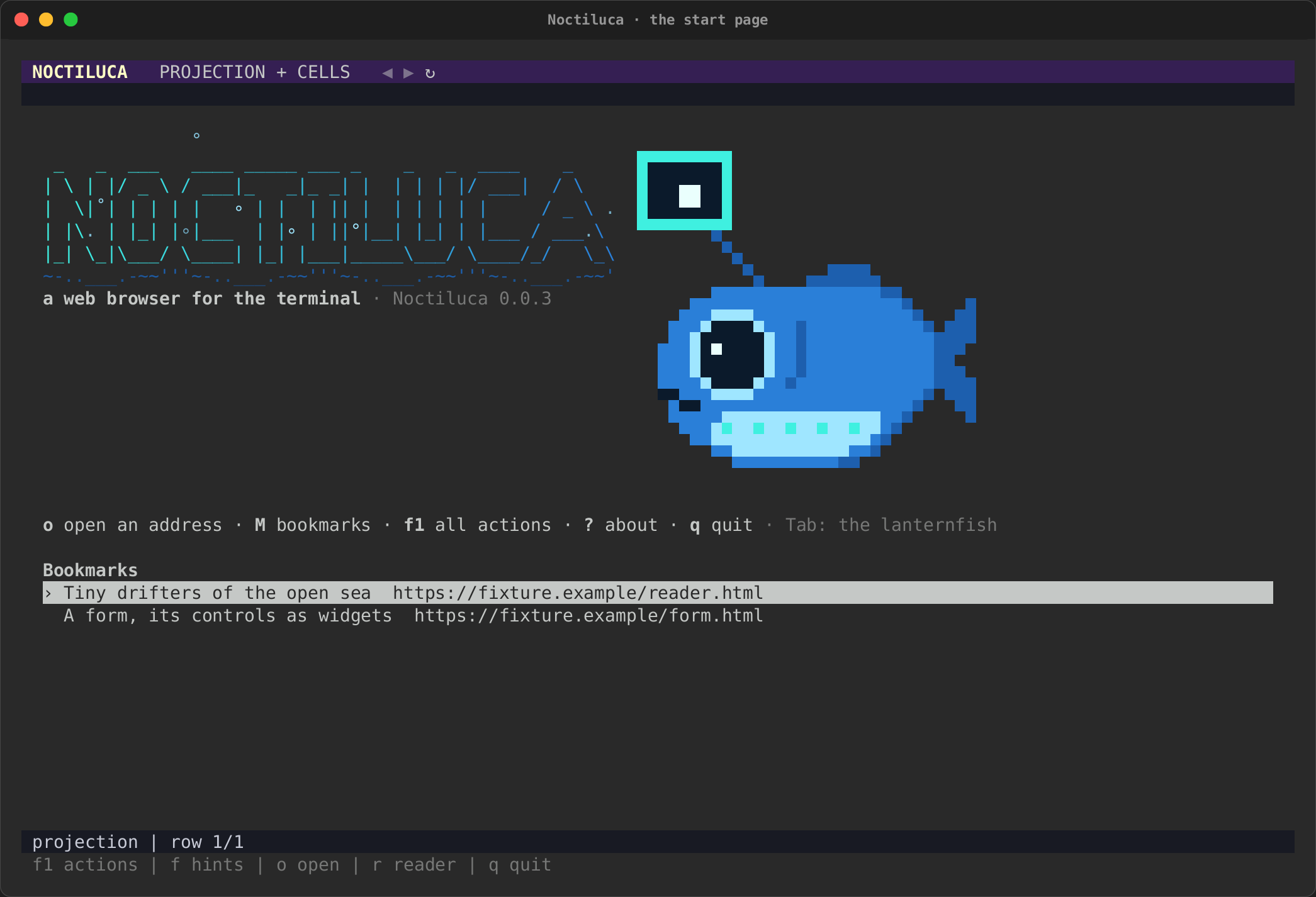
Started with no address and no home page, Noctiluca shows its start page while Chrome starts behind it:
- the NOCTILUCA banner, a glow travelling through the letters like the sea sparkle it is named after, a wave under it and specks of light rising, for about two seconds, then still;
- the lanternfish, the mascot, swimming in from the right to settle
beside the title, its lure pulsing with the glow and then glowing
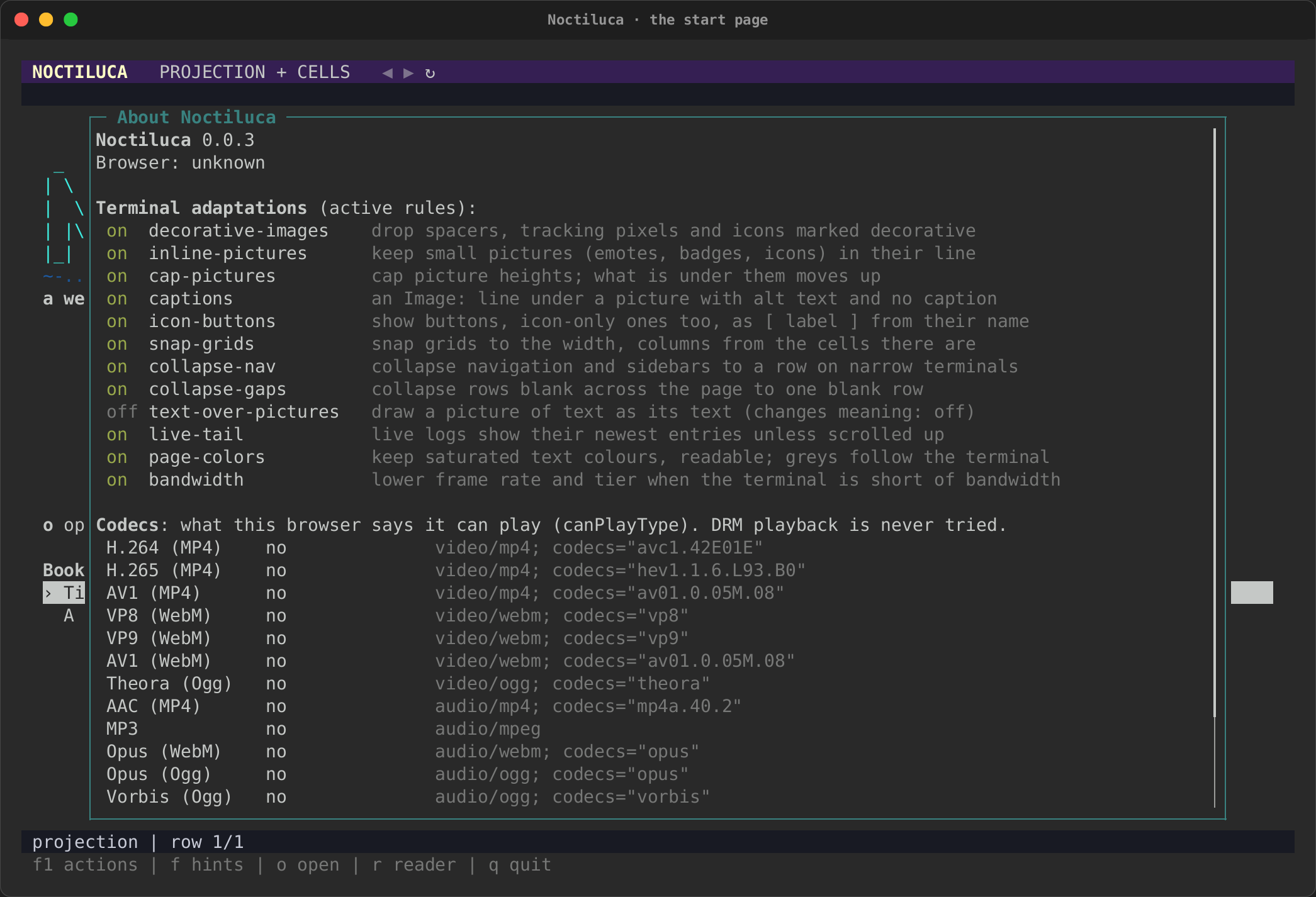
steadily. It is a button, "About Noctiluca": Tab to it and press Enter,
or click it, to open the about page (as
?does); Esc comes back; - "a web browser for the terminal" and the version;
- a line of key hints, read from your keymap (so a rebound key shows as rebound): open an address, the bookmarks, all actions, about, quit;
- your bookmarks: ↑ and ↓ pick one, Enter opens it.
Any key ends the animation at once, then does what it does. With
reduced motion (RICH_A11Y=reduced-motion, RICH_ANIMATION=0) or
NO_COLOR it starts still. The fish goes beside the title when the
terminal is wide enough (about 100 columns), above it when it is tall
enough instead, and is left out otherwise: it never squeezes the title or
the bookmarks. Opening a bookmark or an address leaves the start page.
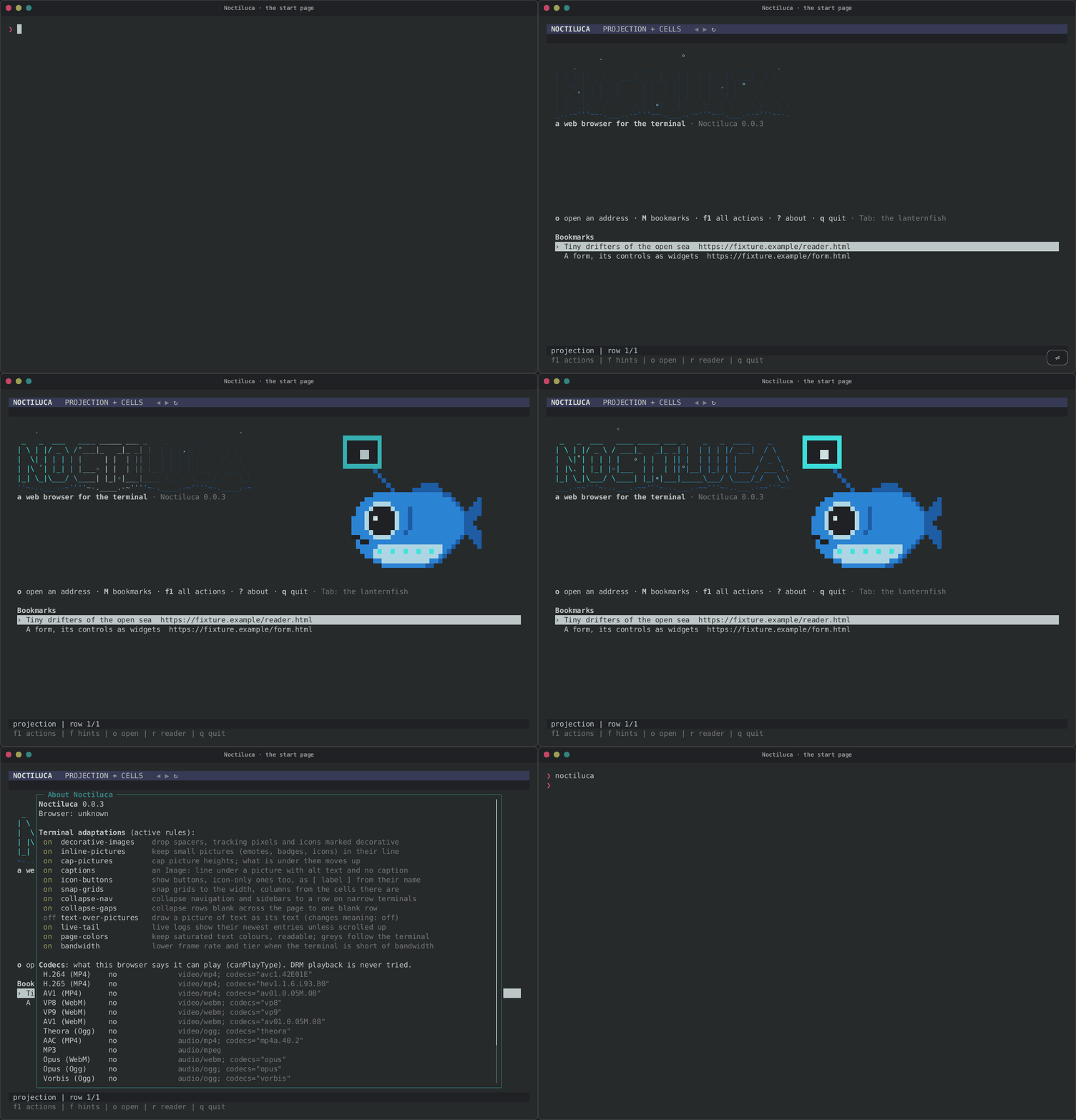
| The start page | About, from the lanternfish |
|---|---|
 |
 |
Opening pages
On the command line, Noctiluca takes an address, a file, or a keyword and its words:
noctiluca https://docs.rs/serde        # an address
noctiluca ./page.html                  # a local file
noctiluca gh rs-rich                   # the gh keyword, searching for rs-rich
noctiluca rust error handling          # words to search for
One word that names a file that exists opens that file. Anything else is read the way the address bar reads it, below.
The address bar
Press o to open something new, or Ctrl+L to edit this page's address.
A box opens. Type, then press Enter to go, or Esc to close it.
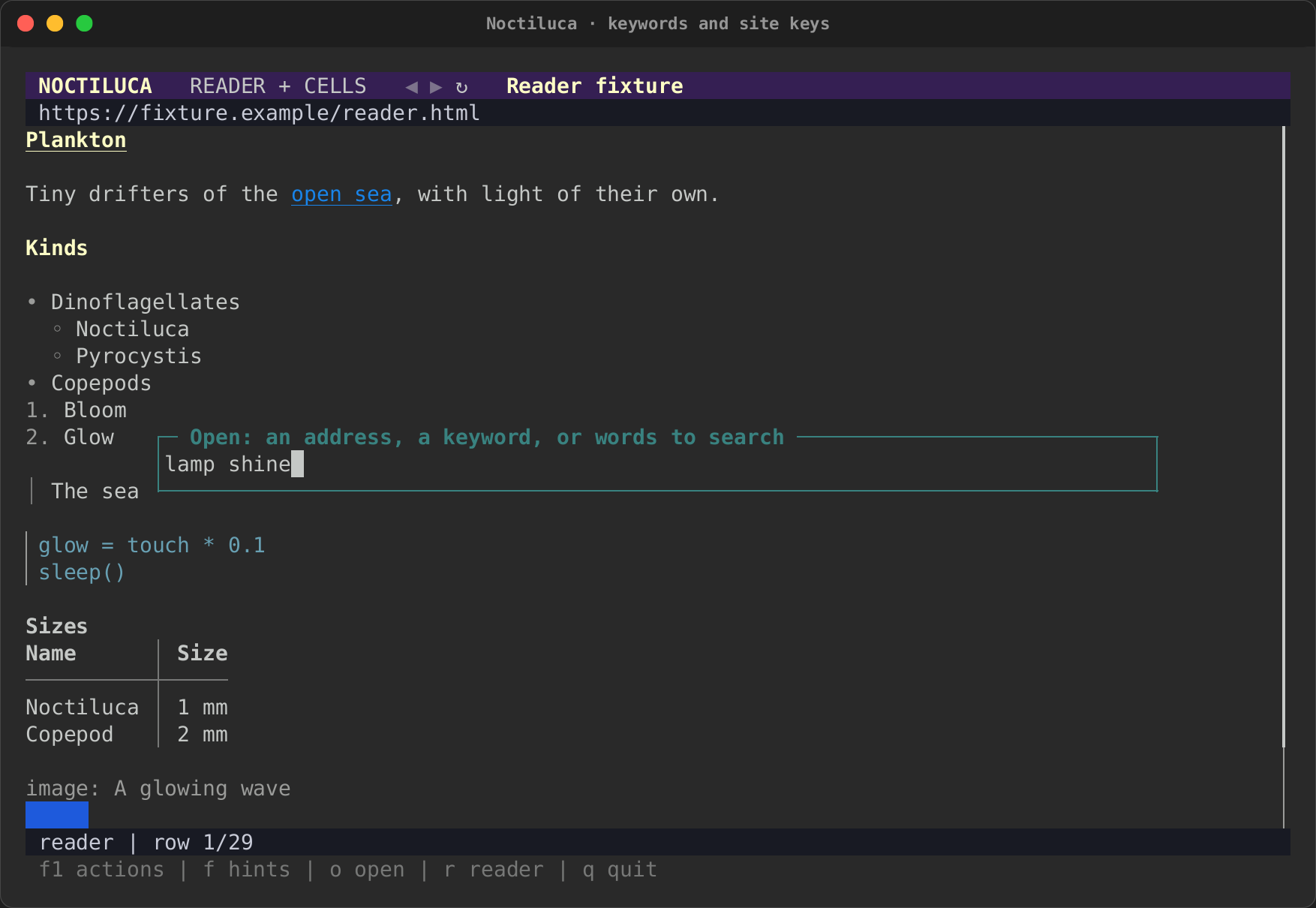
What you type is read in this order:
- An address. Something with a scheme (
https://…,file:…,about:…,data:…,mailto:…), a path (it starts with/,.or~),localhost, an IPv4 address, or a host name with a dot and a real-looking ending (example.com/x,docs.rs/serde). An address with no scheme gets one: a path becomes afile://address,localhostand IP addresses gethttp://, and anything elsehttps://. - This site's keyword. If the site you are on has a
keywordin its config table, that keyword and some words search this site. - A bookmark's keyword, then a keyword from
[shortcuts]. The words after the keyword fill in its template, escaped. A keyword alone opens its site's home.rs(docs.rs),crates(crates.io),mdnandgh(GitHub) are built in. - A search, with the configured engine. The default is DuckDuckGo's HTML search, with no tracking parameters added.
An empty address bar opens the home page. More on keywords in Going places and keys.
Quitting
Press q (or Ctrl+Q with the plain keys), or Ctrl+C. Chrome stops
with Noctiluca, and the run's temporary profile is removed, so nothing of
the session is left on disk unless you asked for a
kept profile.
Next
- Reading and moving around: views, scrolling, link hints and find.
- Going places and keys: every key, and how to change them.
- Configuration: the config file.