Text banners
Figlet draws text in large letters made of ordinary characters, the way the
classic figlet program does. Use it for a title screen, a release banner or a
section heading that has to stand out in a wall of log output.
Banners need no Cargo features and no image decoders.
The smallest example
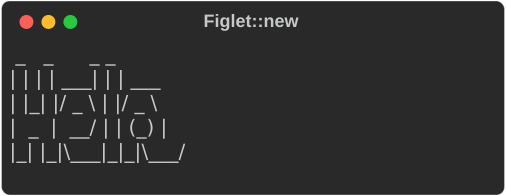
console.print takes any renderable; a Figlet is one. The output is
byte-identical to pyfiglet for the bundled standard font.
Style
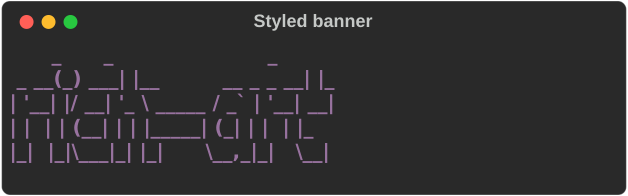
.style() paints every row of the banner with a rich style:
let style = Style::parse("bold magenta").expect("a valid style");
console.print(&Figlet::new("rich-art").style(style));
Justification
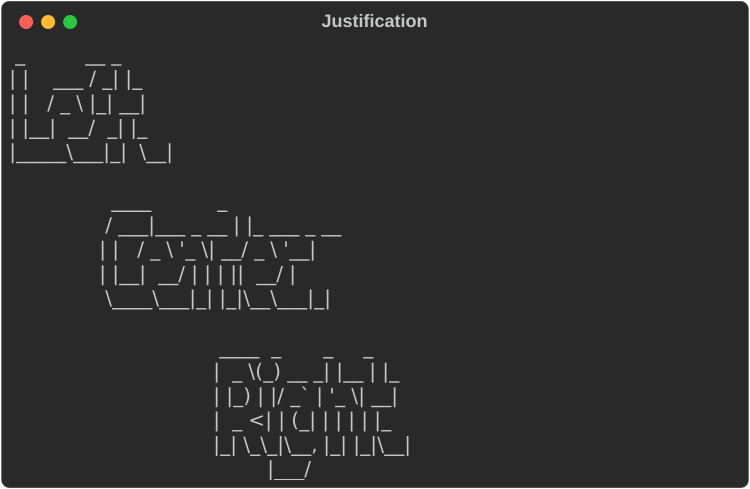
.justify() positions the banner within the available width. The default is
Justify::Left.
for (label, justify) in [
    ("Left", Justify::Left),
    ("Center", Justify::Center),
    ("Right", Justify::Right),
] {
    console.print(&Figlet::new(label).justify(justify));
}
Width and wrapping
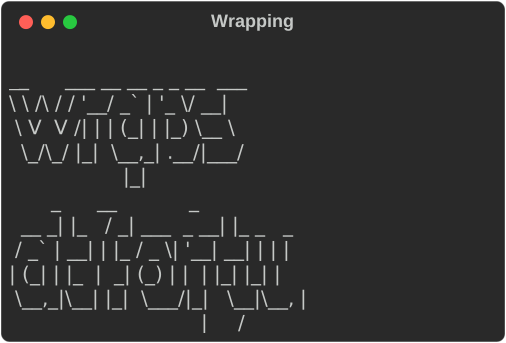
A banner lays out to the console's width. .width(n) overrides it. When a line
would not fit, the banner wraps onto another row of big letters, breaking at
spaces as figlet does:
// A banner lays out to the console width (or `.width(n)`), and wraps
// onto further banner rows when a line would not fit, as figlet does.
console.print(&Figlet::new("wraps at forty").width(40));
Compose it with other renderables
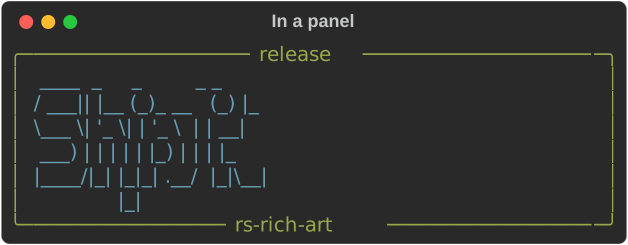
A banner is a renderable like a Text or a Table, so it can go inside a
Panel, a Table cell or a Layout:
// A banner is an ordinary renderable, so it composes with everything else.
let banner = Figlet::new("Ship it").style(Style::parse("cyan").expect("a valid style"));
let panel = Panel::new(Box::new(banner))
    .box_set(ROUNDED)
    .title("release")
    .subtitle("rs-rich-art")
    .border_style(Style::parse("green").expect("a valid style"));
console.print(&panel);
Plain text
to_text(width) returns the banner as a String, with no console and no
styling. Use it for a file header, a --version message or a test:
// `to_text` returns exactly what figlet(1) prints — no console, no styling.
let text: String = Figlet::new("Hi").to_text(80);
assert!(text.starts_with(" _   _ _ \n"));
Fonts
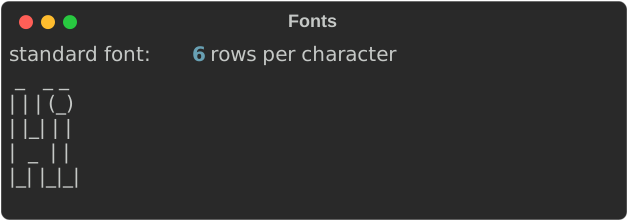
Fonts are FIGfont (.flf) files. The crate bundles one, standard, and uses
it by default. FigletFont::parse reads any other FIGfont from its text:
// Fonts are FIGfont (`.flf`) files. The bundled `standard` font is the
// default; parse any other with `FigletFont::parse`, e.g.
// `FigletFont::parse(&std::fs::read_to_string("slant.flf")?)?`.
let font = FigletFont::parse(rich_art::figlet::STANDARD_FONT).expect("a valid FIGfont");
console.print_str(&format!(
    "standard font: {} rows per character",
    font.height()
));
console.print(&Figlet::new("Hi").font(font));
The parser supports the FIGfont header, comment block, the required character
set and code-tagged characters (decimal, 0x hex and octal). Layout supports
full width, kerning, controlled smushing rules 1–6, universal overlapping and
hardblanks. A malformed font is a FontError, not a panic.
Gotchas
- Only the
standardfont ships with the crate. Other fonts are separate files; check their licences before you redistribute them. - Banners are wide. At 80 columns the
standardfont fits roughly a dozen characters per row, so keep banner text short or let it wrap. stylecolours the whole banner. For a gradient or per-letter colours, build several banners or post-processto_text.
See also
- rich-art overview
- Images — pictures rather than letters
- The
bannerexample:cargo run -p rs-rich-art --example banner -- "your text"