The built-in library
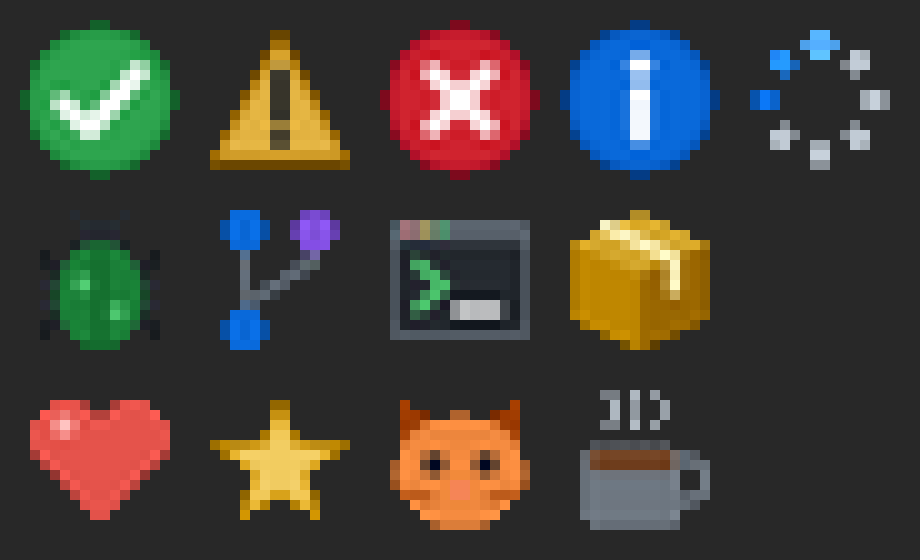
rs-rich-micro ships thirteen assets in three packs, drawn for this project
and licensed MIT. Each image below is the asset's own file, magnified ten
times so each of its 16×16 pixels shows as a square. Animated assets play
their real frames at their real timings.
In a terminal, an asset takes two cells, the space of one emoji. What fills those cells depends on the terminal: see Drawing modes, side by side below.
rich micro list --layer built-in        # the same list, in your terminal
rich micro preview fun/heart            # one asset, inline and magnified
rich -p --emoji "Deploy :micro:status/success: done"
| Image | Name | Alt text | Fallback | Kind | Licence |
|---|---|---|---|---|---|
 |
:micro:status/success: |
green circle with a white check mark | ✅ OK |
static | MIT |
 |
:micro:status/warning: |
amber triangle with an exclamation mark | ⚠ !! |
static | MIT |
 |
:micro:status/error: |
red circle with a white cross | ❌ XX |
static | MIT |
 |
:micro:status/info: |
blue circle with a white letter i | ℹ i |
static | MIT |
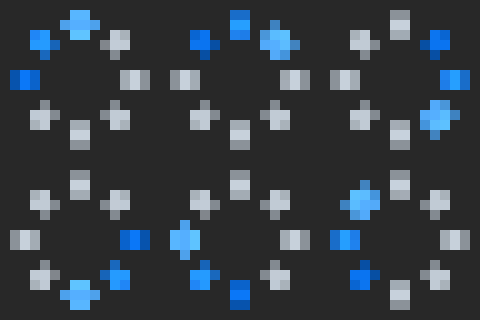 |
:micro:status/loading: |
ring of dots turning, for work in progress | ⏳ .. |
animated, 8 frames, 800 ms a loop | MIT |
 |
:micro:dev/bug: |
green bug with six legs | 🐛 #! |
static | MIT |
 |
:micro:dev/branch: |
branching line with three commit dots | 🔀 Y |
static | MIT |
 |
:micro:dev/terminal: |
terminal window with a prompt | 💻 >_ |
static | MIT |
 |
:micro:dev/package: |
closed cardboard box | 📦 [] |
static | MIT |
 |
:micro:fun/heart: |
red heart, beating | 💖 <3 |
animated, 4 frames, 1000 ms a loop | MIT |
 |
:micro:fun/star: |
yellow five-pointed star | ⭐ * |
static | MIT |
 |
:micro:fun/cat: |
orange cat face | 🐱 =^ |
static | MIT |
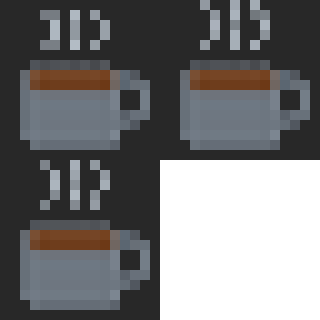 |
:micro:fun/coffee: |
steaming cup of coffee | ☕ c[ |
animated, 3 frames, 750 ms a loop | MIT |
The fallback column is what shows when no image is drawn: the emoji where the output is UTF-8, the text where it is not, and the alt text only for an asset with neither.
Drawing modes, side by side
What fills an asset's two cells depends on the terminal, chosen once per terminal (see Terminal compatibility):
| Mode | Chosen when | What fills the cells |
|---|---|---|
kitty, iterm, sixel |
the terminal speaks that image protocol | the image above, in pixels, fitted to exactly its cells |
blocks |
a colour terminal with no image protocol | the asset's emoji; with RICH_MICRO=blocks, its image scaled to 2×2 colour samples, one per half cell |
text |
TERM=dumb or no colour, RICH_MICRO=text, and always for pipes, log files and exports |
no image: the emoji where the output is UTF-8, the text fallback where it is not, else the alt text |
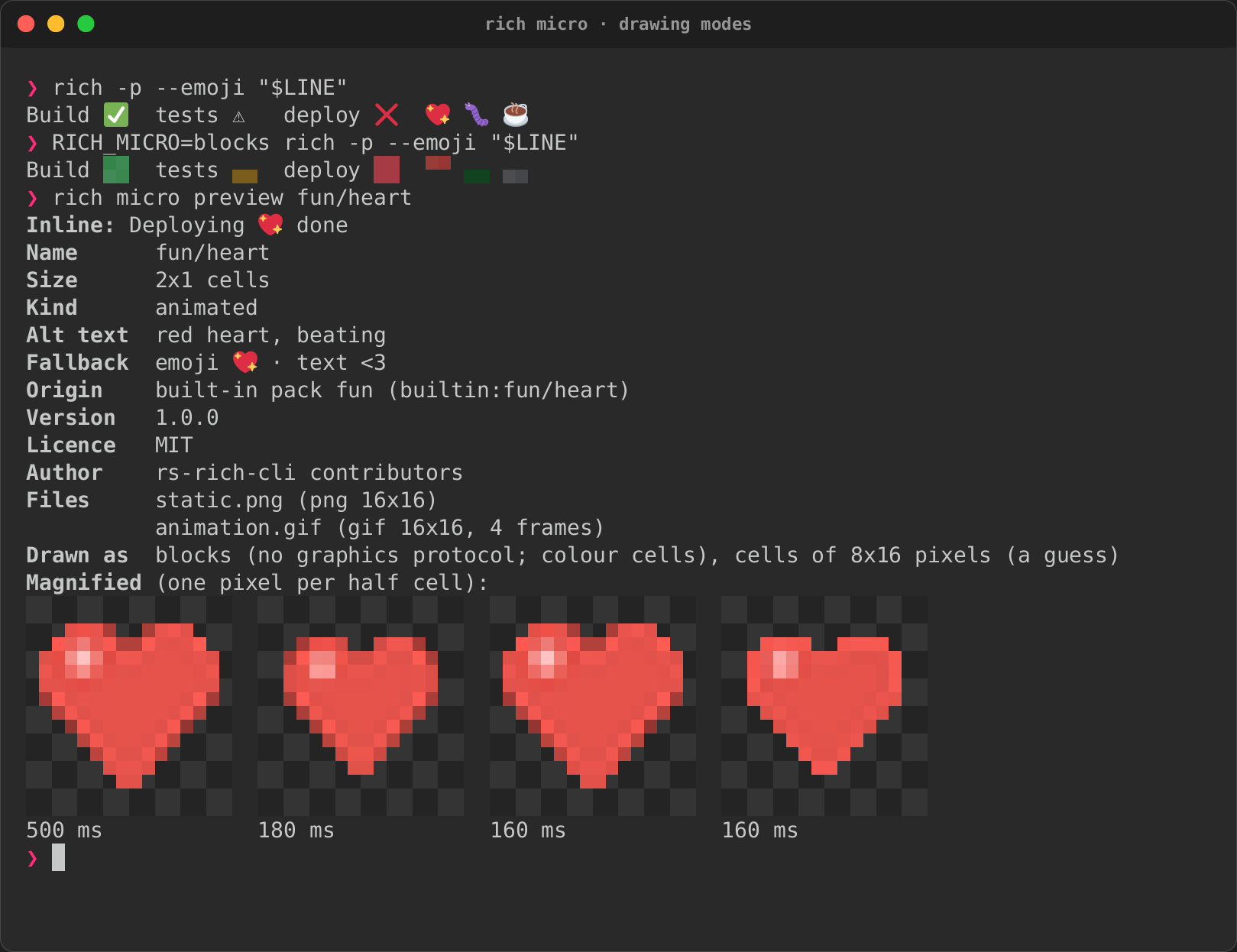
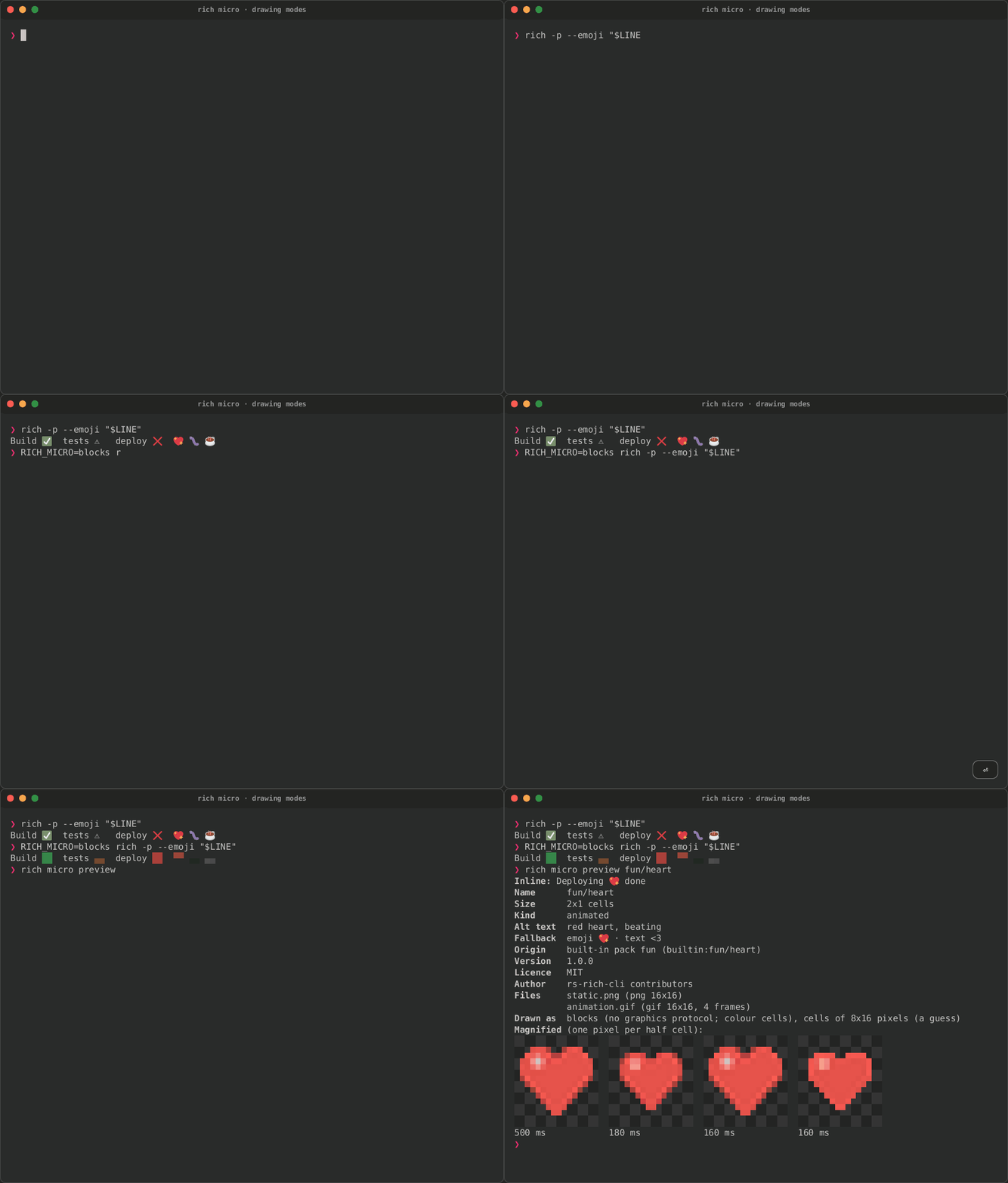
The recording below is real: the same line with the emoji, then with
RICH_MICRO=blocks, then rich micro preview fun/heart with both
fallbacks and its four frames magnified. A pseudo-terminal speaks no image
protocol, so the pixel modes are the one thing it cannot record: a Kitty,
iTerm2 or Sixel terminal draws the images in the table above, in the same
cells.
RICH_MICRO=kitty|iterm|sixel|blocks|text forces a mode, and rich doctor
says which one your terminal got and why. Half-blocks at this size keep an
asset's colours, not its shape, which is why the emoji comes first: they
are there for an asset with no emoji, or when you ask for them.
Tape · Cast · GIF · Page · more in Terminal recordings
Making your own
Authoring micro assets takes an image of any size through
the same pipeline that made these: fitted to the cells, with contrast,
sharpening and transparency, into a package the registry loads.
crates/rich-micro/examples/gen_builtin.rs draws the built-in assets; the
page you are reading is regenerated from them with:
CI runs it with --check, so this page cannot fall behind the library.