Micro assets in the rich CLI
rich micro lists, shows, previews, adds, removes and creates micro
assets, and installs packs; :micro:name: works in --print --emoji text,
panel titles and captions, and Markdown; rich asset --kind micro picks
one; and rich explore --icons marks
values with them. All of it is in the default build (the art feature).
The CLI reference has every option.
The layers
| Layer | Where | Loaded |
|---|---|---|
| built-in | compiled in (status/, dev/, fun/) |
always |
| user | ~/.config/rich/micro/ |
always |
| project | ./.rich/micro/ |
only when trusted |
A later layer wins a name. A project's assets load only when you trust the
project: with --micro-project, or micro_project = true in your own
config (~/.config/rich/config.toml, or a file given with --config). A
project's ./rich.toml cannot turn it on (it is ignored, with a warning),
the same rule that keeps a cloned repository from loading plugins or
naming files for rich to write. Without trust, rich micro list and
packs say the project's directory was not loaded.
add, remove, install, uninstall and create --add work on the user
layer, or with --project on the project's.
Commands
| Command | What it does |
|---|---|
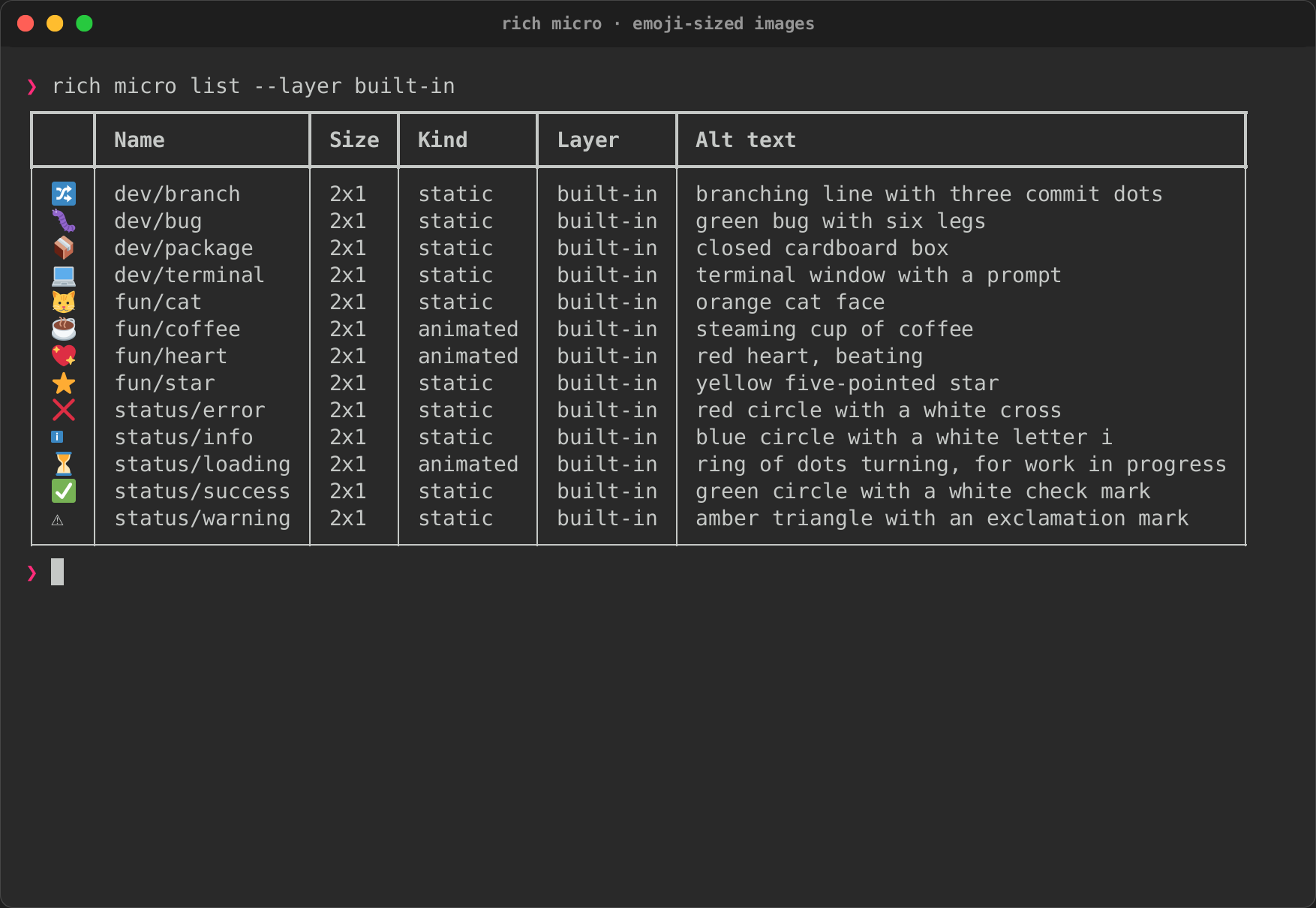
rich micro list [--layer L] |
Every asset that resolves, drawn, with size, kind, layer and alt text (rich micro alone) |
rich micro show NAME |
One asset: metadata, fallbacks, files, and how its name resolved across layers |
rich micro preview NAME\|PACKAGE\|IMAGE |
Draw it inline and magnified at the terminal's cell size; an image runs through the pipeline first |
rich micro add PACKAGE |
Copy a package into the layer (refused if the layer has the name) |
rich micro remove NAME |
Delete an asset's package from the layer (not one that came with a pack) |
rich micro create IMAGE --name N --alt T |
Run an image through the pipeline and write a package: see Authoring |
rich micro install PACK |
Copy a pack into the layer |
rich micro uninstall NAME |
Remove an installed pack by its name |
rich micro packs |
The packs in each layer and how many assets each holds |
Every command takes --report json (or --json): data on standard output
instead of a table, and errors as the JSON envelope on standard error, as
the other commands do. Exit codes: 0 done, 2 usage (an unknown name, a
clash), 3 input (a file that cannot be read), 4 data (an image or package
that is not valid).
$ rich micro list --layer built-in
$ rich micro show status/success --report json
$ rich micro create fox.png --name team/fox --alt "a blue fox" --text TF --add
$ rich micro install ./team-pack
$ rich micro list --micro-project
In text
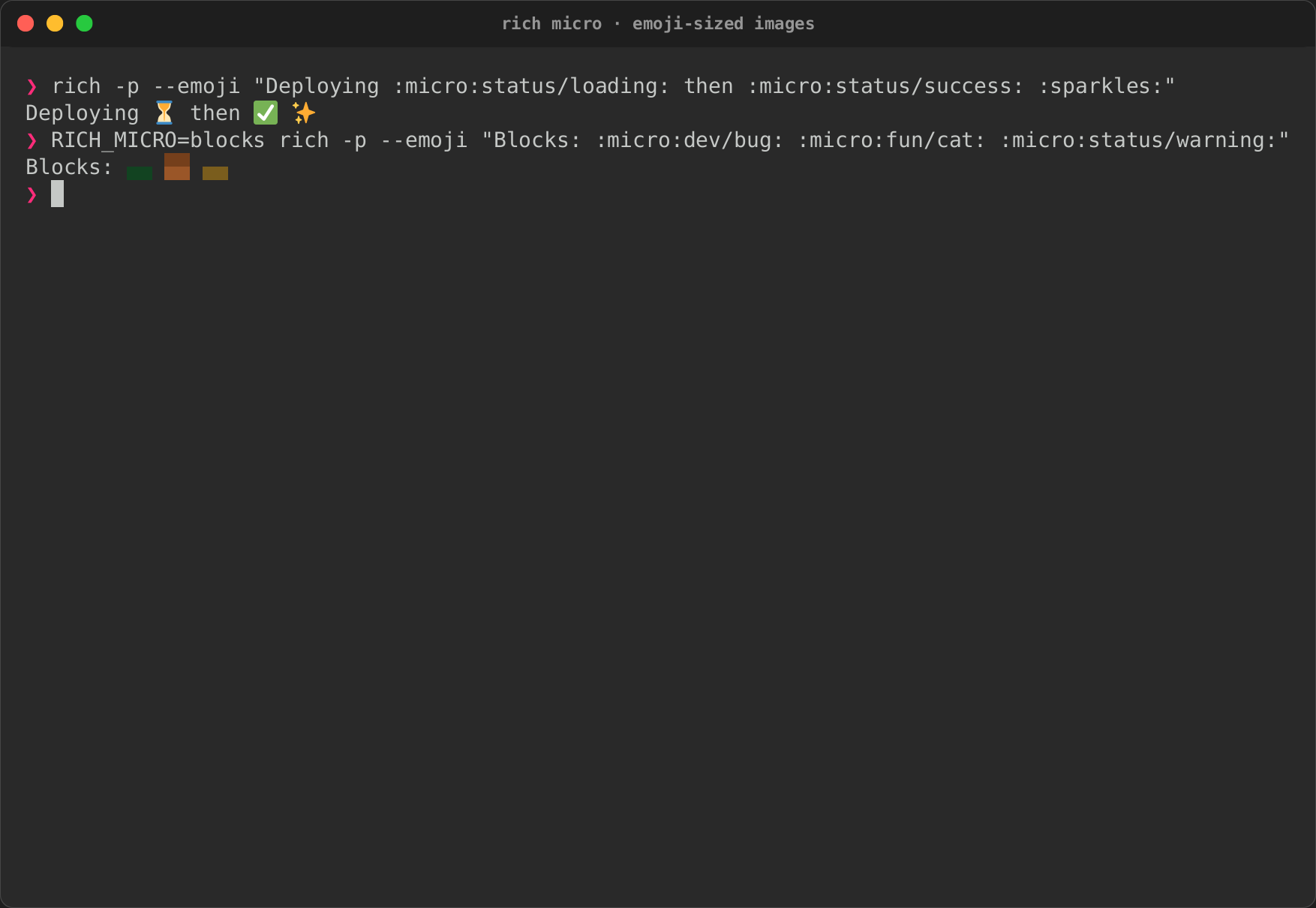
With --emoji (the flag that turns on :emoji: codes, off by default as
upstream has it), rich --print also replaces :micro:name::
$ rich -p --emoji "Deploying :micro:status/loading: then :micro:status/success: :sparkles:"
Deploying ⏳ then ✅ ✨
On a terminal with an image protocol the assets are images; elsewhere they
are their emoji (or text) fallback, and in a pipe always the fallback, so
scripts see plain text. An unknown name stays as typed. RICH_MICRO=blocks
draws half-blocks from the image instead of the emoji:
Tokens also expand where each label's :emoji: codes do:
- a
--panel's--titleand--caption, always (a panel's labels always expand:emoji:codes, as upstream'sText.from_markupdoes); - a CSV table's
--titleand--caption, with--emoji; - a
--markdowndocument (or a.mdfile), outside code (spans and blocks, indented or fenced, wherever they sit) and URLs (link and image destinations, autolinks, reference definitions);\:micro:name:stays as written.
$ rich -p "All checks passed" --panel rounded --title ":micro:status/success: CI"
$ rich README.md    # :micro:status/success: in the text draws the asset
They draw as images on a terminal that can, like --print's; exports, the
pager and --watch show the fallback.
In the interactive commands
rich asset --kind micro lists every asset (drawn in its row, and its
image magnified in the preview) and prints the name picked, for
:micro:NAME:; --micro-project includes a trusted project's.
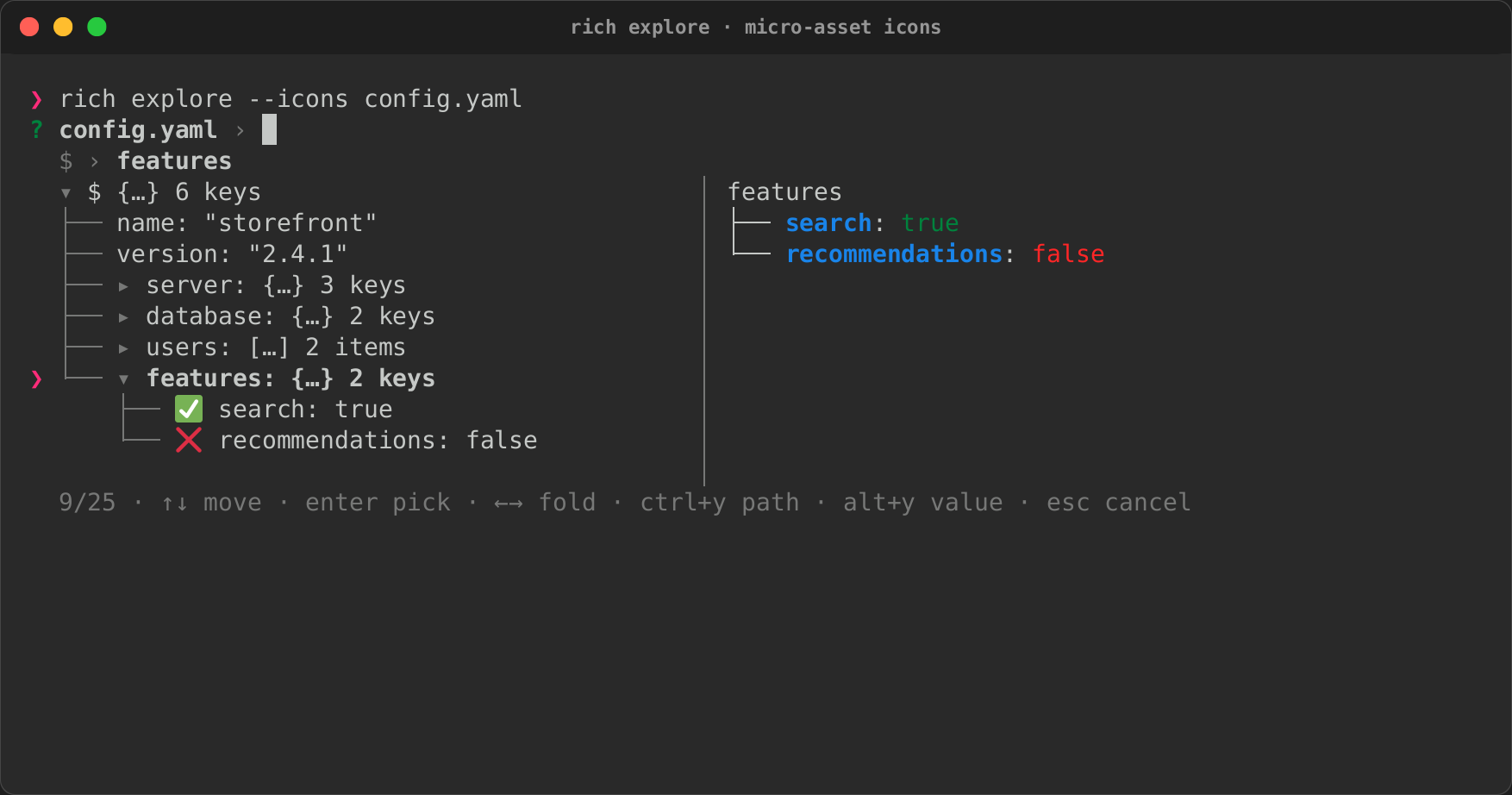
rich explore --icons FILE marks true, false and null with
status/success, status/error and status/info.
Both draw the assets as images on a terminal that can, choosing the mode
for standard error (where they paint), so name=$(rich asset --kind
micro) draws too; elsewhere each shows its emoji:
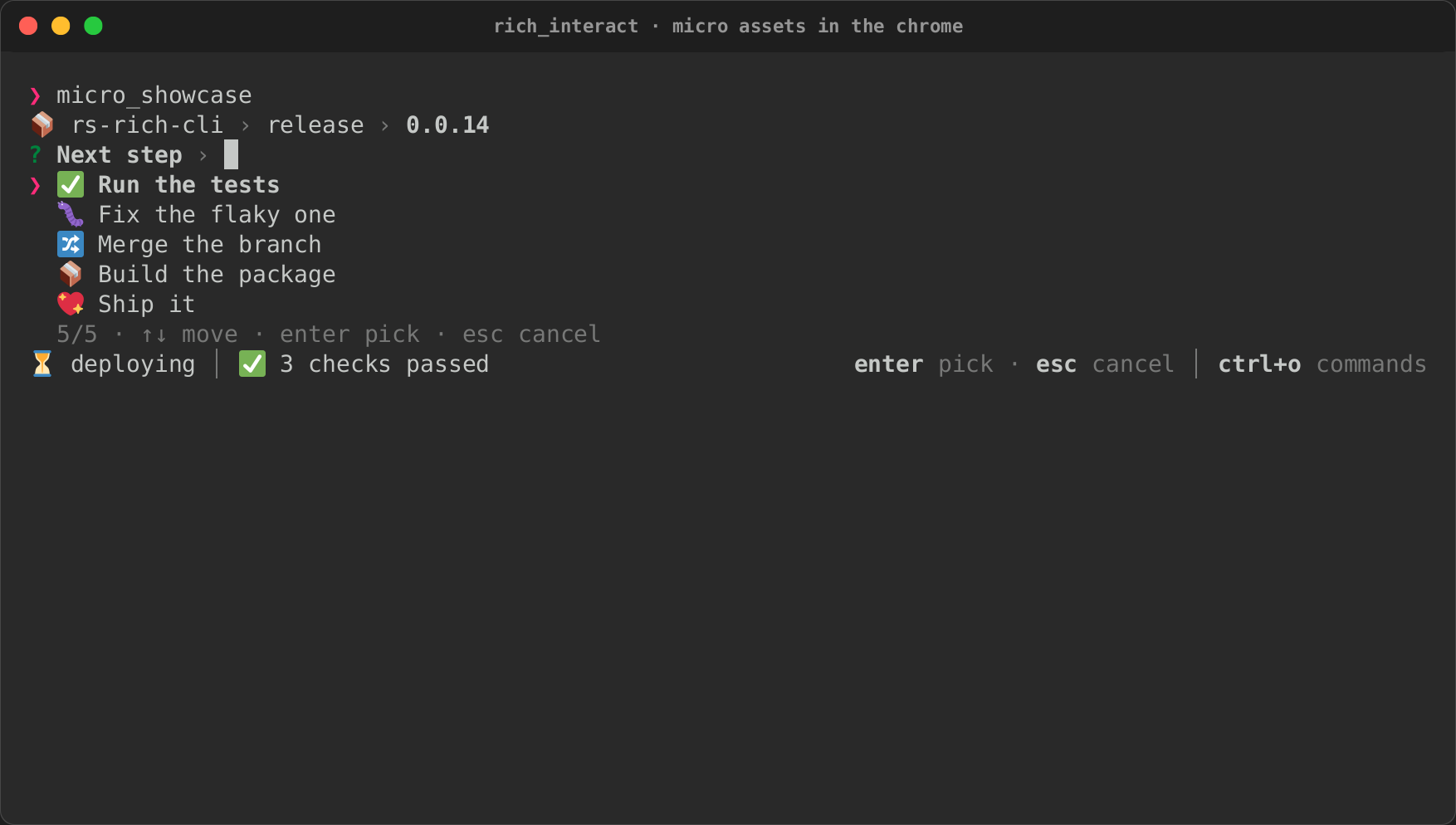
The chrome of rs-rich-interact takes micro assets too: status-bar badges,
breadcrumb icons, row icons and palette category icons (see
Overlays and chrome).
The micro_showcase example shows all of them:
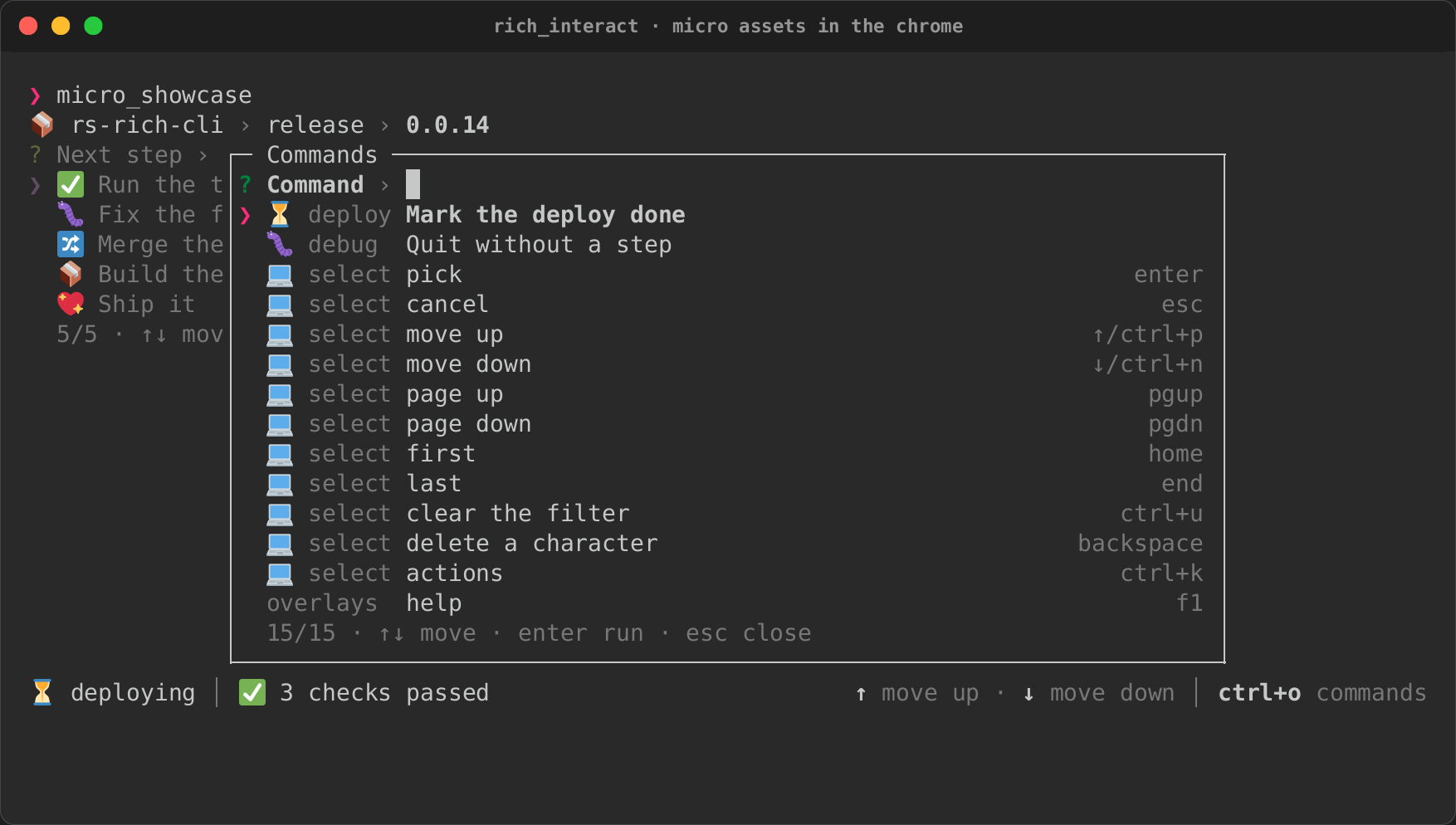
About the recordings
These recordings are made by rich record in a pseudo-terminal that speaks
no image protocol, which is what CI has: every asset shows its fallback
(the emoji, or with RICH_MICRO=blocks half-blocks drawn from its image),
and RICH_ANIMATION=0 holds animations on their still frame so the
screenshots are stable. In Kitty, iTerm2, WezTerm or a Sixel terminal the
same cells hold the real images; see
terminal compatibility.